
Features
Sharing and social
Follow other users, recommend a title to someone directly, and decide what your own profile shows.
The social layer is opt-in, and private by default#
Every account can follow, like, recommend and collaborate on playlists from the moment it's created, but nothing about an account is shared until its owner turns it on. By default:
- A profile's visibility is private.
- Every individual "share my..." toggle is off.
There's also a single kill switch, Do not use sharing features (in Account settings > Privacy, also reached from the profile's Privacy button), for anyone who wants no part of this. Turning it on:
- Makes the account undiscoverable: nobody can view its profile, follow it, recommend content to it, or add it as a playlist collaborator. It also can't view other profiles or save playlists itself.
- Permanently deletes its existing follows, saved playlists, collaborations and recommendations, after a confirmation dialog. Its own playlists lose all their members and go back to private. This cannot be undone.
That deletion is immediate and permanent. There's no separate "pause sharing" option that keeps the data around for later.
Following#
Following another user works differently depending on their profile visibility:
- A public profile is followed instantly.
- A private profile requires approval: the request shows as pending until the owner accepts or rejects it, from the Follow requests section of their own Privacy page.
Following someone unlocks:
- Their private profile's content, sections they've chosen to share.
- Their followers-only playlists.
- The ability to add them as a playlist collaborator, or to recommend content to them, in addition to users with a public profile.
- A "Popular among people you follow" row in a library's suggestions, built from what the people you follow have completed, excluding what you've already played, and limited to what you can actually access.
There is no activity feed: following someone does not show you a stream of what they're watching.
Liking#
A movie, a series, a season or an episode can be liked. Playlists can't be liked. A like on a title shows up in your own My favorites row on the home page and in a library's Likes view, and, if you've shared it, in the Favorites section of your public profile.
Recommending a title to someone#
Pick Recommend (or Recommend season) from a title's menu to open a dialog where you choose a recipient and, optionally, add a short note. You can only send to a user with a public profile, or one you follow, never to yourself.
The recipient sees it as a card on their own home page (the Member recommendations row in their App settings > Home), grouped under "Recommended by" and the sender's name, with your note shown alongside. From there they can like it, add it to a playlist, or Hide the card. Sending the same title to the same person again just refreshes the card back to the top instead of creating a duplicate.
This card is only shown on phone, tablet, desktop and the web app. It doesn't appear on TV clients.
Recommendations only ever show content in libraries the recipient can access, regardless of what libraries the sender can see.
Public profiles#
Every profile page has an Overview tab, and, depending on what its owner shares, a Statistics tab. Your own profile also has a Recommendations tab (what was sent to you, and what you sent, including dismissed cards). Each section has its own switch in Account settings > Privacy:
| Toggle | Shows on your profile |
|---|---|
| Public profile | Whether anyone can view the profile at all (public), or only accepted followers see anything beyond your name (private) |
| Share my tastes | A "Favorite genres" section, inferred from watch history |
| Share my recommendations | The automatic, algorithmic "recommended for you" suggestions (not the ones other members sent you) |
| Share my recent activity | Your last 12 watched titles |
| Share my favorites | Your last 24 likes |
| Share my statistics | The Statistics tab (see below) |
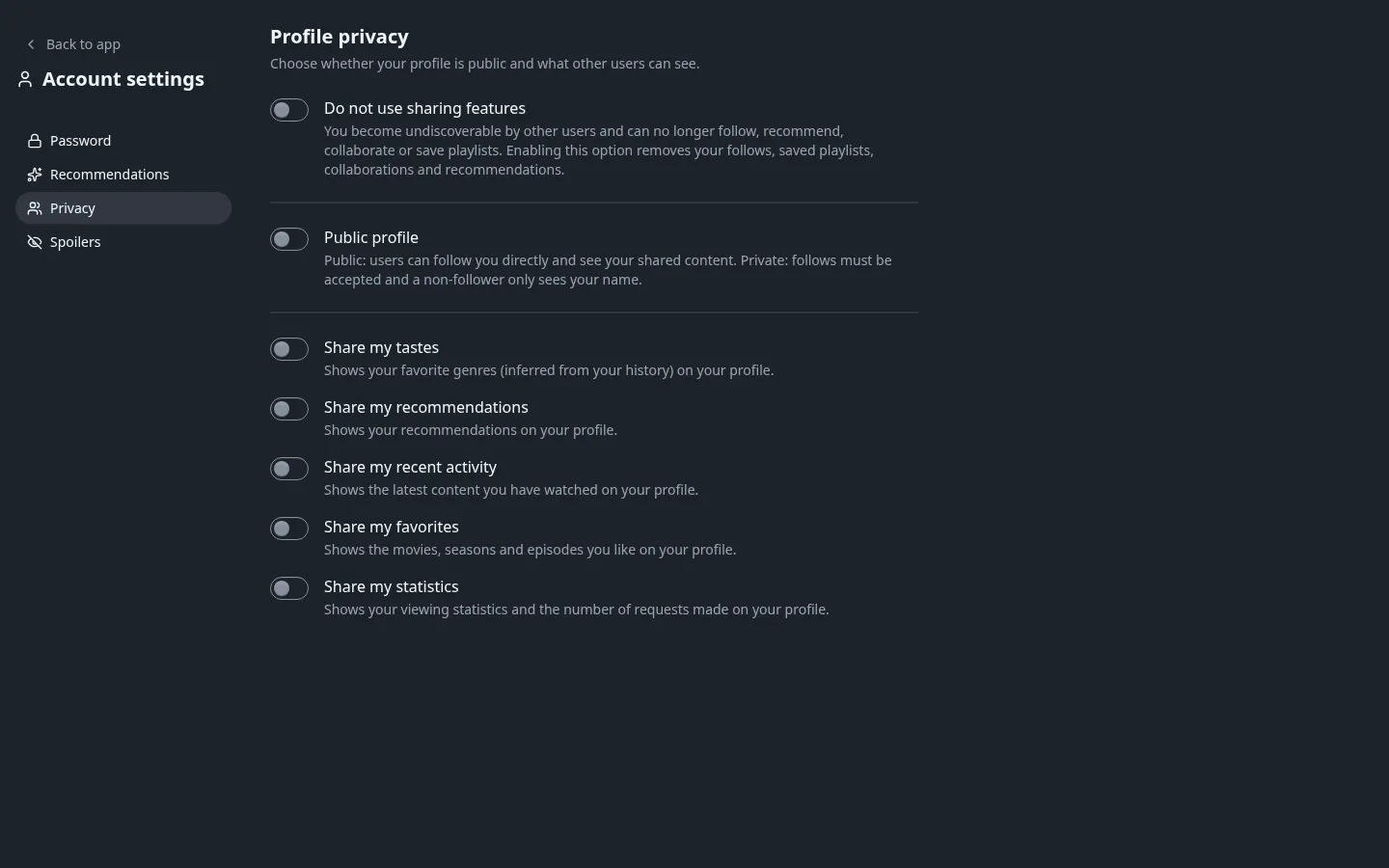
Public playlists (and followers-only ones, for someone who follows you) always appear on your profile; there's no separate toggle for those. If a visitor would see no playlist and no section with anything in it, they get: "This user has chosen not to display any data on their profile." Someone who doesn't follow a private profile sees only its name, picture and follow button.
Statistics#
The Statistics tab shows what's actually tracked:
- Total time watched (from real playback progress, not titles only marked watched by hand)
- Movies watched
- Series started
- Episodes watched
- Requests made (pending, approved and declined, combined)
Profile picture#
Upload any image from the profile page; a circular crop tool with a zoom slider lets you frame it before saving, and Remove picture takes it off again. There are no preset avatars: without an uploaded picture, Fliks shows your initials on a colour generated from your name instead.
See also#
- Playlists for shared and saved playlists.
- Discovery and search for how "recommended for you" and other home rows are built from watch history.