
Built-in plugins
Set up the plugin
What Torrent manager does, what to set up before it can fetch anything, and how a request turns into a file in your library.
Torrent manager turns an approved request into a file in your library: it searches your indexers, picks the best release, hands it to your download client and files the result. Install it from Settings > Plugins. Without it requests stay approved forever.
Its pages: Indexers, Download clients, Settings, Troubleshooting.
Get it working#
- Install the plugin, below.
- Add an indexer: where the plugin searches for releases.
- Add a download client: qBittorrent or Transmission, which downloads them.
Requests also use a quality profile and a language profile, set in the Downloads section.
Install the plugin#
Install it from the catalogue with the admin account. Keep Reach services on the local network in the consent list: without it the plugin cannot reach a client or indexer on your network.
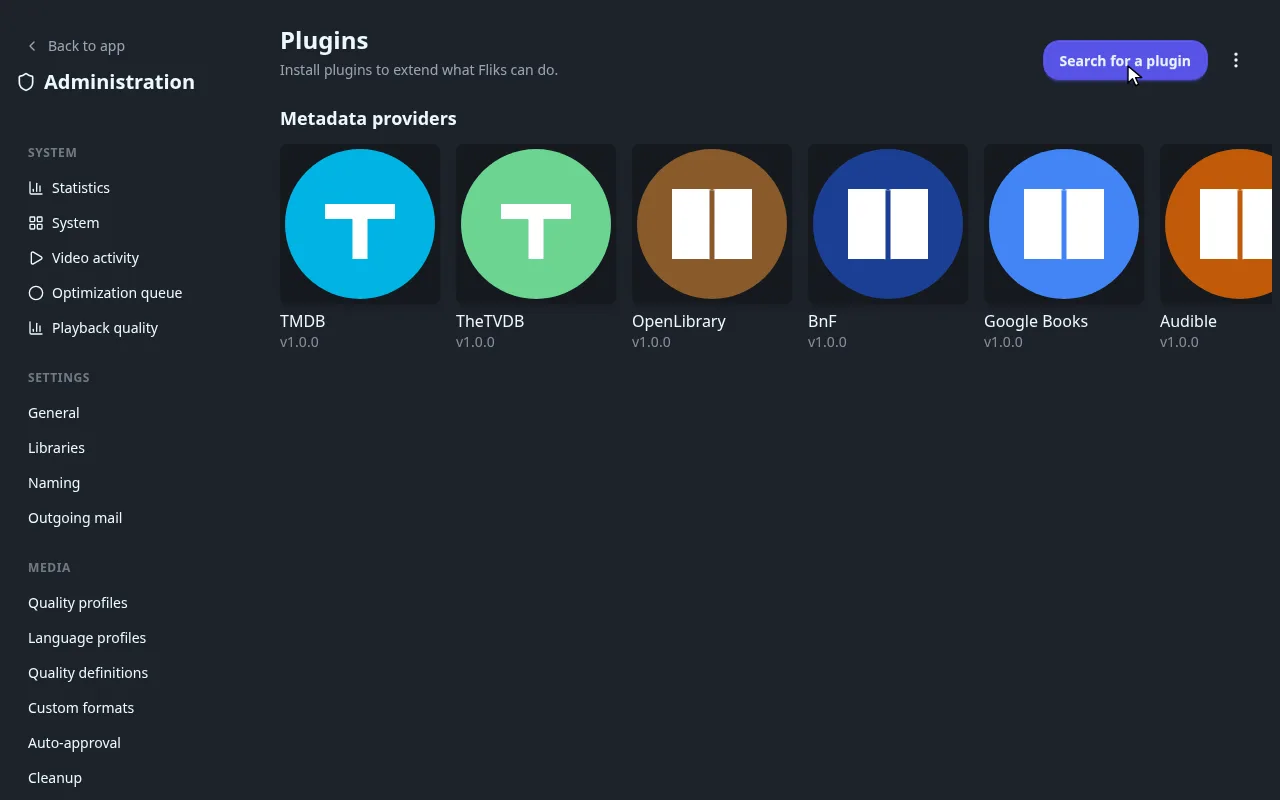
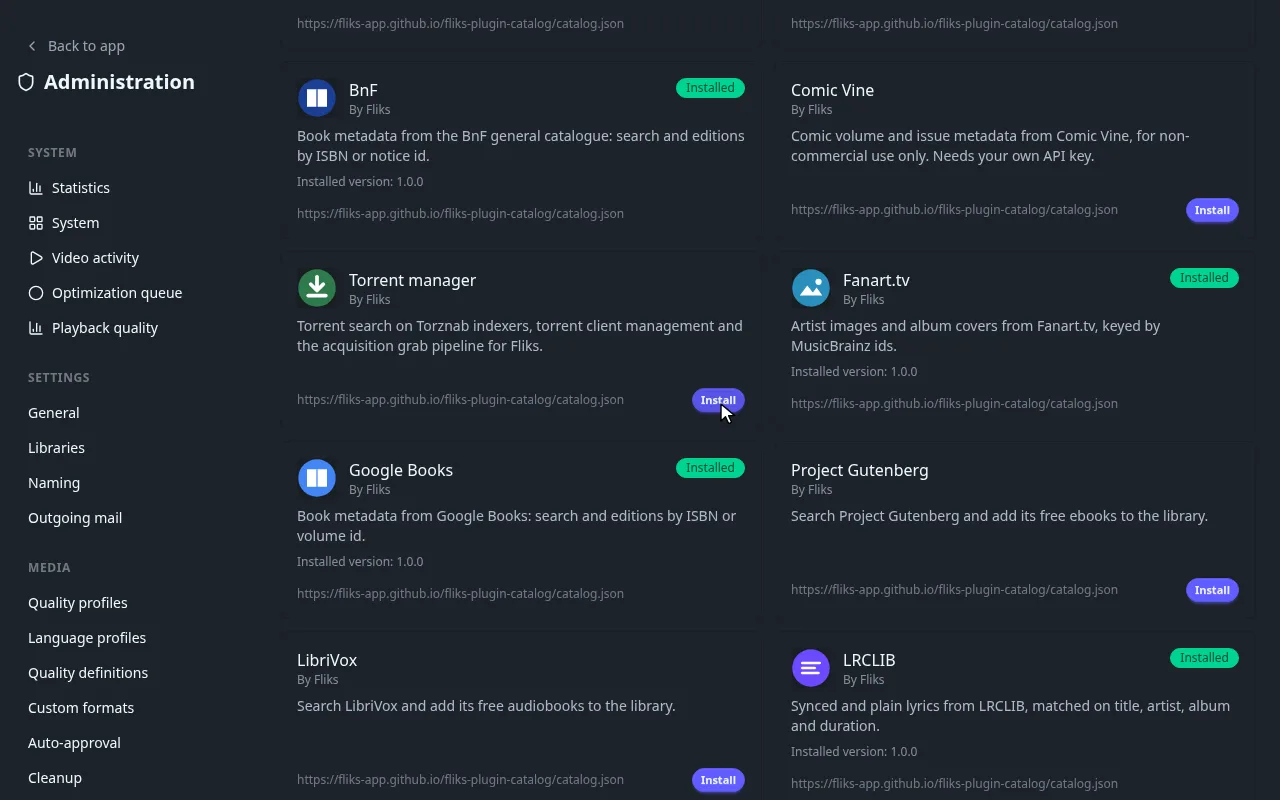
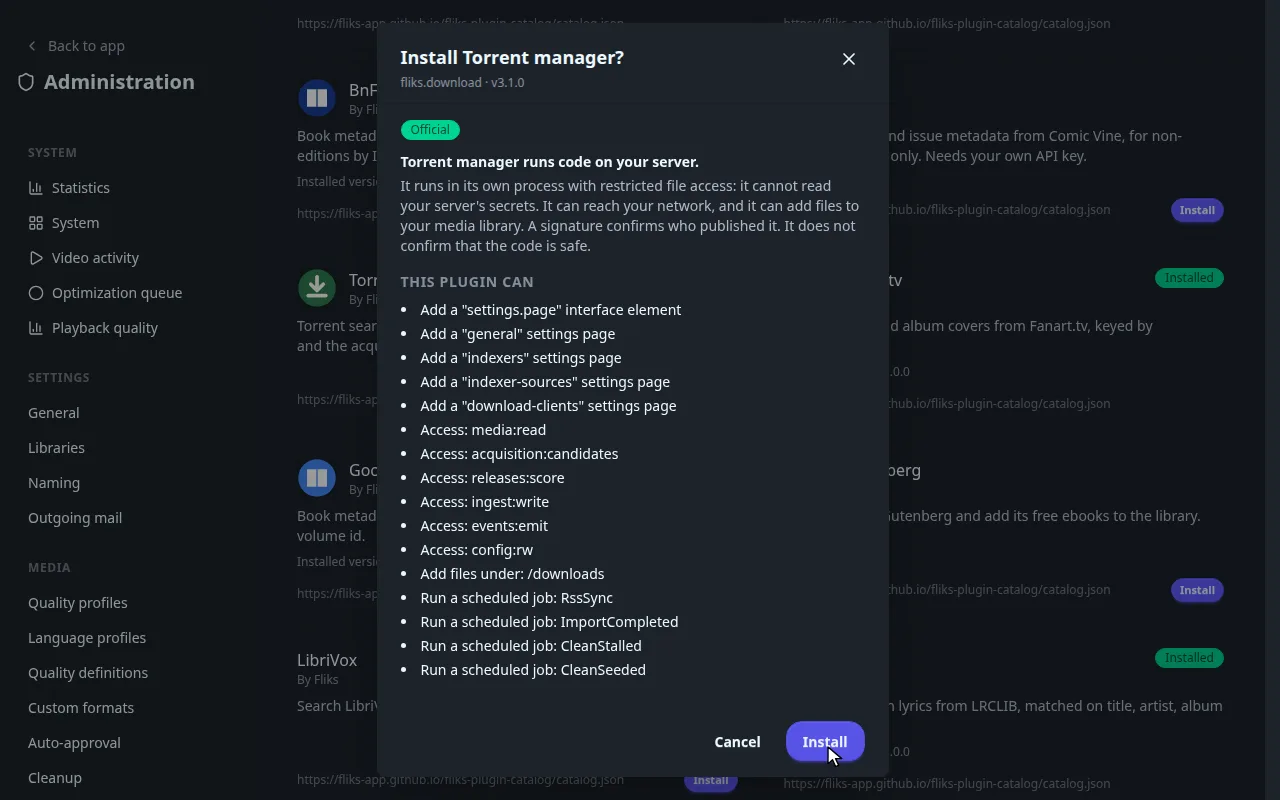
Trust badges and sources are in Plugins.
Where everything is#
Where every page of the plugin is
| What | Where |
|---|---|
| The plugin card, Disable, Export, Uninstall | Settings > Plugins, click Torrent manager |
| General options | Settings > Torrent manager > General |
| Indexers and indexer sources | Settings > Torrent manager > Indexers and Indexer sources |
| Download clients | Settings > Torrent manager > Download clients |
| Queue and history | Downloads section of the main sidebar |
| Search for a release yourself | A title's ⋮ menu, Files |

The Downloads item under Library in the main sidebar is something else: it lists the copies you saved for offline playback, see Offline downloads. The plugin's queue and history are under the Downloads heading, a few lines below.
The Queue and History pages need the Download releases permission.
What it does with an approved request#
When a request is approved, or an admin adds a title, the plugin takes over:
- Search: it asks every indexer allowed for automatic searches and scores each release against the title's quality and language profiles, the quality definitions and the custom formats.
- Grab: it sends the best release to your download client.
- Import: once a minute it copies finished downloads into the library, renamed with your naming rules. The original stays in the client until it has seeded long enough.
If nothing suitable exists yet, it searches again on a schedule and reads the indexers' new releases every 15 minutes.
Searching yourself#
You do not need to wait for the automatic search. On any title in a library you can search now.

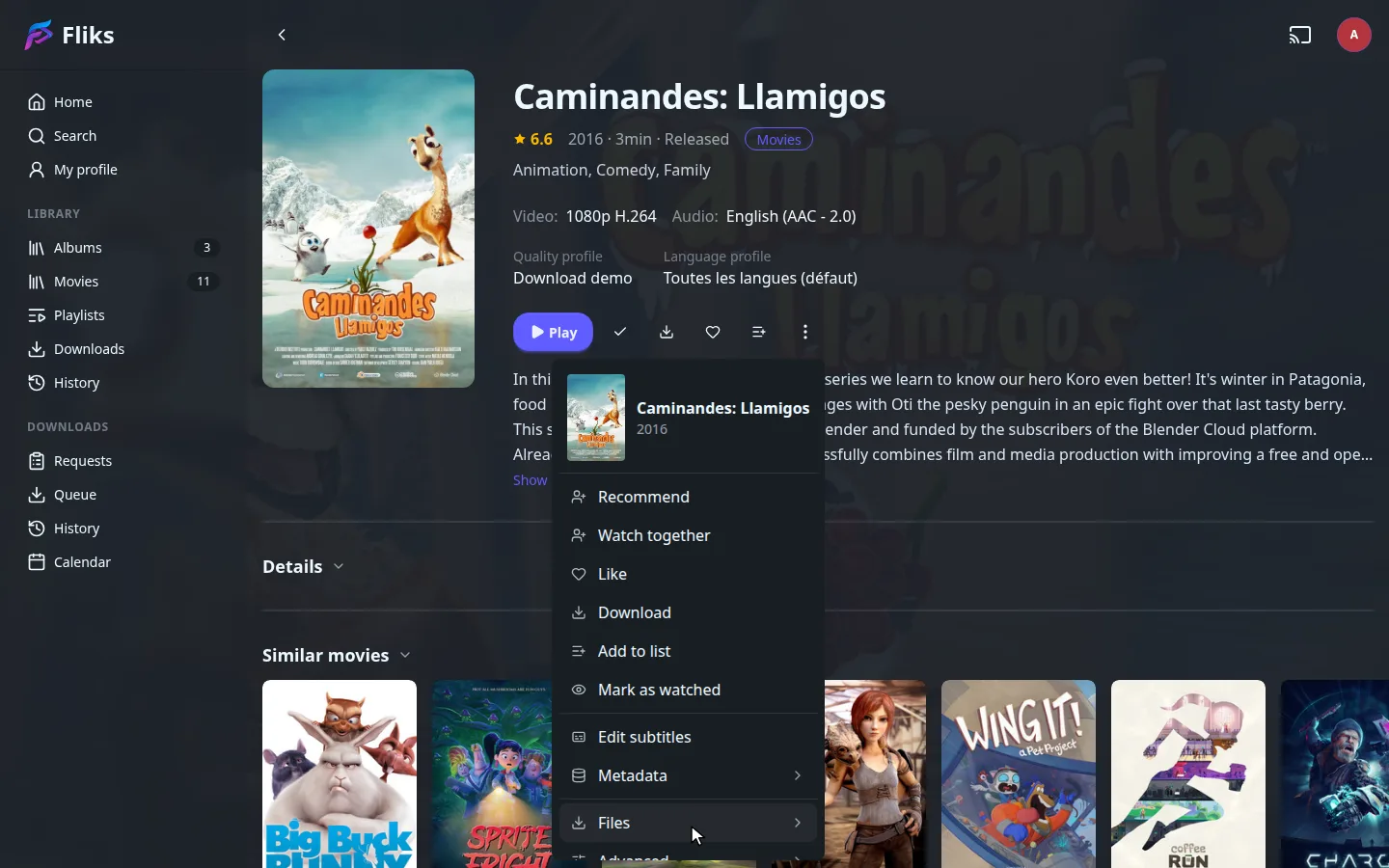
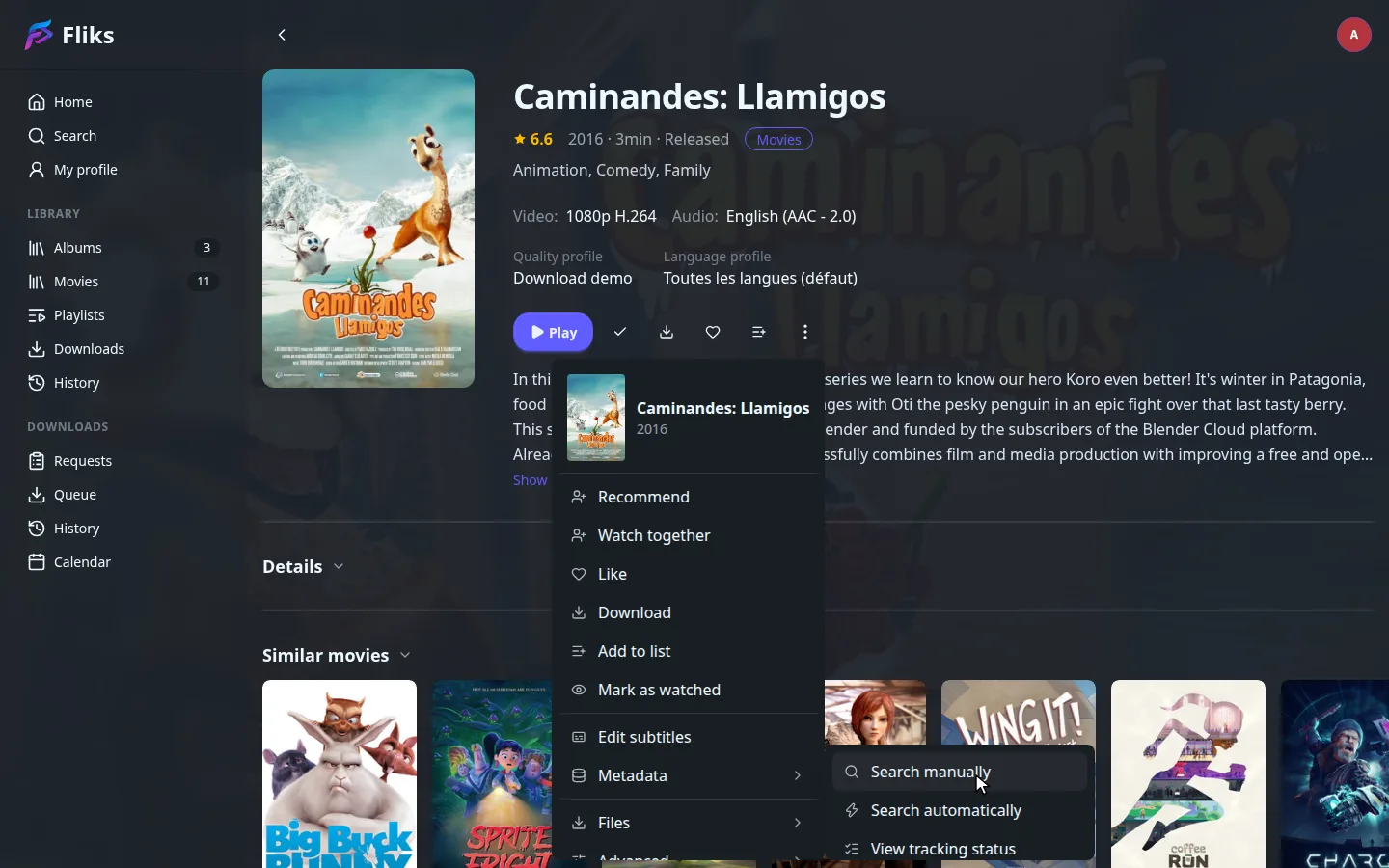
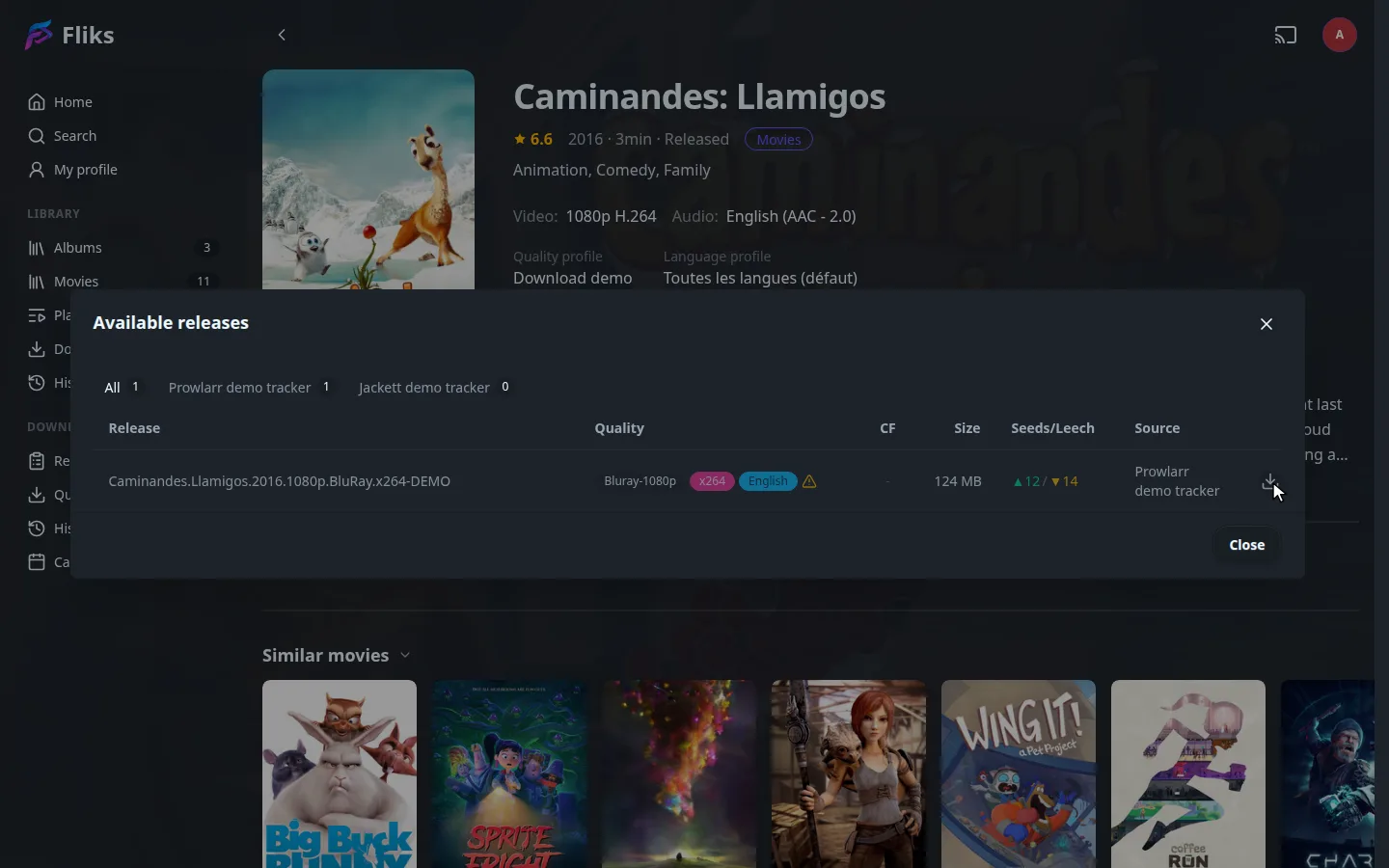
Manual search: warnings, automatic search and tracking status
- Search manually lists every release the indexers returned, with quality, size and seeders. A warning icon means the release does not fit the profile, for example Not an upgrade on the file on disk. You can still download it after a confirmation.
- Search automatically runs the same pick as the scheduled search for this title only.
- View tracking status tells whether the title still needs a file, for example Cutoff met once the file reaches the profile's cutoff.
A series has the same search on its seasons and episodes.
Scheduled jobs#
The four scheduled jobs
The plugin registers four jobs. You can see and run them in Settings > Advanced > Scheduled tasks.
| Job | When | What it does |
|---|---|---|
| RSS sync | Every 15 minutes | Reads the newest releases of every indexer allowed for RSS, and grabs those that match a monitored title. |
| Import completed downloads | Every minute | Imports finished downloads and updates the queue. |
| Clean stalled downloads | Every 5 minutes | Removes downloads that stopped moving, if you turned that on. |
| Clean seeded downloads | Every 5 minutes | Removes finished torrents that reached their seeding limit. |
What it supports#
What the plugin supports
| Supported | |
|---|---|
| Indexers | Torznab. Prowlarr and Jackett can feed the list. Usenet is not supported. |
| Download clients | qBittorrent and Transmission (3.0 or later). |
| Media | Movies, series, books and audiobooks, comics, albums. |
Disabling and uninstalling#
Disable stops all searching and importing and keeps your indexers, clients, history and blocklist. Uninstall deletes them with the plugin. See Plugins.