
Downloads
Auto-approval rules
Approve requests without an administrator when they match a rule you wrote, by who asks, what is asked and where it lands.
An auto-approval rule approves a request the moment it is made, instead of leaving it Pending for a moderator. Only useful when other people make requests. Create one in Settings > Auto-approval by choosing who (users or roles) and what (media type, libraries).
What a rule does#
Without a rule, every request is Pending until an administrator or moderator approves it. A rule lets some requests skip that step: the request is approved the moment it is made, the title is added to the library and monitored, and the requester is notified as for any approval.
You decide who and what qualifies. Typical rules:
- Everyone with the role Family may add any movie.
- One trusted user may add anything.
- Anyone may add a series of at most two seasons, but never a documentary.
Create an auto-approval rule#
Settings > Auto-approval (Media section, Settings access permission).
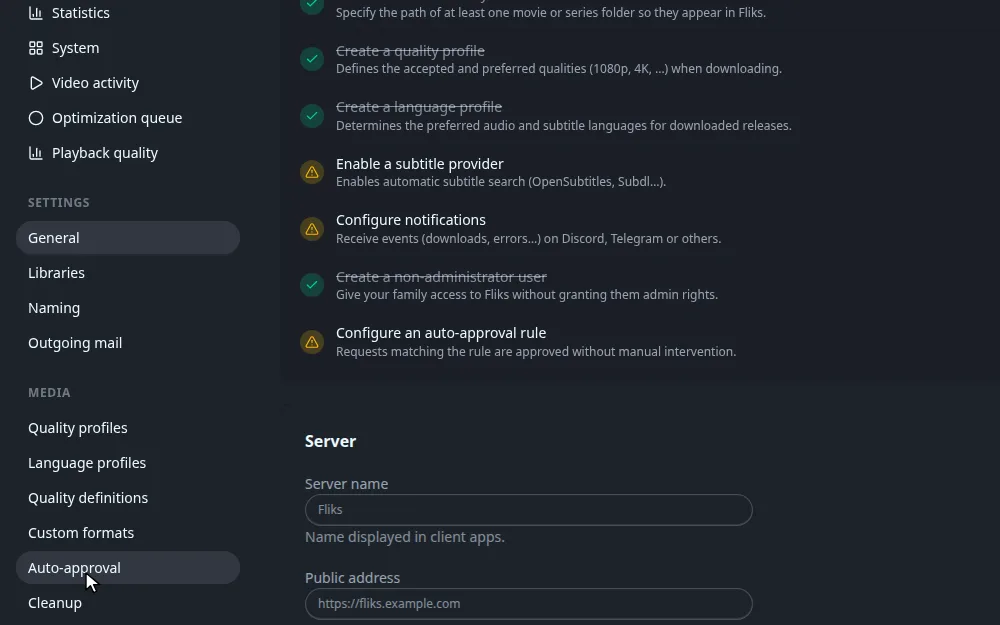
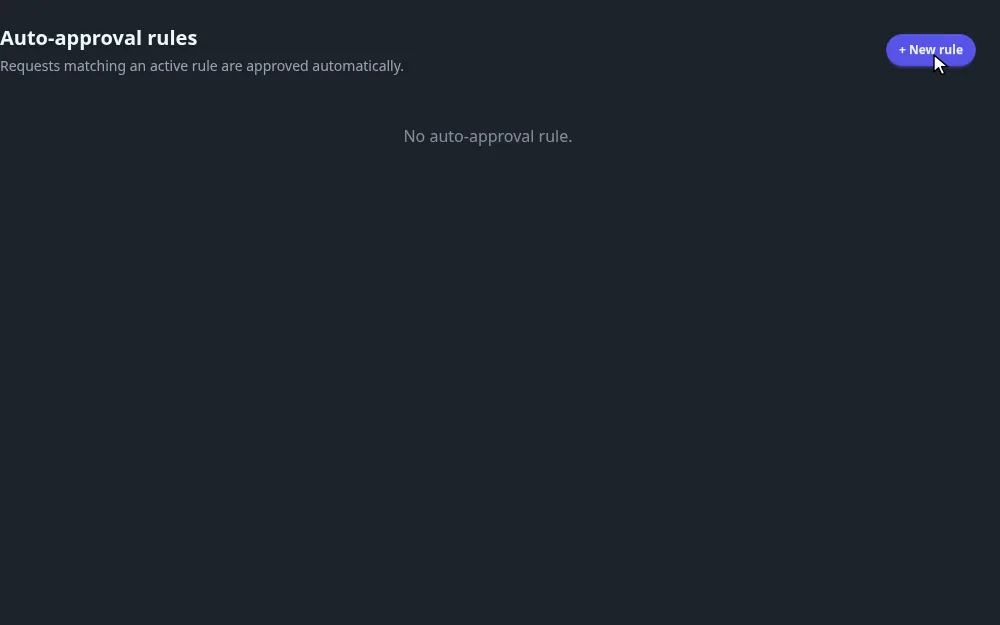
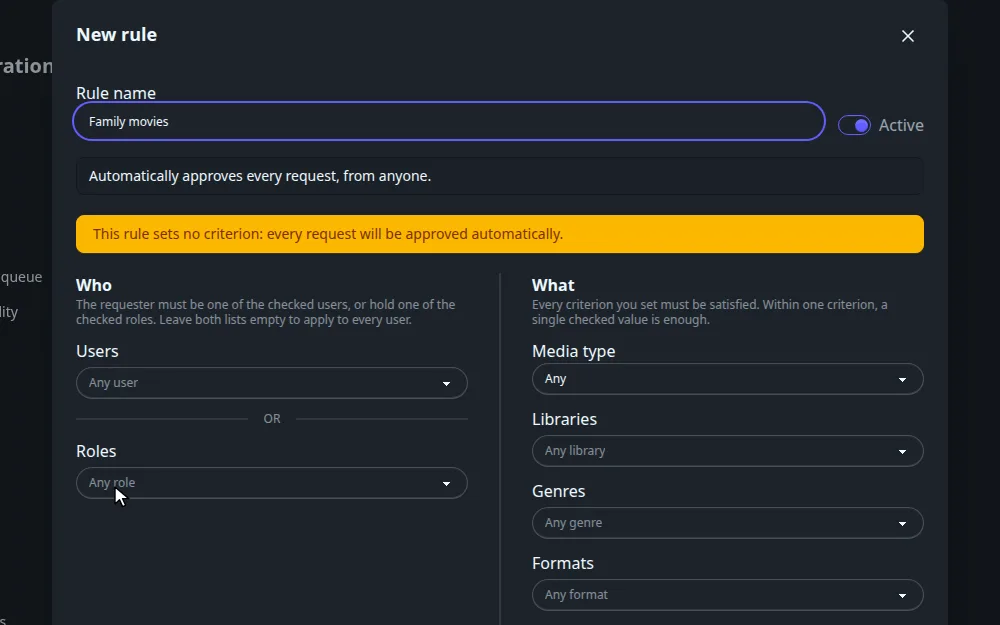
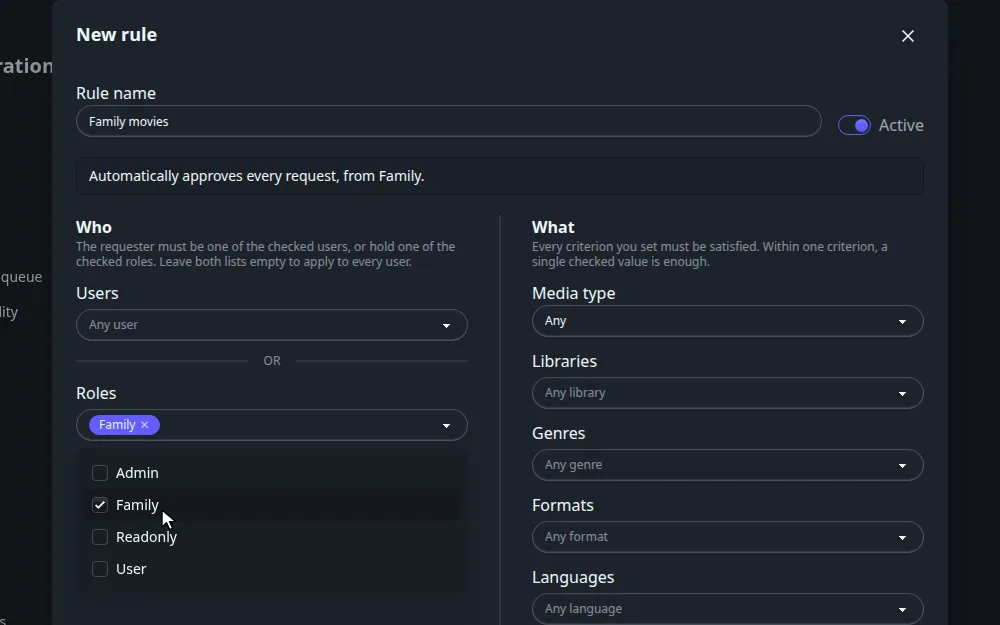
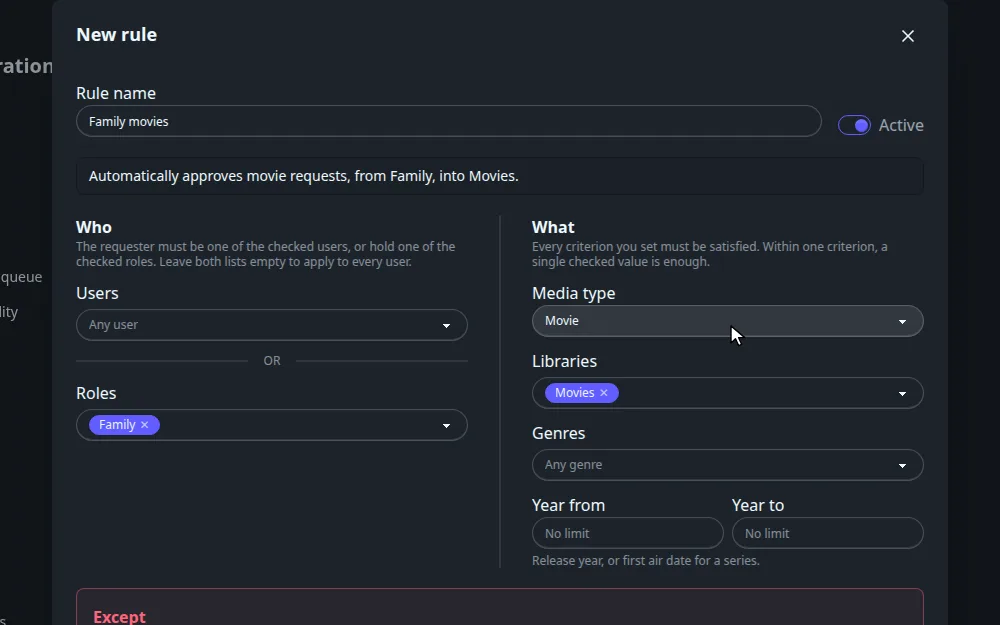
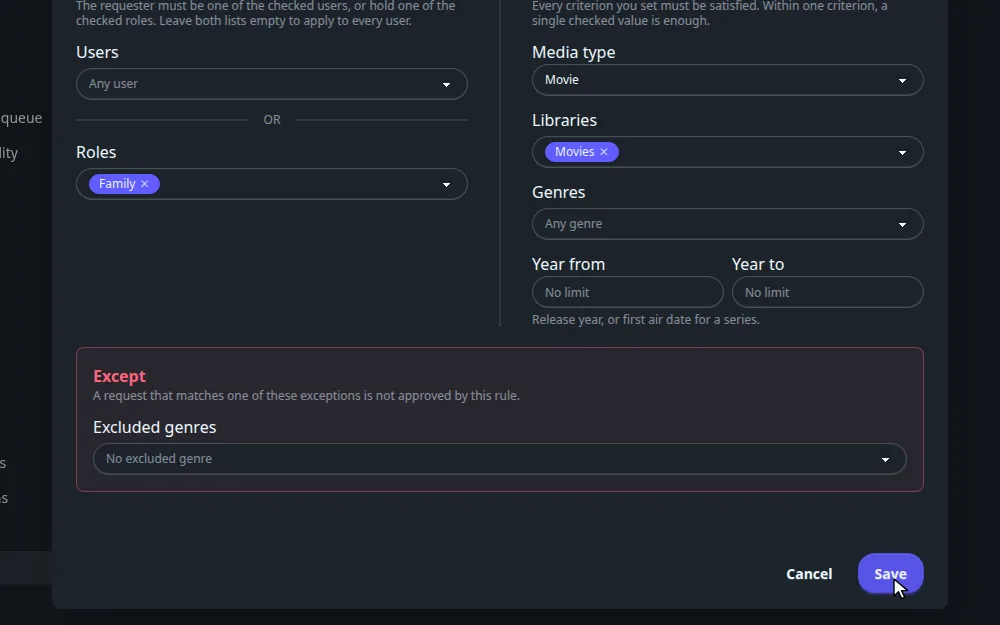
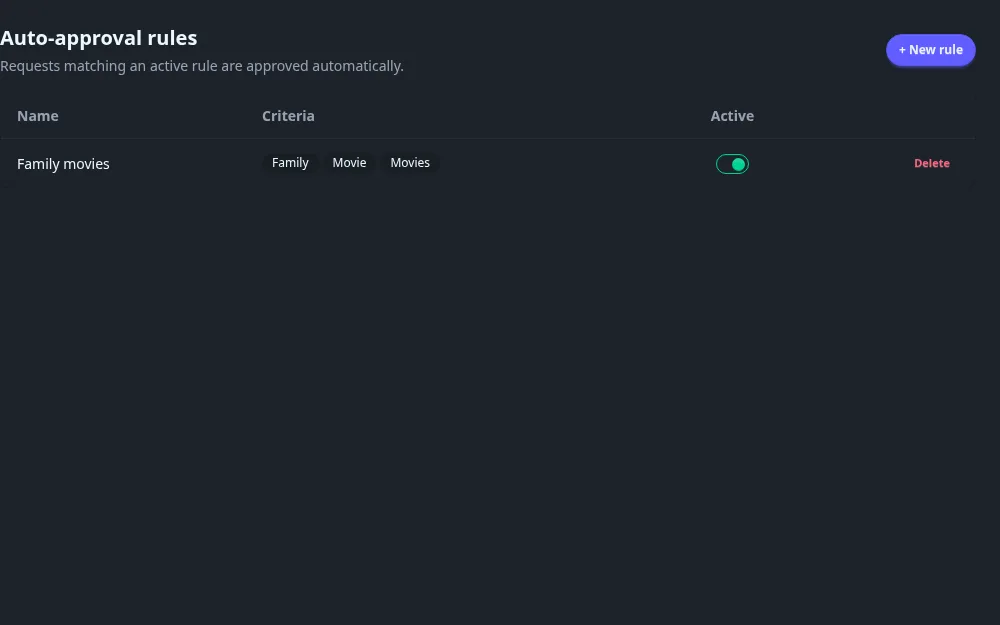
To change a rule, click its name. To remove it, click Delete and confirm. The Active switch turns a rule off without deleting it.
A rule with no criterion approves every request, from everyone. The form warns you with a yellow banner while you have set nothing. Fill in at least a role, a user or a media type.
Every field: name, who, what and except
| Field | What it does |
|---|---|
| Rule name | A label. Required. |
| Active | On by default. A switched-off rule is ignored. |
| Sentence at the top | A live summary, such as "Automatically approves movie requests, from Family, into Movies." Read it before saving. |
Who#
| Field | What it does |
|---|---|
| Users | Tick one or more accounts. |
| Roles | Tick one or more roles. |
The requester must be one of the ticked users or hold one of the ticked roles. Leave both empty to apply to everyone.
What#
Every criterion you set must hold. Within one criterion, one match is enough. A criterion left empty is ignored.
| Field | What it does |
|---|---|
| Media type | Any, Movie, Series or Book. |
| Libraries | The library the request is going to. A request with no library yet is resolved first, so the rule sees the final one. |
| Genres | The title needs at least one of the ticked genres. |
| Formats | Books only: the wanted editions' format (text or audio). Every edition of the request must fit. |
| Languages | Books only: the language of each wanted edition. A request for any language fails a language criterion. |
| Maximum number of requested seasons | Series only. A request for some seasons counts those seasons; a request for the whole series counts all the show's seasons. Ignored for movies and books. |
| Year from, Year to | The release year, or the first air date for a series. |
Except#
| Field | What it does |
|---|---|
| Excluded genres | A request whose title has any of these genres is not approved by this rule, even if every other criterion matches. |
How a request is checked
- Fliks lists the Active rules. If there is none, the request stays Pending.
- A rule matches when every criterion it sets holds. Several rules combine as alternatives: the first rule that matches approves the request, and the others are not consulted.
- A criterion Fliks cannot check counts as not matching. That is what happens when the title's details cannot be fetched, or for a genre criterion on a title from a source that has no genres.
- Rules are only checked when a request is made. Switching a rule on does not approve requests that are already pending.
Genres come from TMDB. For a title from another metadata source, a rule that uses genres cannot match, so the request waits for a person.
Auto-approval does not bypass the other request checks. The per-user quotas and the duplicate guard still run first. Requests to delete a title are never auto-approved.
Worked example: let Family add movies
Goal: members of the Family role can add movies to the Movies library without waiting. Series and everything else still need approval.
- Rule name:
Family movies. - Roles: Family. Media type: Movie. Libraries: Movies.
- Leave genres, years and seasons empty.
A Family member requests a movie for the Movies library: approved at once. The same member requests a series: no rule matches, so it stays pending. Someone with another role requests a movie: pending.
To keep one genre out, add it under Excluded genres.
How it connects#
- Requests explains statuses, quotas and what happens after approval.
- Users and permissions covers roles and the Create requests and Manage requests permissions.
- Libraries lists the libraries a rule can target.
- Quality profiles and language profiles are chosen by the requester at request time. A rule never changes them.