
Administration
Lyrics and karaoke settings
The two administration pages for music, Settings > Lyrics and Settings > Karaoke, field by field, with the models you can download.
Both pages matter only with an albums library, and nobody needs them to play music. Settings > Lyrics fetches lyrics for new tracks (on by default). Settings > Karaoke separates voices and times lyrics word by word: turn it on, then download one voice separation model. Heavy on CPU and disk.
How listeners use lyrics and karaoke is in Music.
Lyrics#
Open Settings > Lyrics (under Media). Switch Automatic fetch on or off, then Save at the bottom.
Every Lyrics field
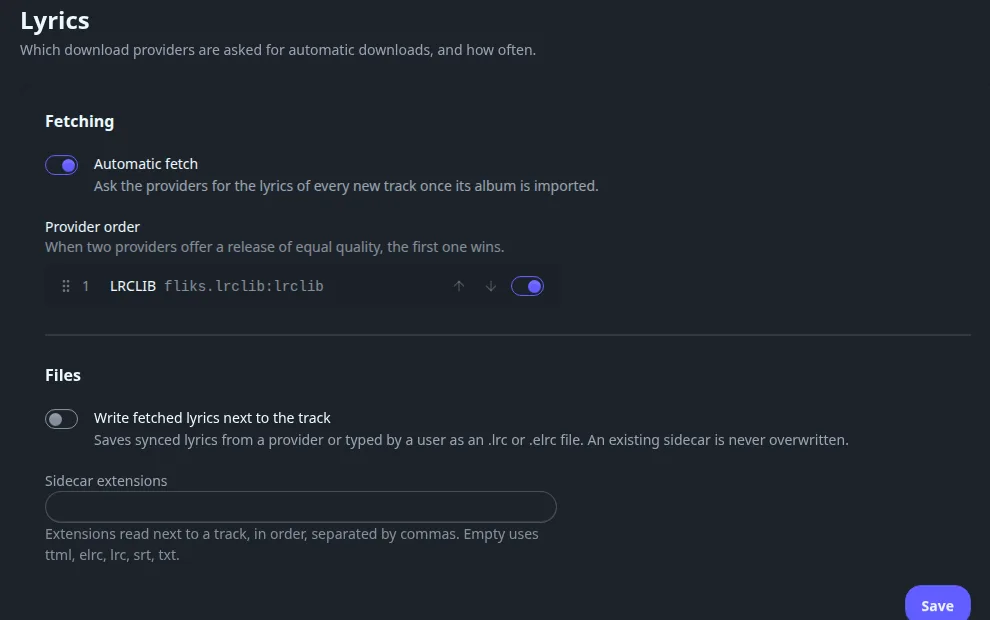
Fetching#
| Field | Default | What it does |
|---|---|---|
| Automatic fetch | On | Asks the providers for the lyrics of every new track once its album is imported. |
| Provider order | Installed providers, in install order | Each lyrics provider (LRCLIB ships with the server) has a switch and arrows or a drag handle to reorder. When two providers offer a result of equal quality, the first one wins. With none installed the page says No lyrics provider is installed. |
Files#
| Field | Default | What it does |
|---|---|---|
| Write fetched lyrics next to the track | Off | Saves synced lyrics, from a provider or typed by a user, as an .lrc or .elrc file next to the audio file. An existing sidecar is never overwritten. |
| Sidecar extensions | Empty | The extensions read next to a track, in order, separated by commas. Empty uses ttml, elrc, lrc, srt, txt. |
Karaoke#
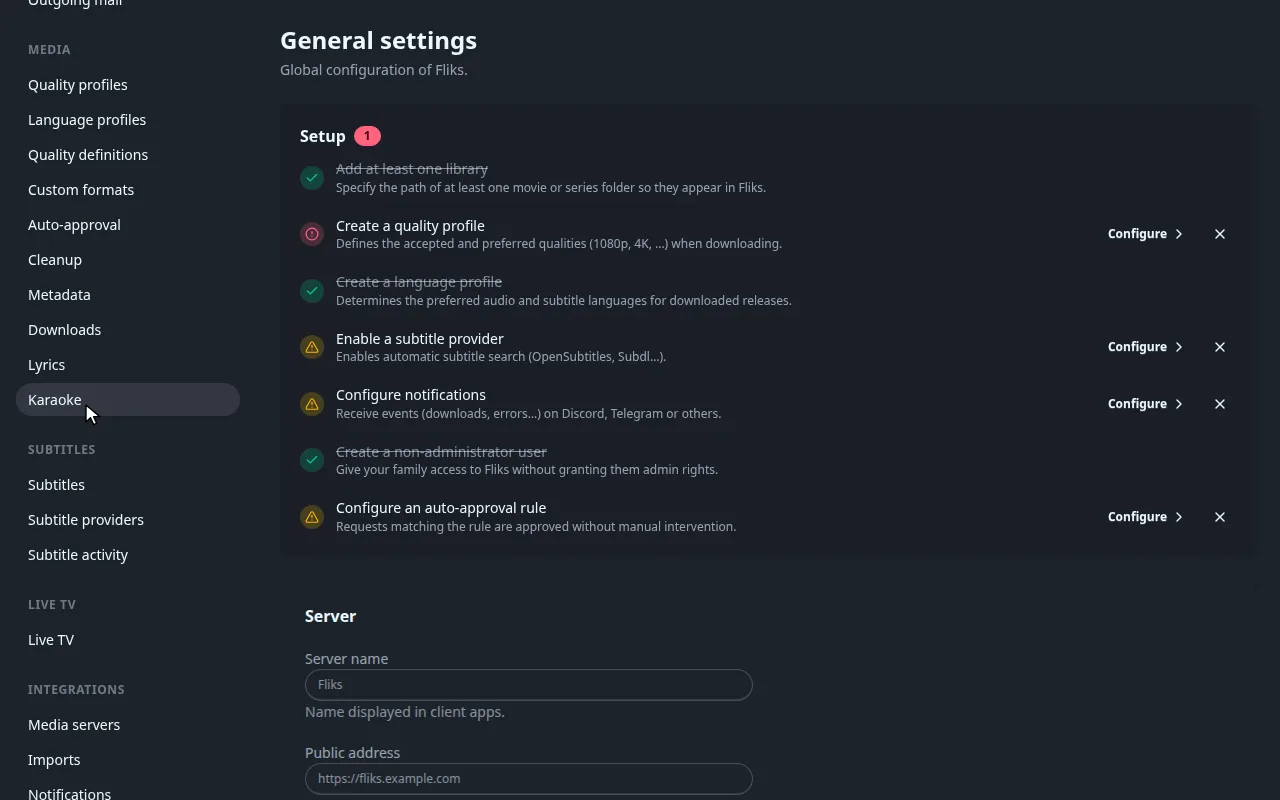
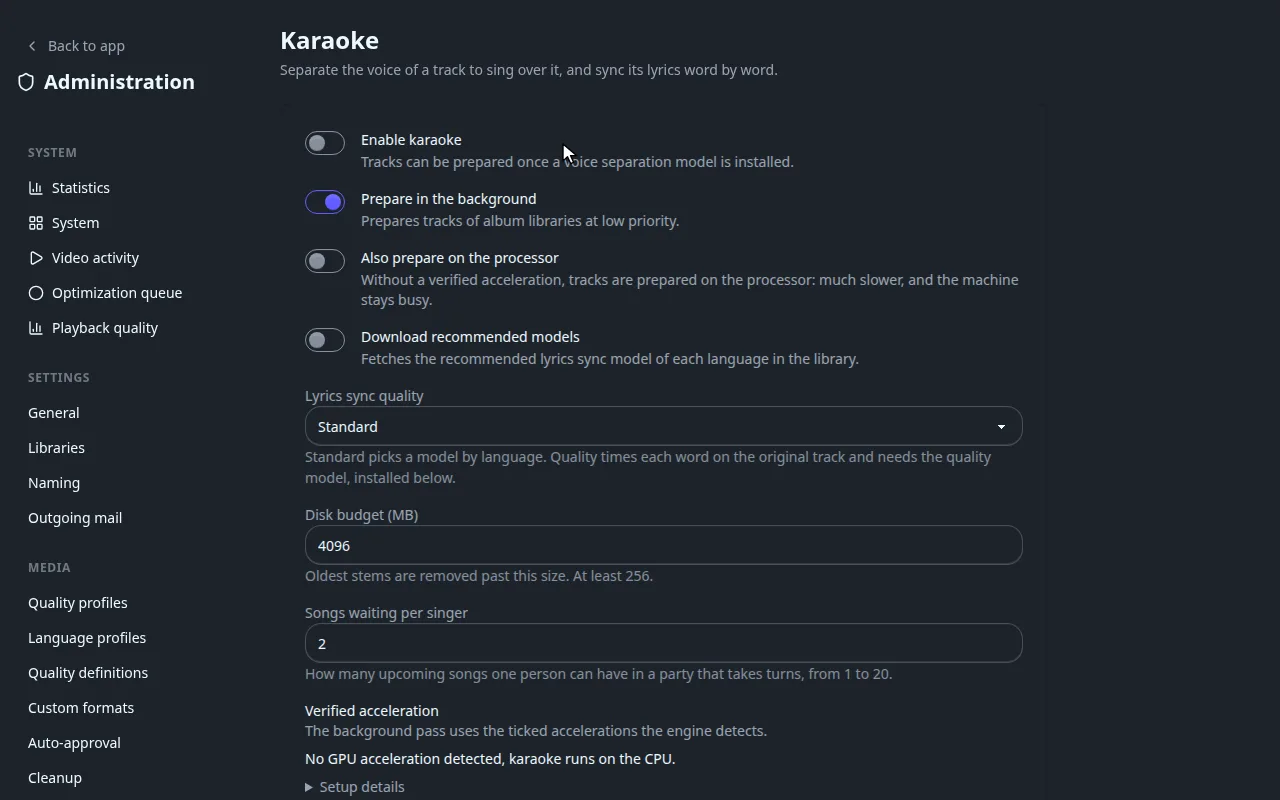
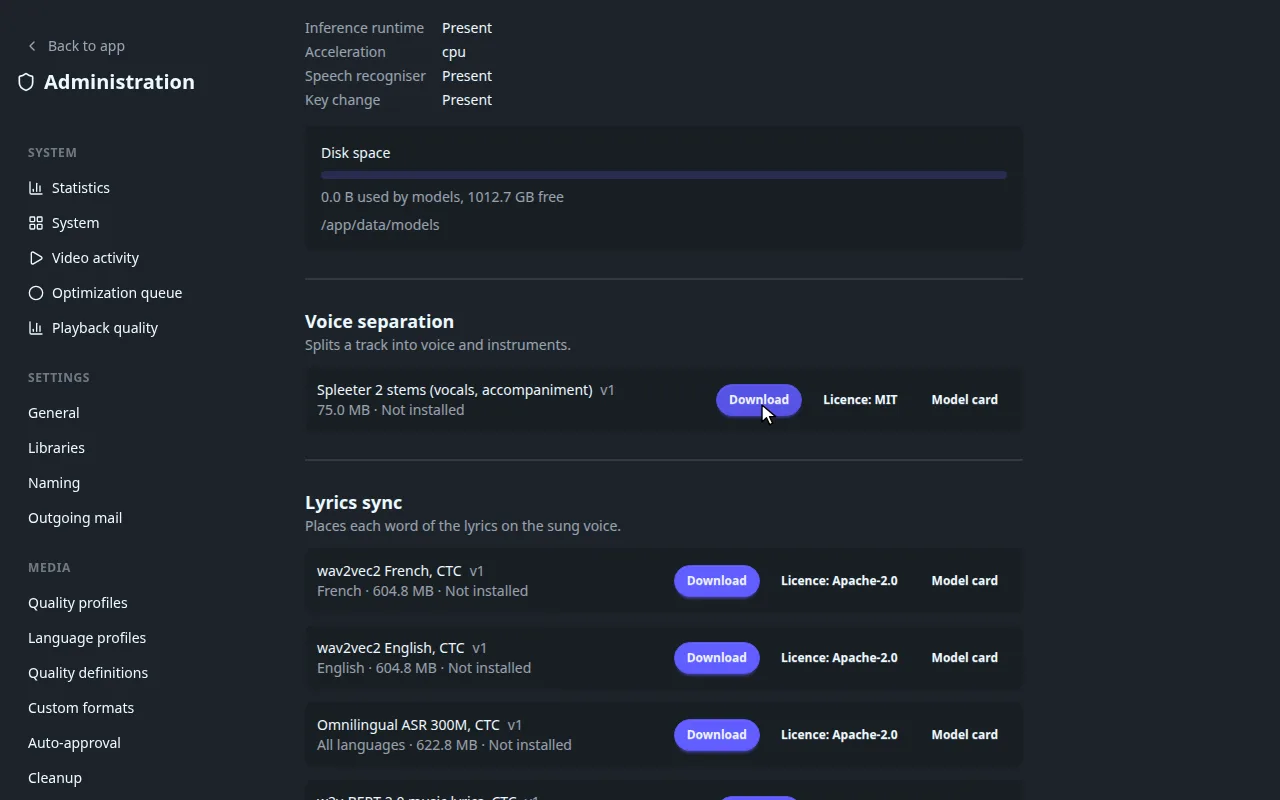
Karaoke needs a voice separation model before any track can be prepared. Until then the switch does nothing visible.
Every Karaoke setting
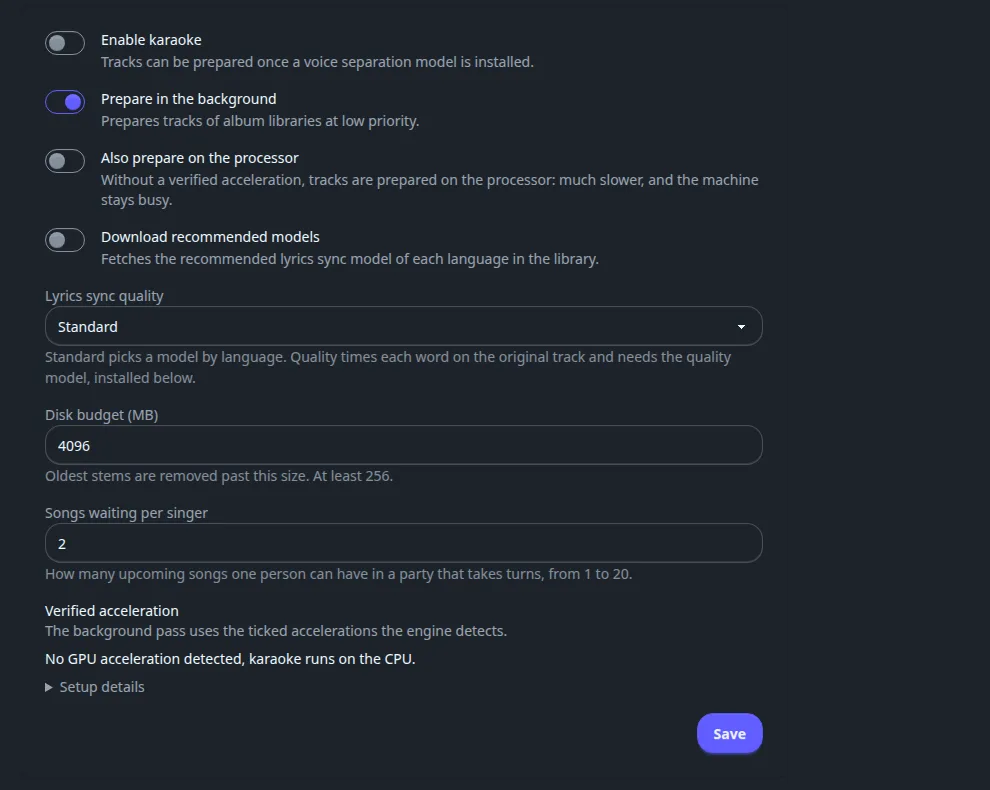
| Field | Default | What it does |
|---|---|---|
| Enable karaoke | Off | Lets tracks be prepared once a voice separation model is installed. |
| Prepare in the background | On | Prepares tracks of album libraries at low priority. A status line says whether it is active, active on the optimization workers, waiting for a model or for an acceleration, or paused. |
| Also prepare on the processor | Off | Without a verified acceleration the background pass is off. Tick this to allow the CPU: much slower, and the machine stays busy. |
| Download recommended models | Off | Fetches the recommended lyrics sync model of each language found in your library. |
| Lyrics sync quality | Standard | Standard picks a model by language. Quality times each word on the original track and needs the quality model (w2v-BERT 2.0), otherwise syncing fails until it is downloaded. |
| Disk budget (MB) | 4096 | Oldest stems (the separated voice and instrument files) are removed past this size. Minimum 256. |
| Songs waiting per singer | 2 | How many upcoming songs one person may have in a party that takes turns, from 1 to 20. |
| Verified acceleration | None ticked | The accelerations the engine detected, to tick for the background pass. If none: No GPU acceleration detected, karaoke runs on the CPU. Setup details explains the runtime libraries each GPU backend needs. OpenVINO is flagged as giving wrong results on Intel GPUs. |
On Windows a Windows ML runtime block appears when that runtime is missing on the server's machine: it links to Microsoft's download page and has a Check again button. The server uses the runtime after its next restart.
Karaoke models: what each does and how to manage them
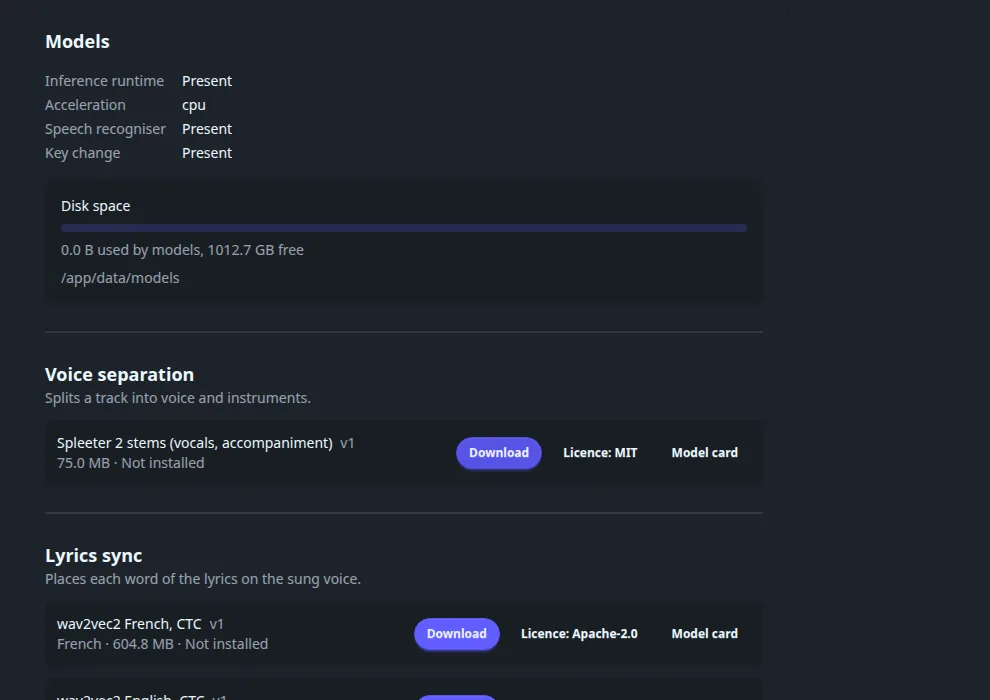
The top of the list shows Inference runtime, Acceleration, Speech recogniser and Key change (each Present or Absent), and a Disk space bar with the models folder. Models are grouped by job. On the demo server nothing is installed yet.
| Group | What it does | Models offered |
|---|---|---|
| Voice separation | Splits a track into voice and instruments. | Spleeter 2 stems (75 MB). |
| Lyrics sync | Places each word of the lyrics on the sung voice. | wav2vec2 French and English (about 605 MB each), Omnilingual ASR 300M (623 MB), w2v-BERT 2.0 music lyrics (776 MB, the quality model). |
| Melody | Reads the notes the voice sings. | SwiftF0 (132 KB). |
| Speech recognition | Times the words when no lyrics sync model exists for the track's language. | Whisper small, 5-bit (181 MB). |
Each row shows its size, the Licence and a Model card link, and a Download button. A download asks you to accept the model's licence. Once installed the row offers update and delete; deleting a model also deletes the stems made with it. Folders that belong to no model are listed as Unknown folders and can be deleted to free space.
Once models are installed, a Languages of the library section lets you pick the sync model per language. If the model changed since a track was synced, a line offers Re-sync; generated lyrics are replaced, lyrics you reviewed stay. A re-sync is refused when too little of the lyrics is found in the vocals, and the previous sync is kept.
See also#
- Music for the listener side, including the karaoke party.
- Optimization settings: karaoke preparation can run on remote workers.
- Hardware acceleration for GPU access from Docker.