
Administration
General, naming and outgoing mail
The first three pages of the Settings group - General, Naming and Outgoing mail - field by field, with defaults.
Three pages: Settings > General (server name, public address, metadata language), Naming (how renamed files are called) and Outgoing mail (sending books to e-readers). A watch-only setup rarely needs them: set the Public address if Chromecast fails behind a proxy, and open Naming only if Fliks renames files.
General#
Open Settings > General, change a field, here Login user list, then press the Save of its own card.
The page has five cards, and each card has its own Save button. A change in one card is not saved by the button of another.
Setup checklist#
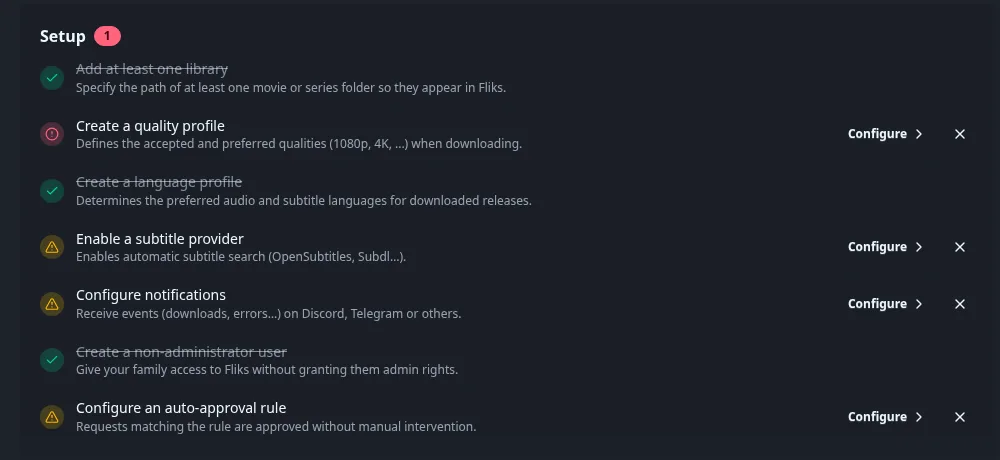
What the Setup checklist lists
The list of usual first steps: add a library, create a quality profile, create a language profile, enable a subtitle provider, configure notifications, create a non-administrator user, configure an auto-approval rule. Finished steps are struck through. Each open step has Configure, which jumps to the right page, and a cross to dismiss a step you do not need. The red badge counts the open steps. Quality profile and auto-approval only matter if you download, see Which areas you can ignore.
Server#
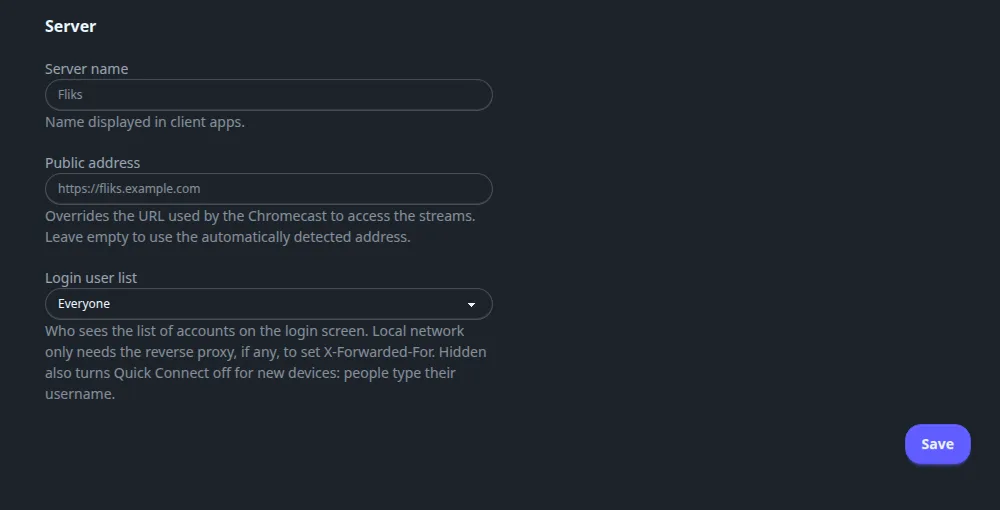
Every field of the Server card
| Field | Default | What it does |
|---|---|---|
| Server name | Fliks | The name shown in client apps. |
| Public address | Empty | Overrides the URL Chromecast uses to reach the streams. Empty uses the address detected automatically. Set it to the public https address when Fliks is behind a reverse proxy. Workers without library access also need it, see Optimization. |
| Login user list | Everyone | Who sees the list of accounts on the login screen: Everyone, Local network only (the reverse proxy, if any, must set X-Forwarded-For) or Hidden. Hidden also turns Quick Connect off for new devices. See Users and permissions. |
Metadata language and region#
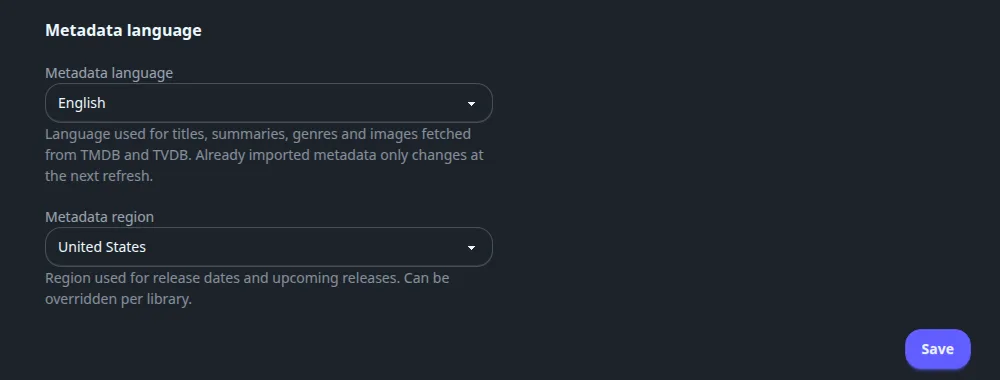
Metadata language and region fields
| Field | Default | What it does |
|---|---|---|
| Metadata language | English | The language of titles, summaries, genres and images fetched from TMDB and TheTVDB. Choices: English, Français, Español, Deutsch, Italiano, Português, Nederlands, Polski, Русский, 日本語, 한국어, 中文. Already imported metadata changes only at its next refresh. |
| Metadata region | United States | The region for release dates and upcoming releases. Eighteen regions are offered. A library can override it. |
See Metadata.
Automation#
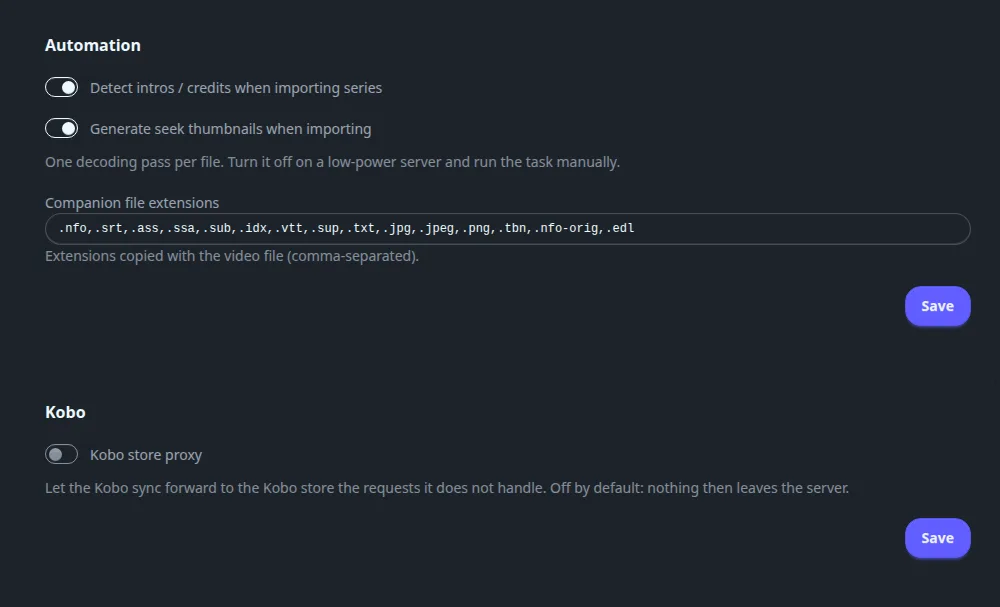
Automation fields
| Field | Default | What it does |
|---|---|---|
| Detect intros / credits when importing series | On | Runs intro and credits detection for each new season, which powers the skip buttons. |
| Generate seek thumbnails when importing | On | Makes the preview images shown when scrubbing. One decoding pass per file: turn it off on a low-power server and run Generate missing sprites by hand from System. |
| Companion file extensions | .nfo,.srt,.ass,.ssa,.sub,.idx,.vtt,.sup,.txt,.jpg,.jpeg,.png,.tbn,.nfo-orig,.edl |
Extensions copied with the video file when Fliks moves or renames it (comma-separated). |
Kobo#
Kobo field
| Field | Default | What it does |
|---|---|---|
| Kobo store proxy | Off | Lets Kobo sync forward to the Kobo store the requests Fliks does not handle. Off means nothing leaves the server. |
Naming#
The templates used to build a file or folder name when Fliks renames a file after a download or an import. A token like {Movie Title} is replaced by the value for that file. Click a token under Available tokens (click to insert) to add it where the cursor is. Under each group a Preview (example) shows the result for a sample title and updates as you type.
Open Settings > Naming, click a token to insert it into the field above, then Save at the bottom.
One Save at the bottom of the page saves every format.
Movies and series#
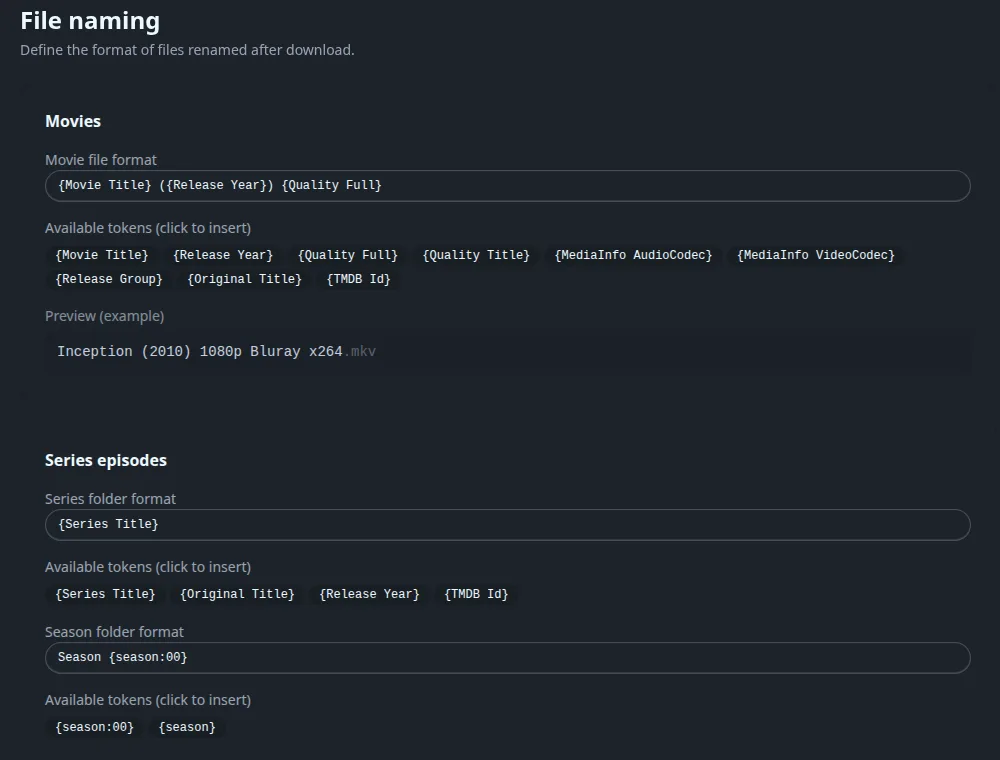
Default formats and tokens for movies and series
| Field | Default |
|---|---|
| Movie file format | {Movie Title} ({Release Year}) {Quality Full} |
| Series folder format | {Series Title} |
| Season folder format | Season {season:00} |
| Episode file format | {Series Title} - S{season:00}E{episode:00} - {Episode Title} {Quality Full} |
Tokens: movies {Movie Title}, {Release Year}, {Quality Full}, {Quality Title}, {MediaInfo AudioCodec}, {MediaInfo VideoCodec}, {Release Group}, {Original Title}, {TMDB Id}. Series folder {Series Title}, {Original Title}, {Release Year}, {TMDB Id}. Season folder {season:00} (zero-padded) and {season}. Episodes {Series Title}, {season:00}, {episode:00}, {Episode Title}, {Quality Full}, {Quality Title}, the two MediaInfo codecs, {Release Group}, {Air Date}.
Books#
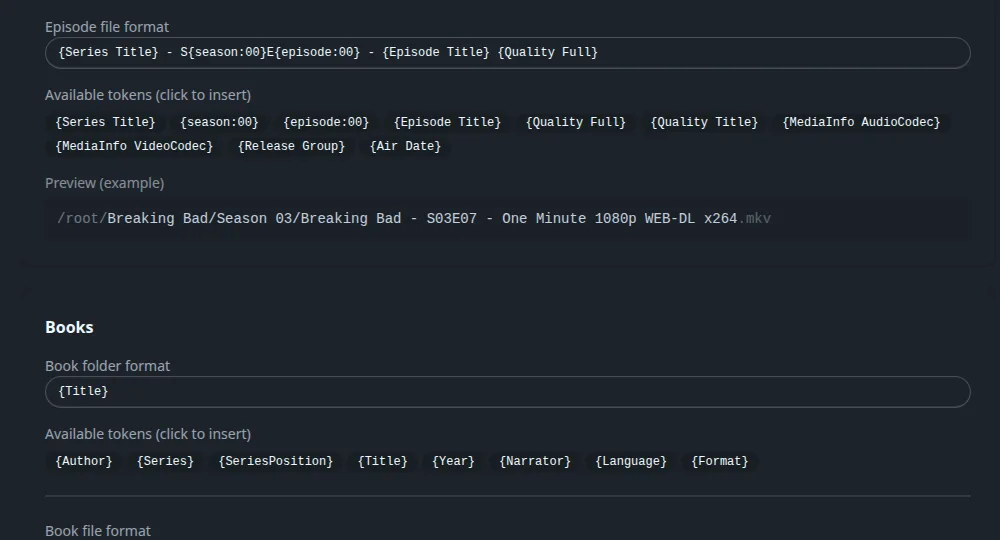
Default formats and tokens for books
| Field | Default |
|---|---|
| Book folder format | {Title} |
| Book file format | {Title} ({Year}) |
Tokens: {Author}, {Series}, {SeriesPosition}, {Title}, {Year}, {Narrator}, {Language}, {Format}.
Albums#
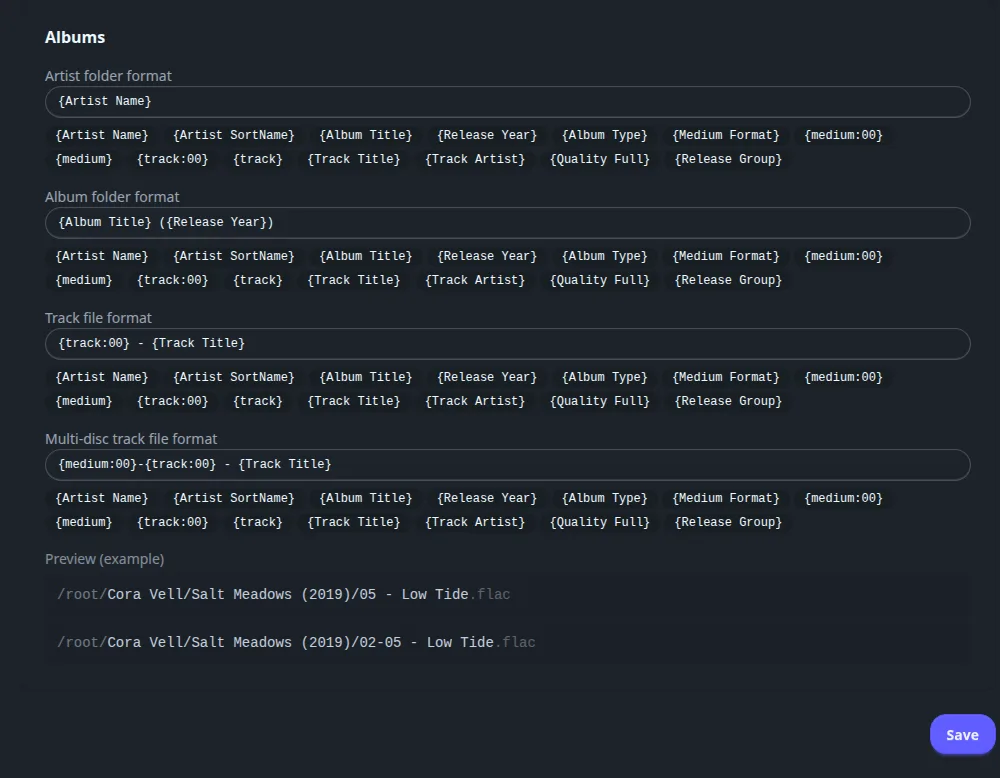
Default formats and tokens for albums
| Field | Default |
|---|---|
| Artist folder format | {Artist Name} |
| Album folder format | {Album Title} ({Release Year}) |
| Track file format | {track:00} - {Track Title} |
| Multi-disc track file format | {medium:00}-{track:00} - {Track Title} |
Tokens: {Artist Name}, {Artist SortName}, {Album Title}, {Release Year}, {Album Type}, {Medium Format}, {medium:00}, {medium}, {track:00}, {track}, {Track Title}, {Track Artist}, {Quality Full}, {Release Group}. The multi-disc format is used when an album has several discs.
Outgoing mail#
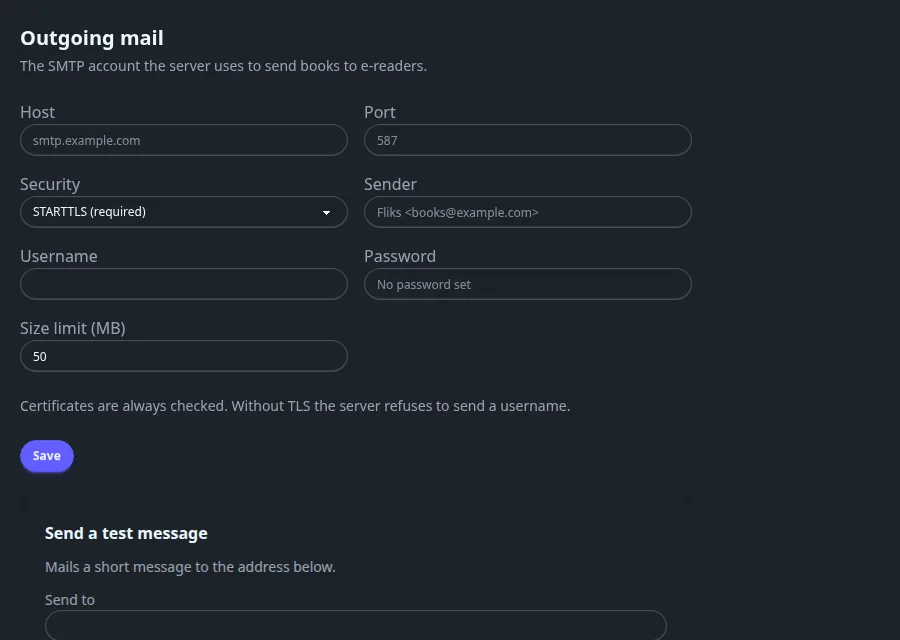
The SMTP account the server uses to send books to e-readers (see Books and audiobooks). Leave it empty if you do not use that.
Open Settings > Outgoing mail, fill the account, Save, then send yourself a test message with Send test.
Every field of the mail account
| Field | Meaning |
|---|---|
| Host, Port | The SMTP server. |
| Security | STARTTLS (required), TLS (implicit) or None (plain text). Certificates are always checked, and without TLS the server refuses to send a username. |
| Sender | The From address. |
| Username, Password | Optional login. A stored password shows "A password is set"; leave it blank to keep it. |
| Size limit (MB) | The largest attachment the server will send. |
| Send a test message | Send to an address, then Send test. Sends a short message so you can check the account. |