
Built-in plugins
Indexers
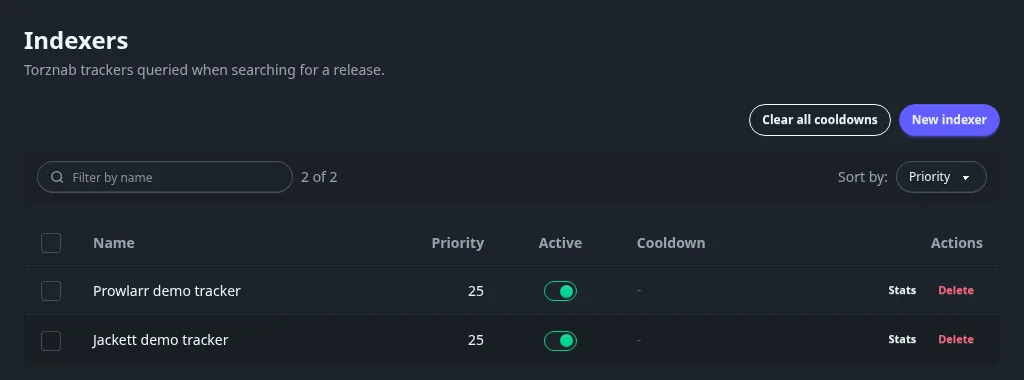
Add the trackers Torrent manager searches, by connecting Prowlarr or Jackett or by typing a Torznab address.
Connect your Prowlarr or Jackett once in Settings > Torrent manager > Indexer sources and all its trackers come in. With a single Torznab address, add it by hand instead.
An indexer is a tracker the plugin searches. Fliks ships none: you add your trackers in Prowlarr or Jackett, then connect them here.
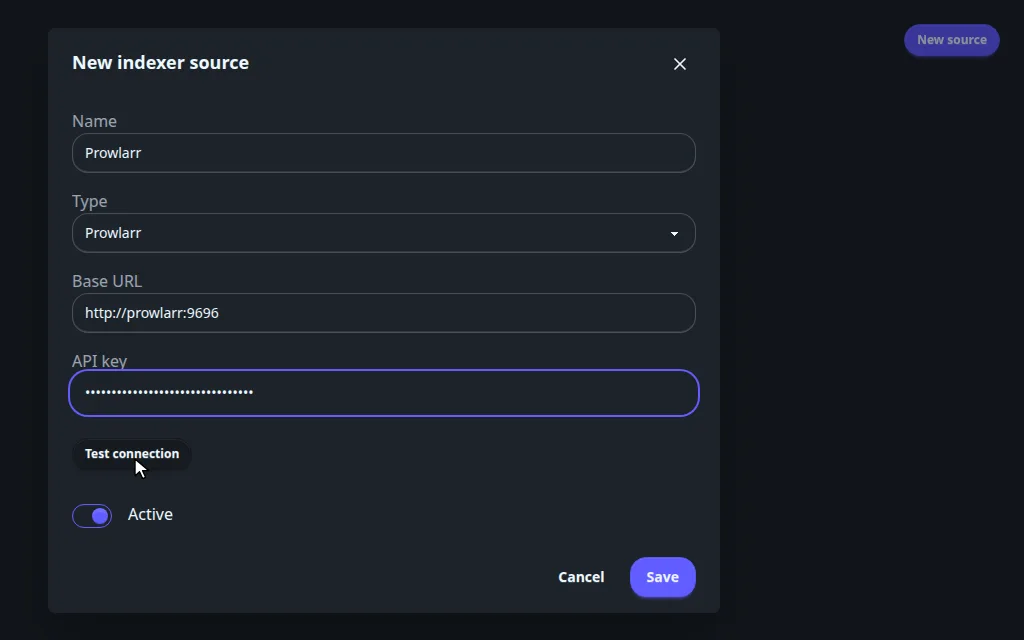
Type the address Fliks uses to reach Prowlarr or Jackett. In Docker on the same network, that's the service name, like http://prowlarr:9696. Never localhost: in Docker it means the Fliks container itself.
Connect Prowlarr#
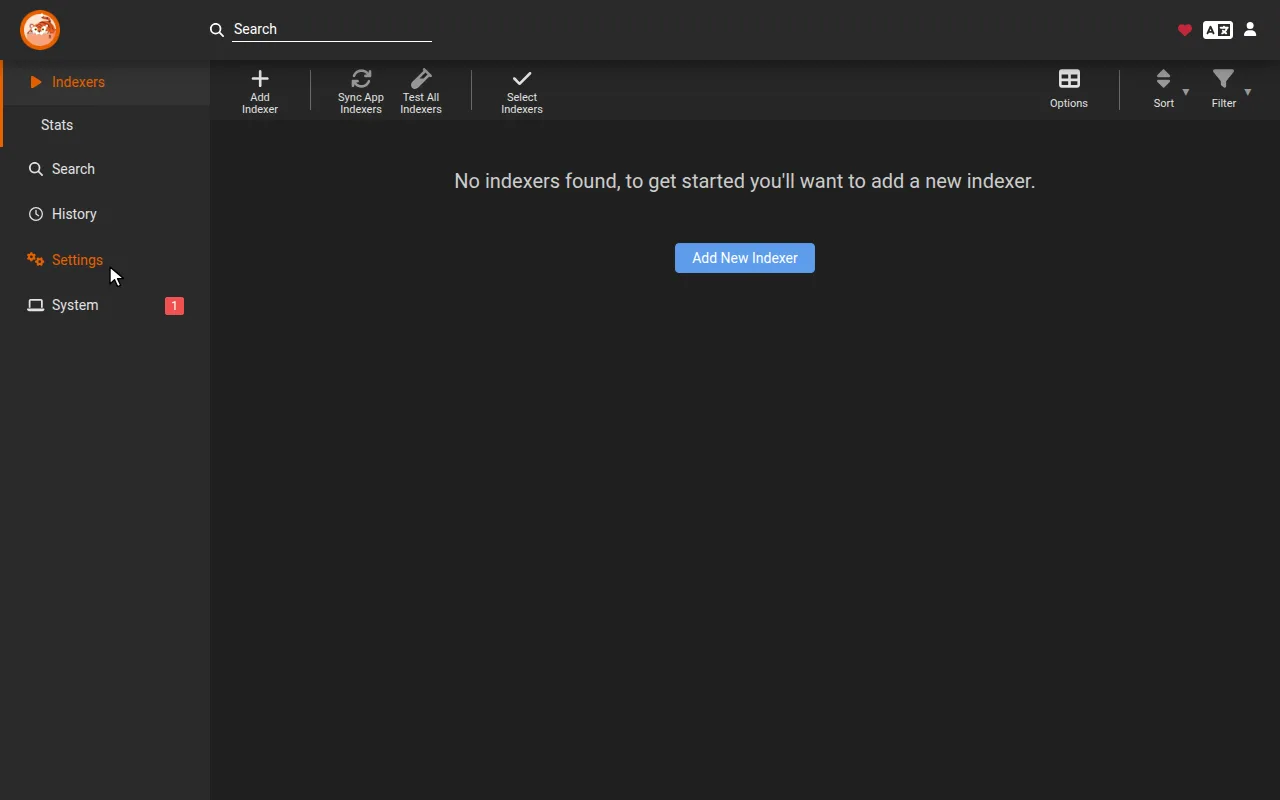
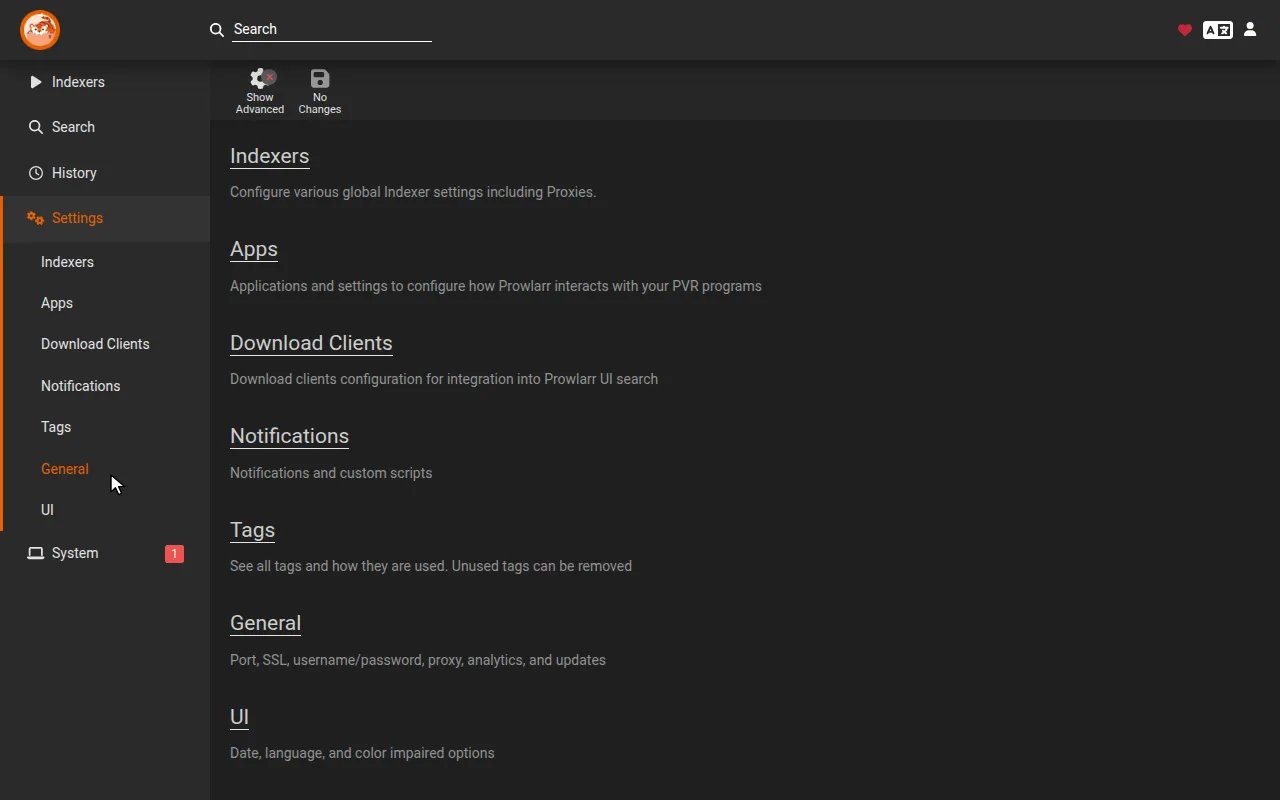
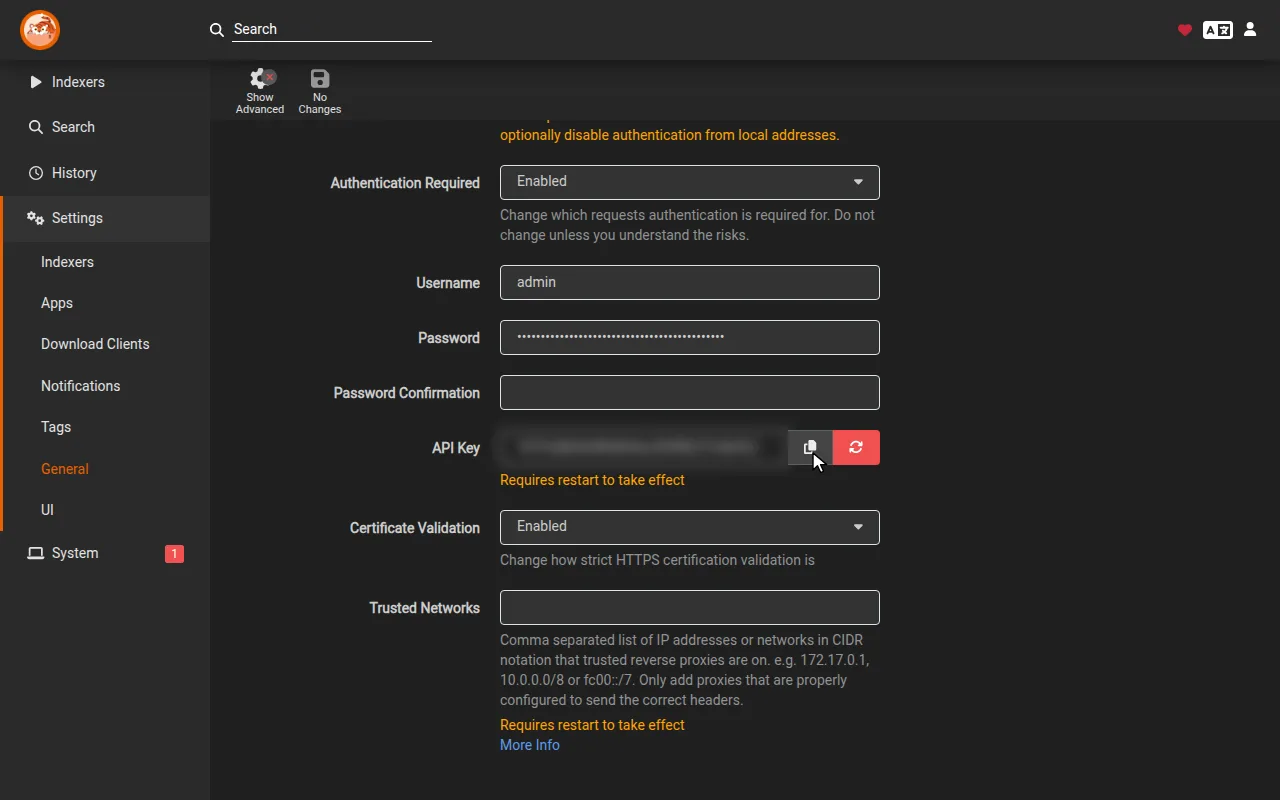
- In Prowlarr, copy the API Key from Settings > General.
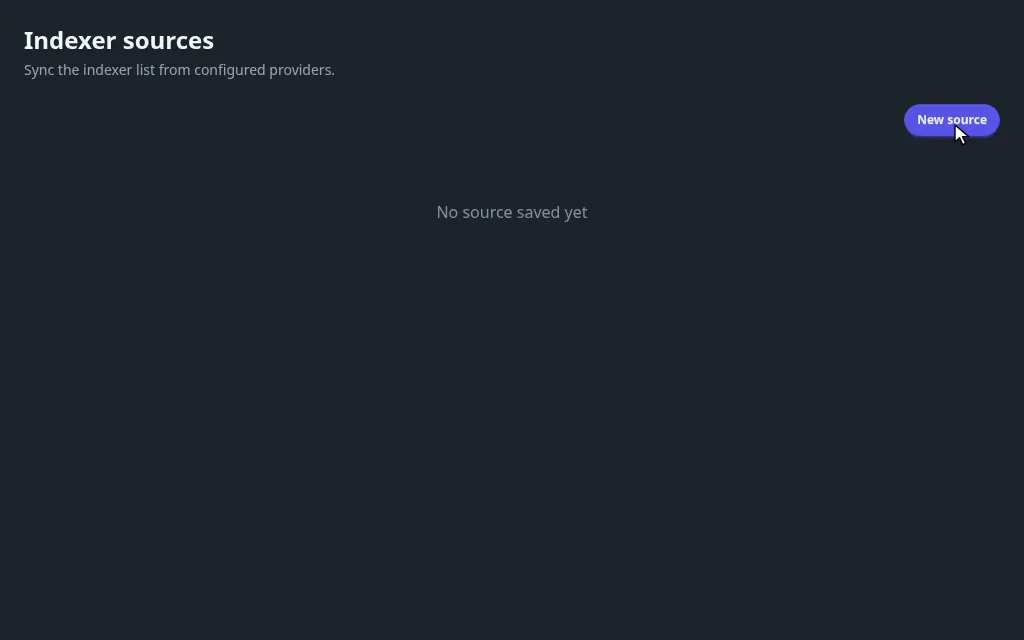
- In Fliks, open Settings > Torrent manager > Indexer sources and click New source.
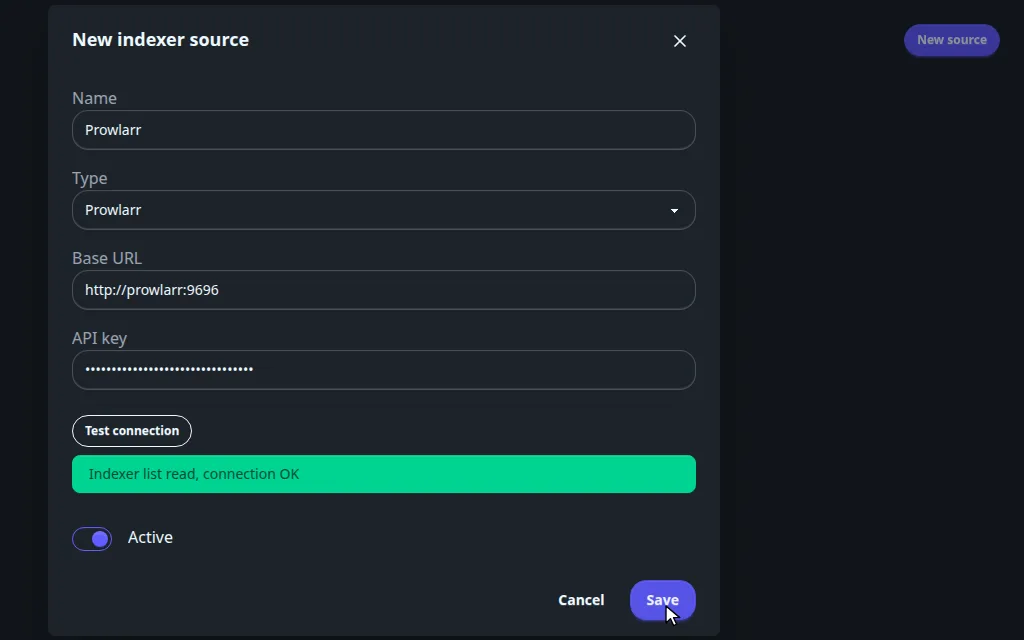
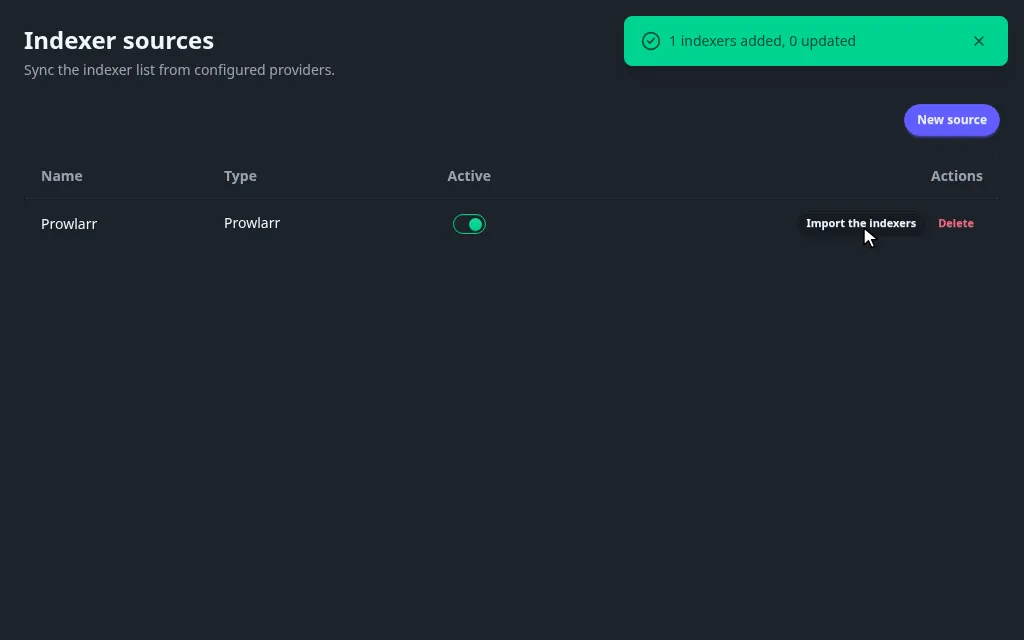
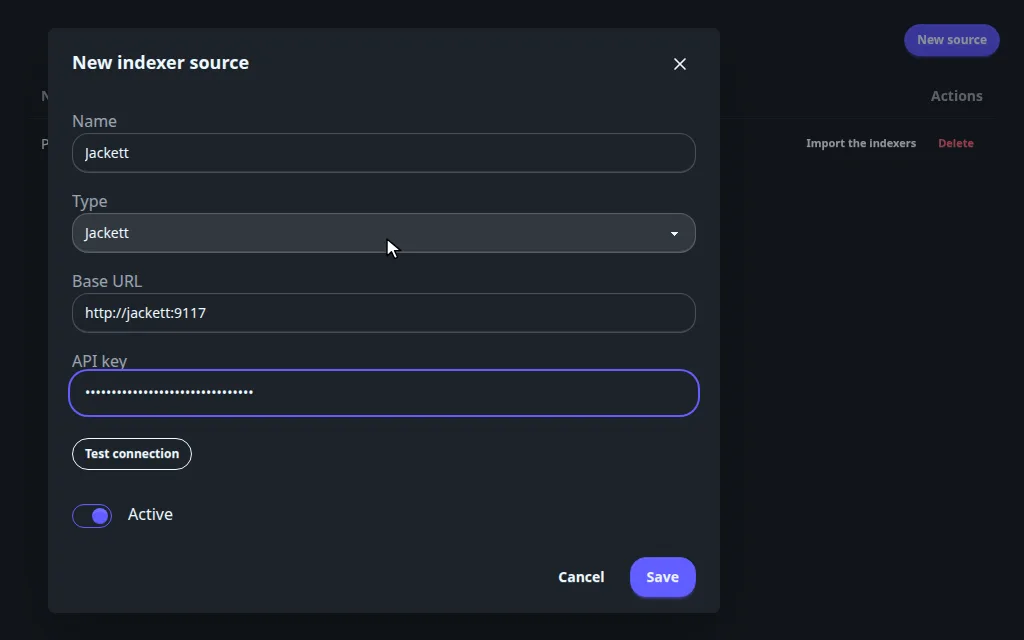
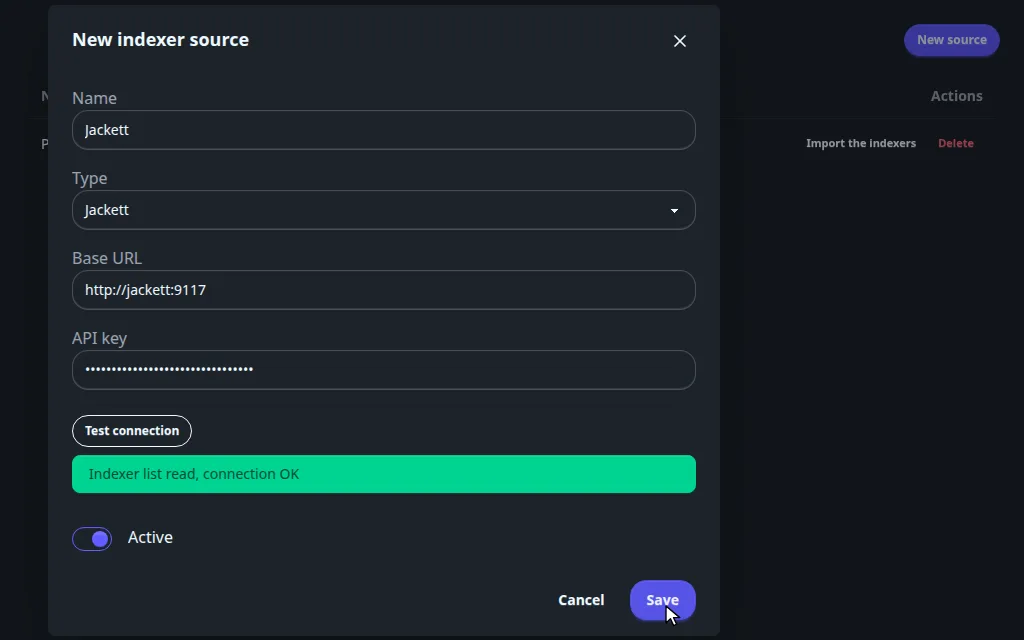
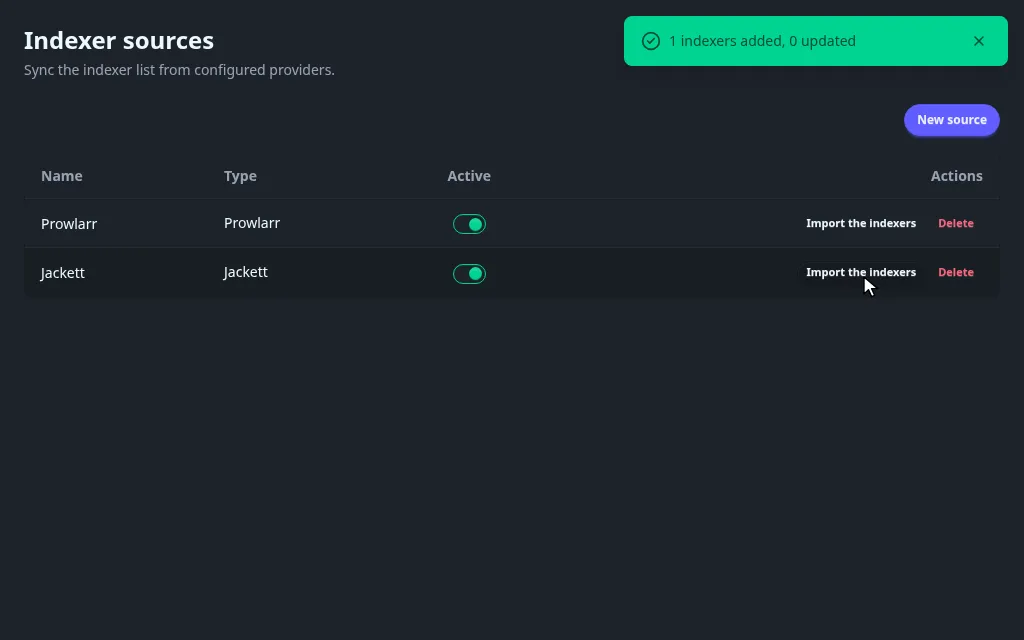
- Type the Base URL, paste the API key, click Test connection, then Save. The trackers are imported.
Connect Jackett#
Same steps with Type set to Jackett. The API Key is at the top right of Jackett's dashboard.
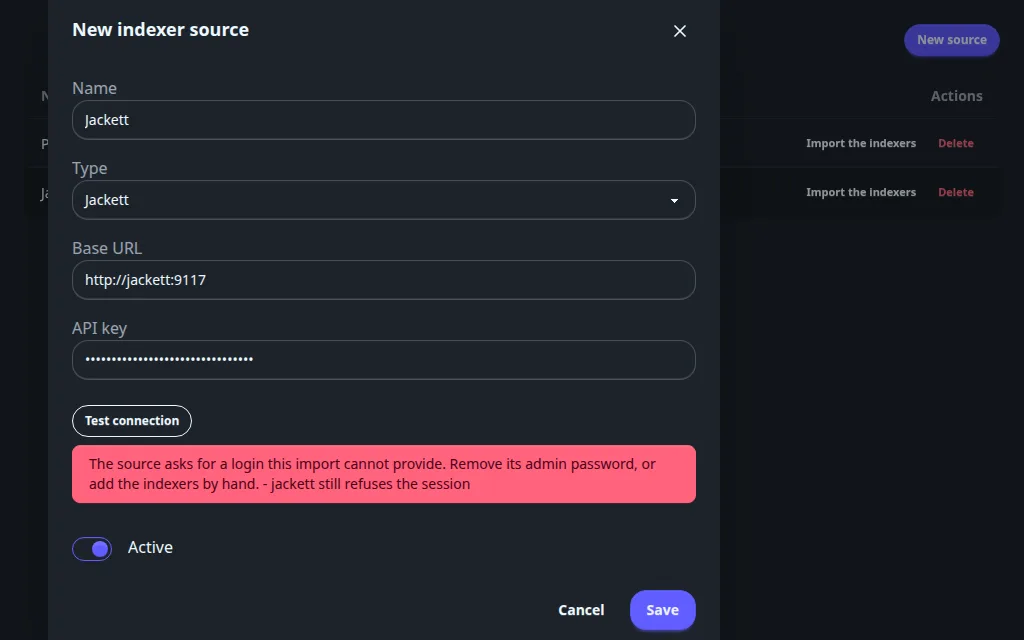
If Jackett has an admin password, the import fails: add each tracker by hand instead.
Add a Torznab indexer by hand#
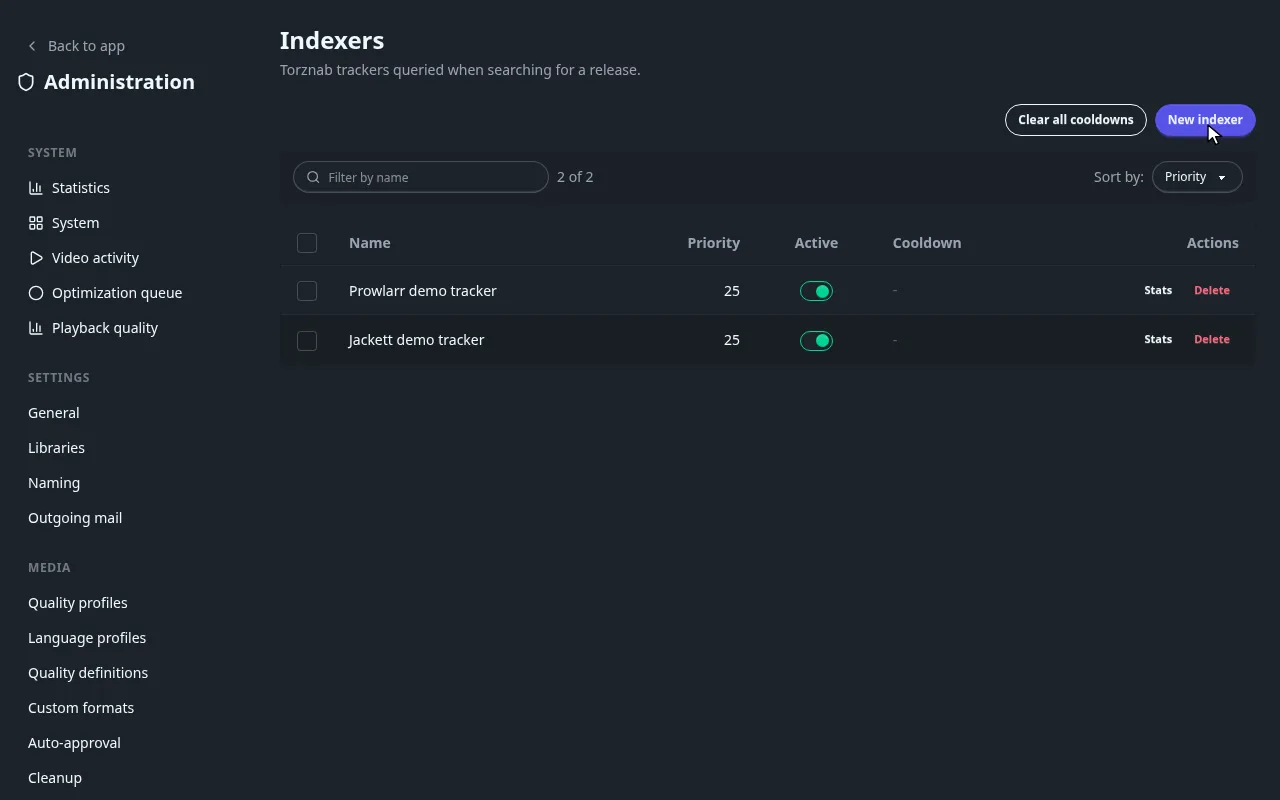
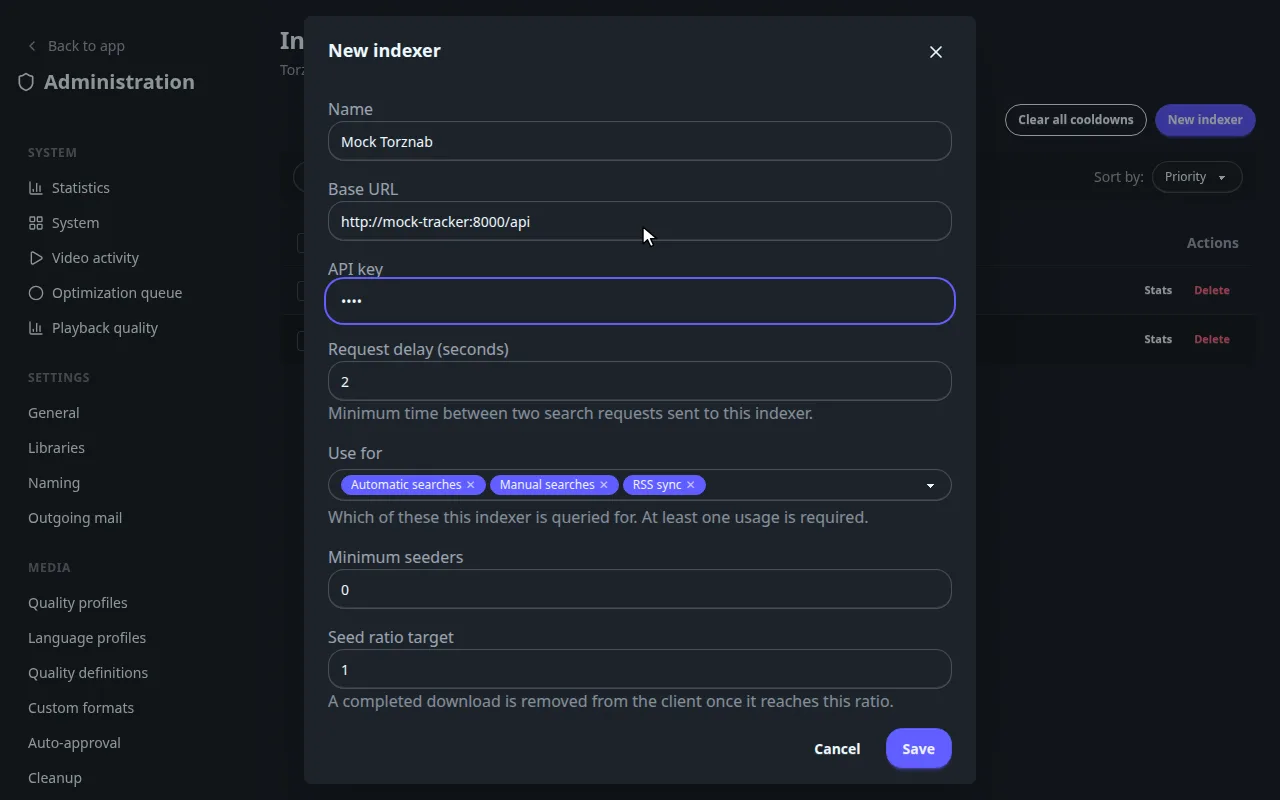
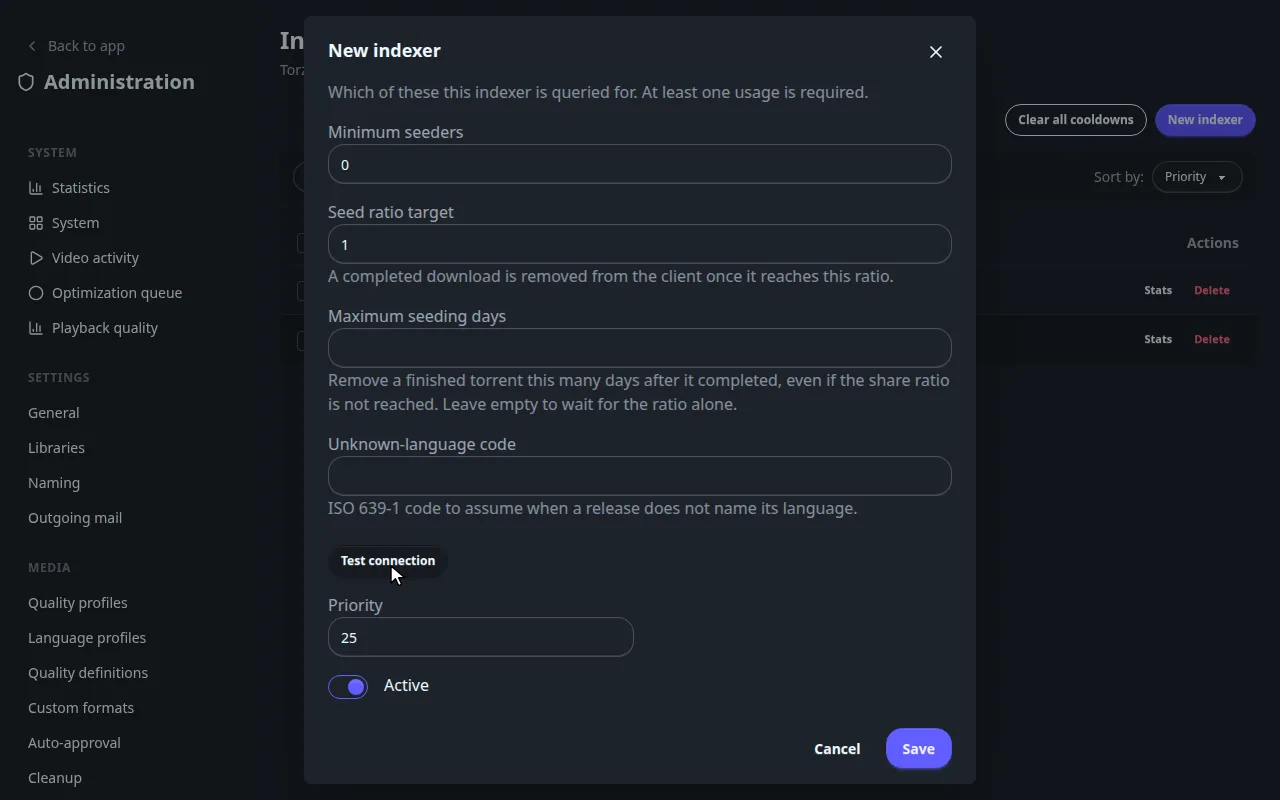
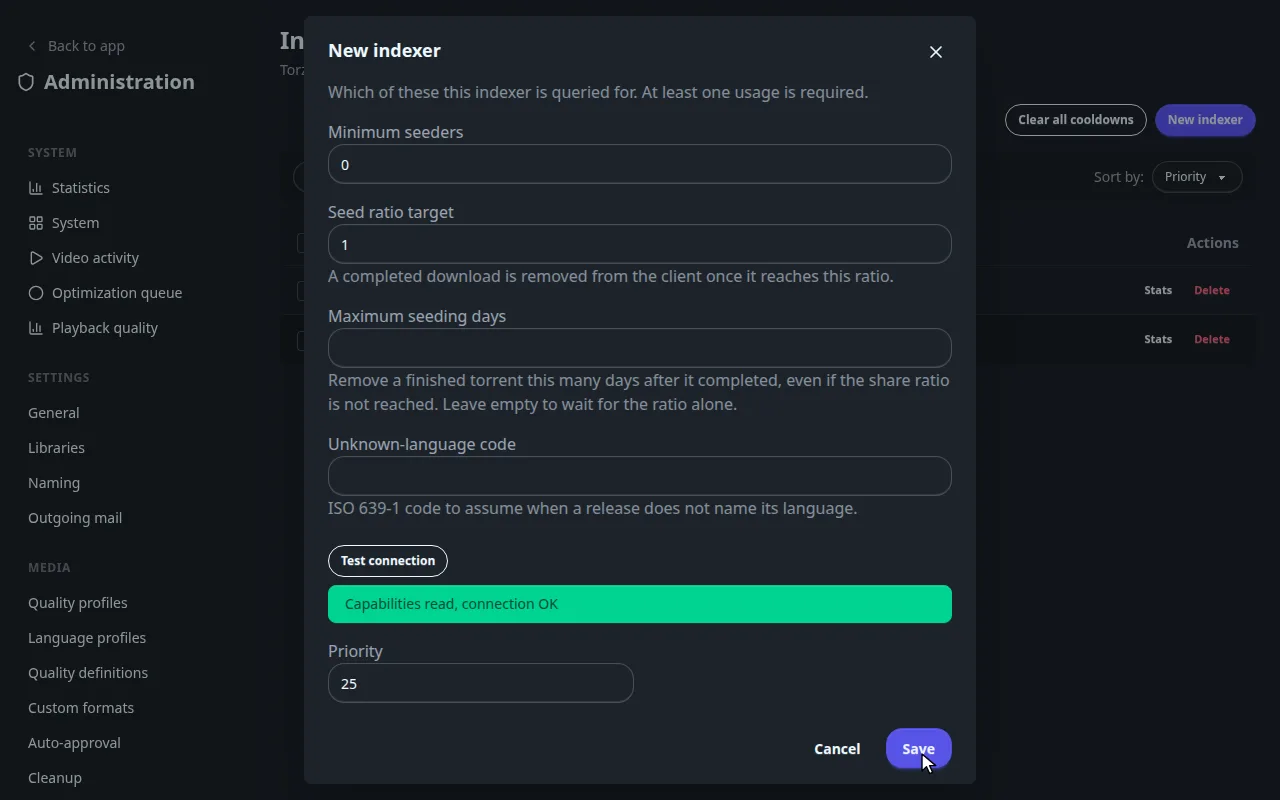
For a tracker with its own Torznab address, or Jackett with a password (Copy Torznab Feed on the tracker's row gives the address).
Reference#
Which address to type
| Fliks runs | Prowlarr or Jackett runs | Address to type |
|---|---|---|
| In Docker, same Compose project or network | In Docker, same network | The service name, for example http://prowlarr:9696 or http://jackett:9117 |
| In Docker | On the host, or another machine | The host's LAN address, for example http://192.168.1.20:9696 |
| In Docker | In another Compose project | Join one network, or use the host's LAN address and the published port |
Add Prowlarr's URL Base or Jackett's Base path override if you set one, for example http://jackett:9117/jackett. Use https:// only with a certificate the Fliks server trusts.
Prowlarr or Jackett has no tracker yet
Add one there first. In Prowlarr: Add Indexer, pick your tracker, fill it, Test, Save.
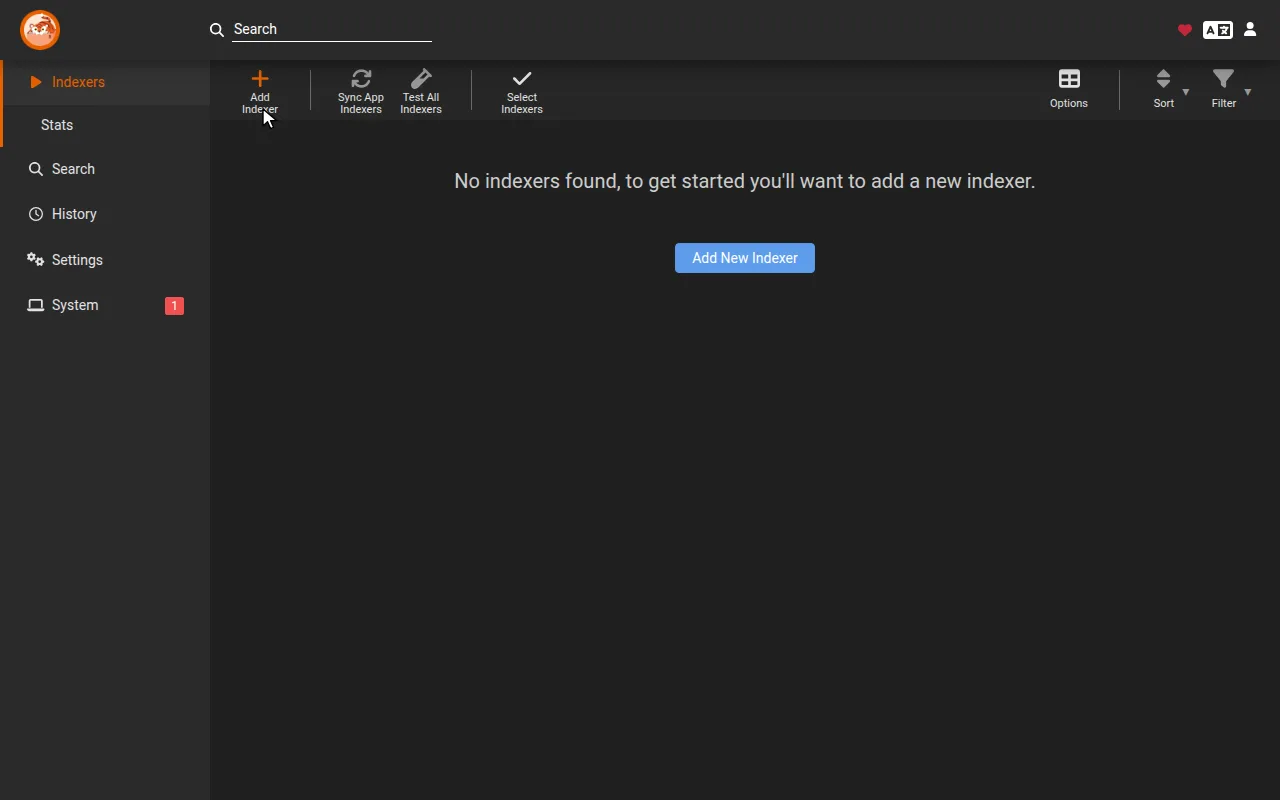
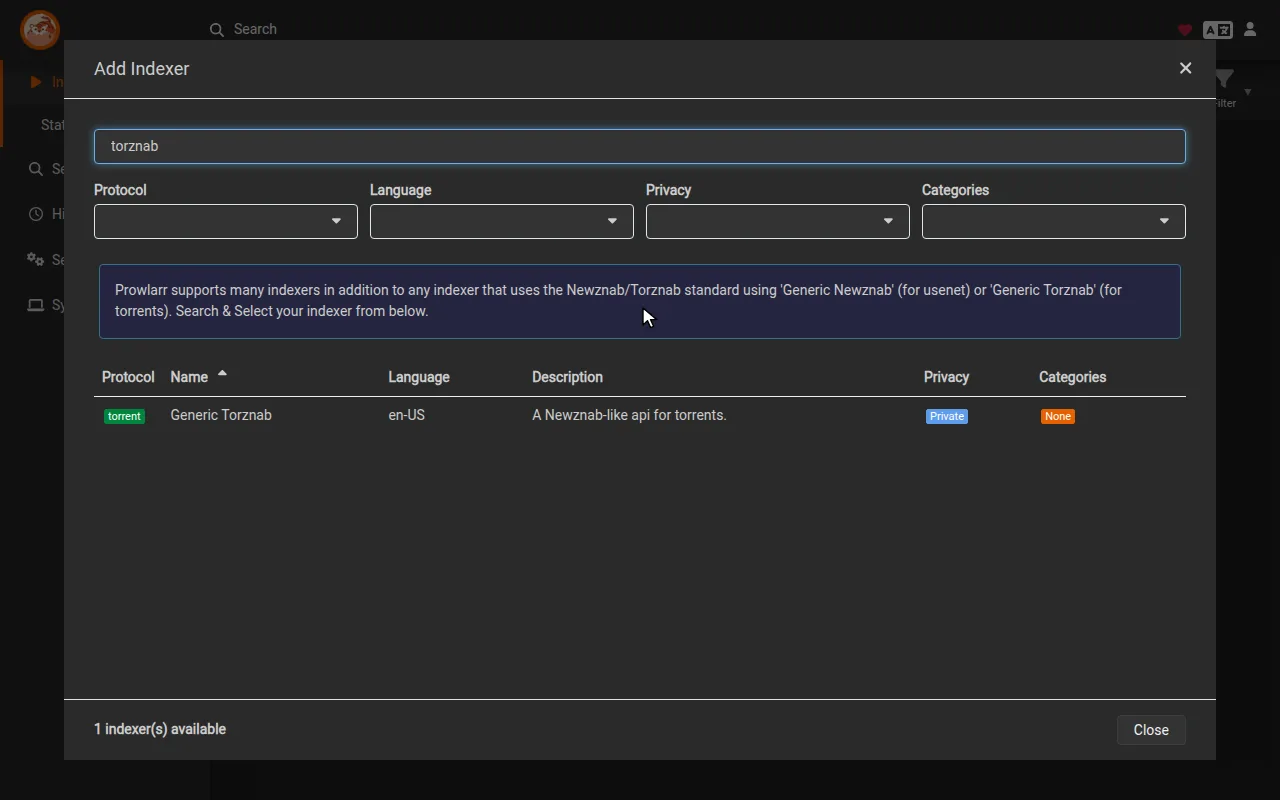
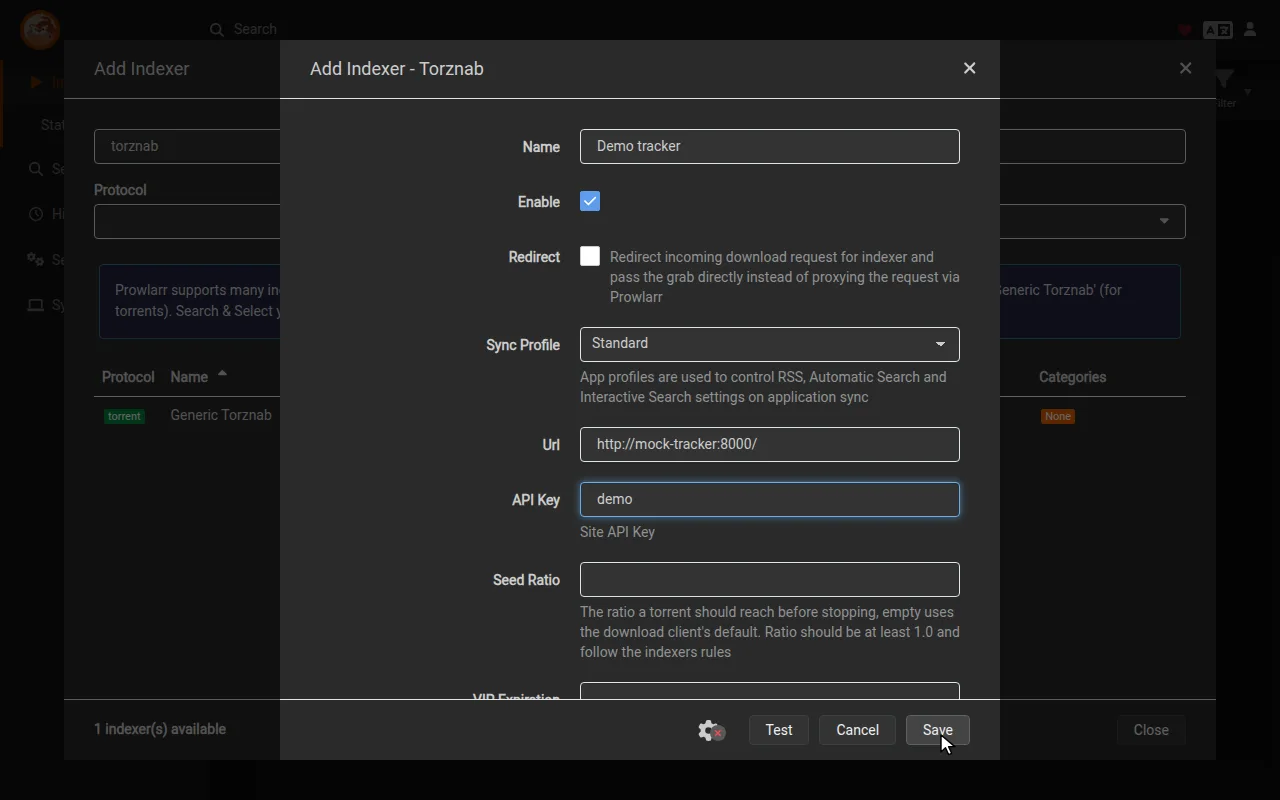
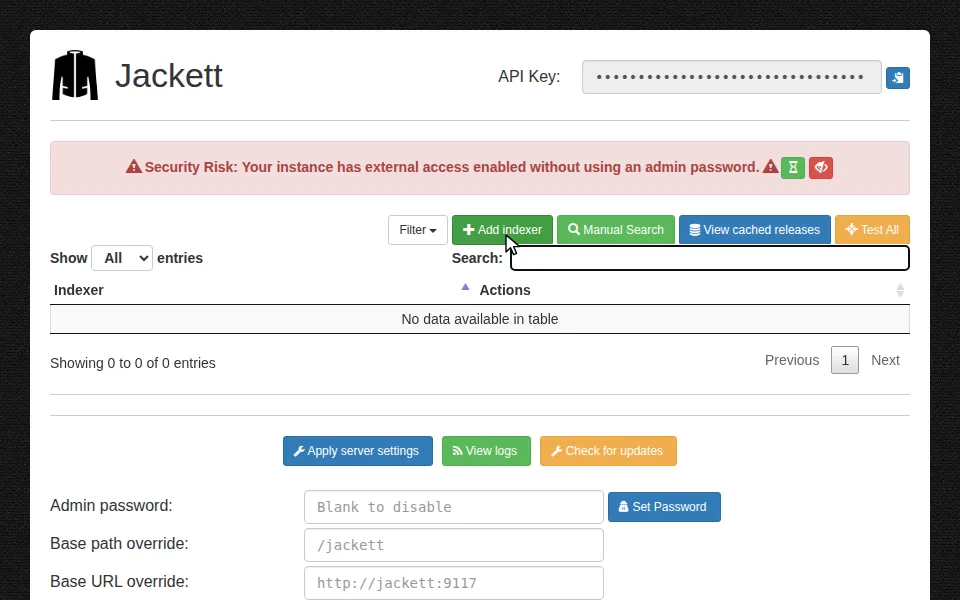
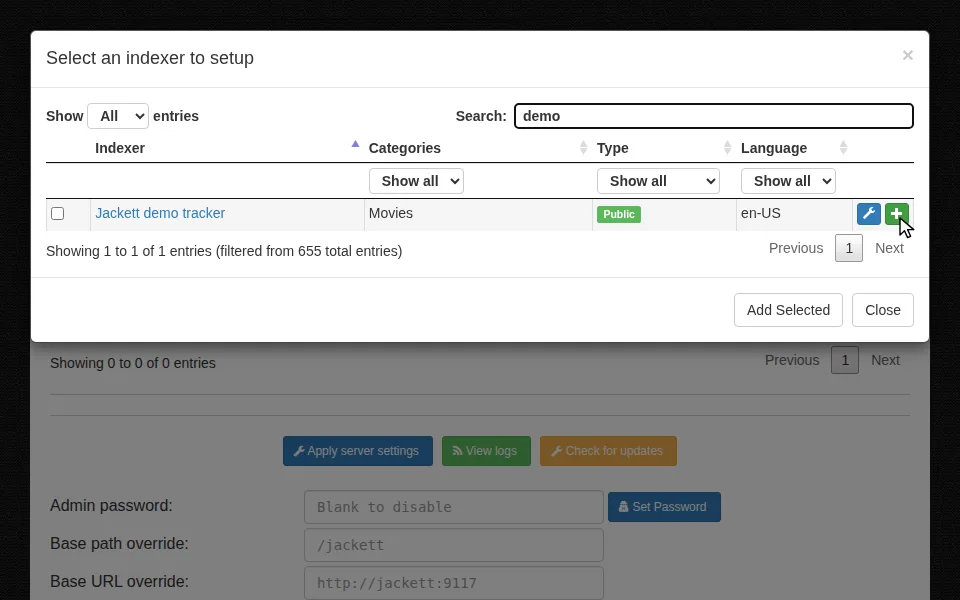
In Jackett: Add indexer, then the + of your tracker's row.
What the import does
- Each torrent tracker becomes an indexer in Fliks, reached through Prowlarr or Jackett. Usenet ones are skipped; disabled ones come in disabled.
- Import the indexers on the source's row reads the list again: it adds new trackers, never deletes one, and only updates the API key of existing ones.
- Deleting a source keeps the indexers it imported. A disabled source can't import.
- Jackett with an admin password answers The source asks for a login this import cannot provide. Remove the password in Jackett, or add the trackers by hand.
When the test of a hand-added indexer fails
Could not reach the indexer, The indexer answered with an HTTP error, The indexer reported an error or Unexpected response (the address points at a web page, not the Torznab feed).
Indexer options#
Every indexer option
| Option | Default | What it does |
|---|---|---|
| Name | The name shown in the lists and in the release tabs. | |
| Base URL | The Torznab feed address. Required. | |
| API key | Stored encrypted. Leave it blank when editing to keep the saved one, or click Clear stored value. | |
| Request delay (seconds) | 2 | Minimum time between two search requests to this indexer. Raise it for a tracker that rate-limits you. |
| Use for | All three | Which searches may use this indexer: Automatic searches, Manual searches, RSS sync. At least one. |
| Minimum seeders | 0 | Releases with fewer seeders than this are refused. |
| Seed ratio target | 1 | A finished download is removed from the client once it reaches this ratio. |
| Maximum seeding days | empty | Removes a finished download this many days after it completed, even if the ratio is not reached. Empty waits for the ratio alone. |
| Unknown-language code | empty | A two-letter language code, such as en, assumed when a release does not name its language. Free text: a typo is stored as typed. |
| Priority | 25 | Indexers are queried from the lowest number to the highest. |
| Active | on | A disabled indexer is never queried. |
The seeding options are explained under Settings.
Keeping an eye on indexers#
Each row of the list has Stats, Delete and a Cooldown column (a pause after the indexer failed or asked to be left alone). Clear cooldown on a row, or Clear all cooldowns at the top, queries it again at once.
Stats, cooldowns, slow indexers and tracker quirks
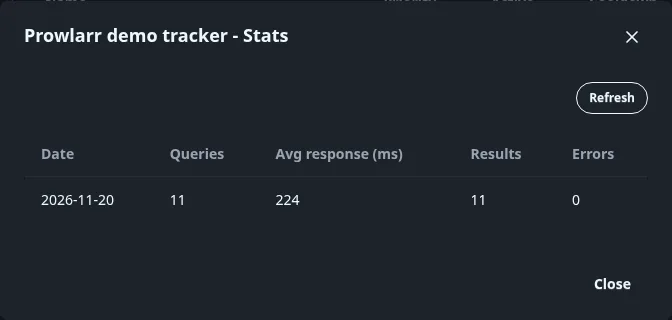
Stats shows queries, response time, results and errors per day over 30 days.
Cooldowns. After a failed query the indexer is left alone for 30 seconds, then 2 minutes, 15 minutes, 1 hour and finally 6 hours if it keeps failing. A success resets the count. An indexer that answers with a "retry after" delay is paused for that delay. A search skips an indexer in cooldown.
Slow indexers. A search stops waiting for an indexer after the time set in Seconds allowed for a release search and keeps the answers it already has.
Tracker quirks. The plugin asks each indexer which kinds of search it supports. If a typed search such as "movie" is refused, it falls back to a plain text search and remembers that.