
Built-in plugins
Overview
Which plugins Fliks ships with or offers in its catalogue, where to manage them, and which ones need an API key or an account.
Fliks ships bundled metadata plugins and offers more in a catalogue: torrent downloads, free ebooks, comics, music lists, notifications. Find a plugin in the table below. Metadata providers are configured from Settings > Metadata, other plugins in their own sidebar section.
Bundled and catalogue plugins#
Bundled plugins ship inside the server and are all metadata providers: you can disable but not uninstall them. Catalogue plugins are installed on demand from the plugin page, with a consent step. All are published by the Fliks project (trust badges and permissions; write your own).
The first-party plugins#
| Plugin | What it does | Kind | API key or account |
|---|---|---|---|
| TMDB | Movie and series metadata, artwork, people, trending and discover lists | Bundled | Optional, Fliks ships a key |
| TheTVDB | Movie and series metadata, as a second source | Bundled | Optional, Fliks ships a key |
| TheXEM scene numbering | Maps release season and episode numbers to aired ones | Bundled | No |
| OpenLibrary | Book search and editions | Bundled | No |
| BnF | Book editions from the French national library catalogue | Bundled | No |
| Google Books | Book search and editions | Bundled | No |
| Audible | Audiobook search and editions | Bundled | No |
| Audnexus | Audiobook editions and chapters by ASIN | Bundled | No |
| Project Gutenberg | Search and add free ebooks | Catalogue | No |
| LibriVox | Search and add free audiobooks | Catalogue | No |
| Comic Vine | Comic volumes and issues | Catalogue | Your own API key |
| Metron | Comic series and issues | Catalogue | Your own Metron account and API token |
| MusicBrainz | Albums, releases, artists, cover art | Bundled | No (ListenBrainz token optional) |
| Fanart.tv | Artist images and album covers | Bundled | Optional, Fliks ships a key |
| LRCLIB | Synced and plain lyrics | Bundled | No |
| Music lists | Follows ListenBrainz, Last.fm, Spotify, Deezer and MusicBrainz lists | Catalogue | Depends on the source |
| Notify | Posts Fliks events to an HTTPS address as JSON | Catalogue | No |
| Torrent manager | Torrent search on Torznab indexers, torrent clients and the grab pipeline | Catalogue | Depends on your indexers and clients |
Torrent manager has its own guide: start with Set up the plugin.
Where plugins live#
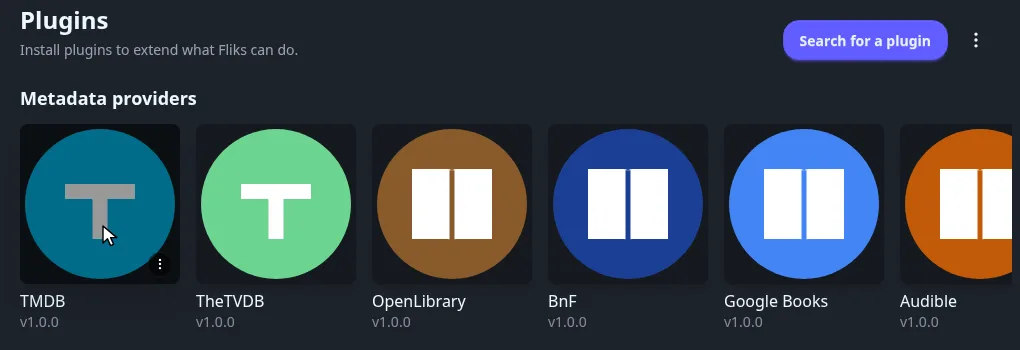
Open Advanced > Plugins: one card per installed plugin. Installing, updating, trust badges and removing are in Plugins.
Configure a plugin#
The plugin's page does not link to its settings. Where they live depends on the kind of plugin.
- Metadata providers (every bundled plugin, plus Project Gutenberg, LibriVox, Comic Vine and Metron) are configured from Settings > Metadata. The provider's row has a Configure link.
- Other plugins (Torrent manager, Notify, Music lists) get a section of their own in the Administration sidebar, named after the plugin.
Open Metadata in the Administration sidebar and click Configure on the provider's row. Fill the field, then click Save.
Nothing is applied until you click Save. API keys and tokens are stored as secrets.
Provider order#
Settings > Metadata > Order per kind sets which provider is asked first. See Metadata settings.
See also#
- Plugins for installing, trust, automatic updates, import, export and uninstalling.
- Metadata for languages, regions and fixing a wrong match.
- Plugin development to write your own.