
Administration
Backups
What a Fliks backup actually contains, how it's taken automatically, and how to restore one.
What's backed up#
A Fliks backup is a plain SQL dump of the database, taken with pg_dump. It covers your
libraries, media, users, roles, settings and history, everything that lives in PostgreSQL,
including the installed plugin archives. It does not include:
- Artwork, cached images or uploaded avatars (
FLIKS_DATA_DIR). - The JWT signing key (
FLIKS_CONF_DIR); restoring a backup onto a fresh install with a different key logs everyone out, since existing sessions were signed with the old one. - The plugins' unpacked runtime files (
FLIKS_RUNTIME_DIR); Fliks unpacks them again from the archives in the database on every start. - The transcode cache; it's disposable by design.
- Your media files themselves.
If you want a full disaster-recovery copy rather than just the database, back up the data and
conf directories yourself alongside this (a filesystem snapshot, or a plain cp -r, works fine
since nothing in them is a live database).
Automatic backups#
Fliks takes one every day at 2 AM server time, and keeps the 7 most recent, deleting older ones automatically. There's nothing to configure: the time and the count are fixed. The job shows up as Backup in Settings > Scheduled tasks, where you can also run it by hand.
Where they're stored#
Under <data dir>/backups (/app/data/backups in Docker), as
fliks-backup-<timestamp>.sql files. Being under the data directory, they survive an image
or app update, and they're included if you back up that directory yourself. They sit on the same
disk as the server, though: download a copy now and then, or copy that folder elsewhere, so a
dead disk doesn't take the backups with it.
Backups need the PostgreSQL client tools (pg_dump and psql). The Docker image includes
them. On versions up to 4.1.x, the Windows and macOS apps don't put a pg_dump on the server's
PATH, so backups there only work if you install a matching PostgreSQL client yourself; a
from-source install needs both tools on PATH. Check that Create a backup works before
relying on it; see
Backup and restore failures.
Managing them by hand#
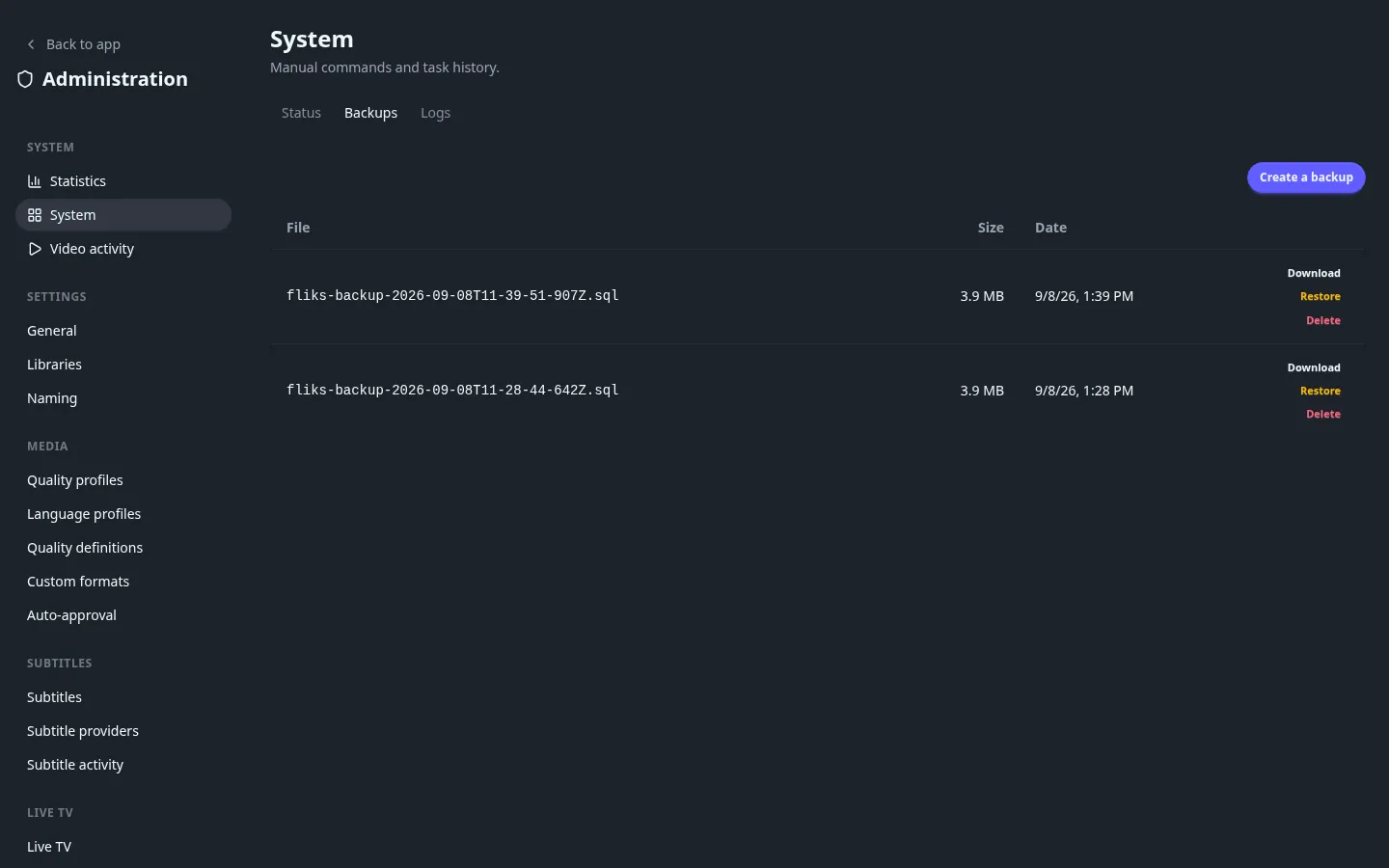
Settings > System > Backups lists every backup with its size and date, and lets you:
- Create a backup on demand, outside the daily schedule.
- Download one, to keep a copy outside the server entirely.
- Restore one. This runs
psqlagainst the current database with the dump's contents, which overwrites what's there now. Fliks asks for confirmation first, and stops at the first error rather than leaving a half-restored database. Restart the server afterward (the Restart server button on Settings > System, when it's shown, or restart the container or app yourself). - Delete one, permanently.
Restoring overwrites the current database. Take a fresh backup first if you want any way back from whatever state you're restoring away from.
See also#
- Logs and troubleshooting for what a failed backup or restore usually means (most often a PostgreSQL client/server version mismatch).
- Updating for why taking a backup before a version bump is worth the extra minute.