
Features
Metadata
Posters, backdrops, cast and details come from TMDB and TVDB, cached locally so nothing hotlinks to an outside service while you browse.
Where the data comes from#
Fliks fetches titles, artwork, cast and crew from two providers:
| Provider | Covers |
|---|---|
| TMDB | Movies and series; also trending, popular, upcoming and discovery browsing |
| TVDB | Movies and series, as an alternative source |
TMDB is the default, and the fallback whenever a library's Metadata provider is left on Auto. A library can be set to prefer one provider over the other (Settings > Libraries), and that preference can be overridden again for one specific title, or even one specific season, if the usual source is missing something for it.
Both providers need an API key to work. The official Docker image and the Windows and macOS
installers already ship with them built in; you only need to supply your own (TMDB_API_KEY,
TVDB_API_KEY) if you build Fliks yourself from source. Without a TMDB key, the metadata refresh
jobs below don't run at all.
Language and region#
Settings > General has a server-wide Metadata language and Metadata region, used for every library unless a library overrides them (Settings > Libraries, per library). The language picks which translation of titles, overviews, genres and artwork text is fetched; the region picks which release dates (and which upcoming titles) are considered relevant to you. Changing either takes effect on the next refresh: anything already imported keeps what it has until then.
Keeping metadata current#
A background job refreshes metadata every night: movies released more than a year ago and series that have ended are refreshed about once a week, and everything else daily. You can also trigger this by hand from Settings > System: Refresh metadata runs that same pass right away (so settled titles refreshed in the last week are still skipped), and Reload missing metadata catches titles that are missing a poster, overview or seasons, or haven't been refreshed in three months. Titles added without metadata are skipped by both until you identify them.
Fixing a wrong match#
Open a title and choose Identify to search again (by title and year, or by pasting an exact IMDb/TMDB/TVDB id) and re-match it. Confirming triggers a full re-fetch of everything for that title in the background, so posters, cast and episode listings all catch up to the new match.
Cast, crew and people pages#
Every actor, director, writer or producer credited on something in your library gets their own page: a photo, biography, and every local credit, split into In my library and their Full filmography from the provider. A title from the filmography that isn't in your library yet opens the add screen described below instead of a dead end. The People section lists everyone who shows up in your libraries, filterable by role.
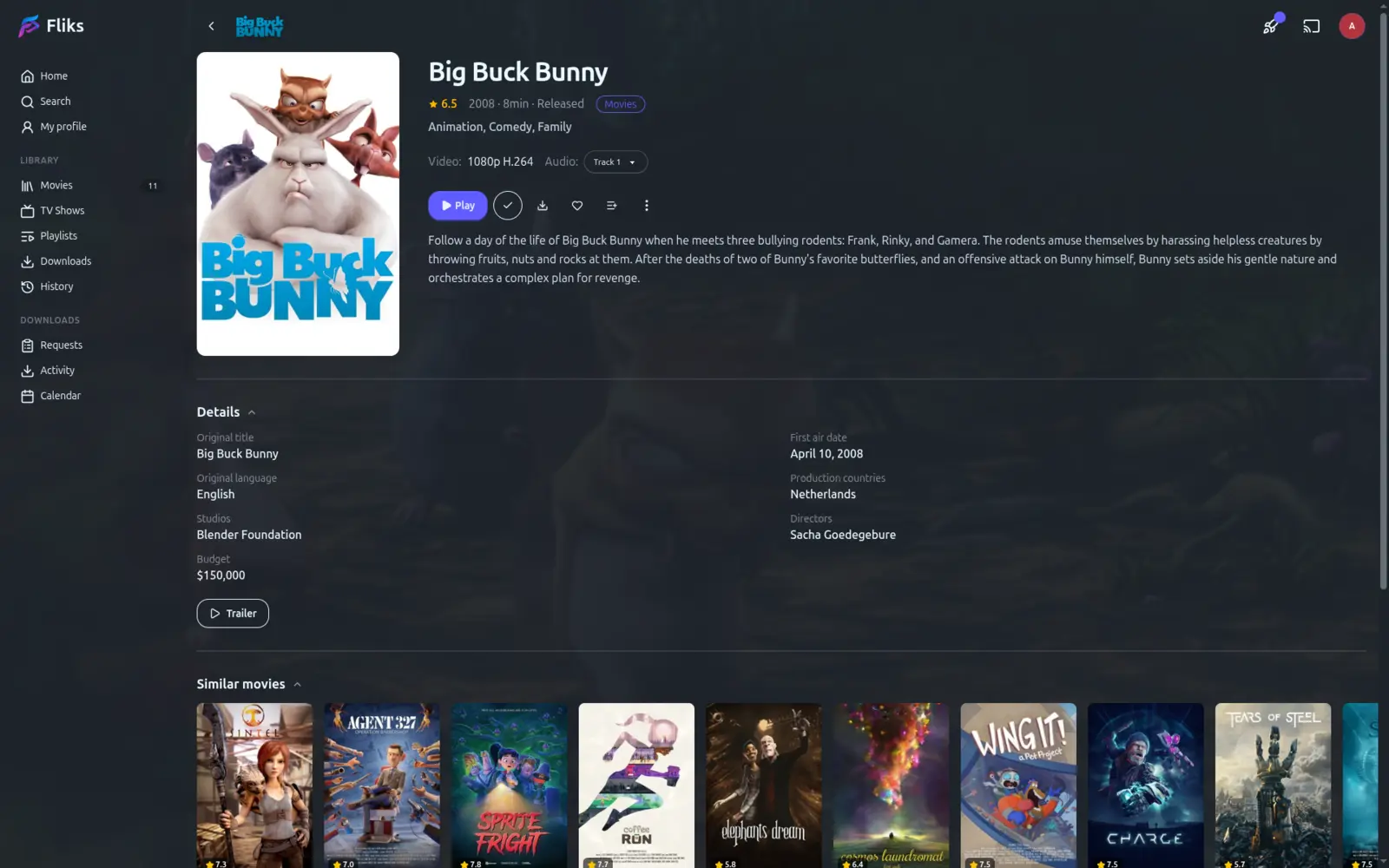
Adding a title that isn't in your library yet#
Search brings up matching titles from TMDB or TVDB alongside what's already in your library. Open one you don't have yet for a full preview: cast, crew, release dates in every region, original language, studios, and (for a series) its seasons. From there:
- Add it directly, picking a quality profile, a language profile and a library (only libraries that accept its type are offered), plus which seasons to include for a series.
- Request it instead, if you don't have permission to add media directly: see Requests.
Local image cache#
Every poster, backdrop and logo is downloaded once and kept on your own server, resized locally into a few sizes as needed. Once cached, browsing your library never reaches out to TMDB or TVDB again for the image itself, which keeps casual browsing off an external service.
See also#
- Libraries for scanning folders and the profiles that decide what quality to keep.
- Discovery and search for trending, popular and personalised suggestions built on top of this metadata.