
Features
Discovery and search
Home page rows, search across and outside your library, a release calendar, spoiler protection, and suggestions based on what you actually watch.
The home page#
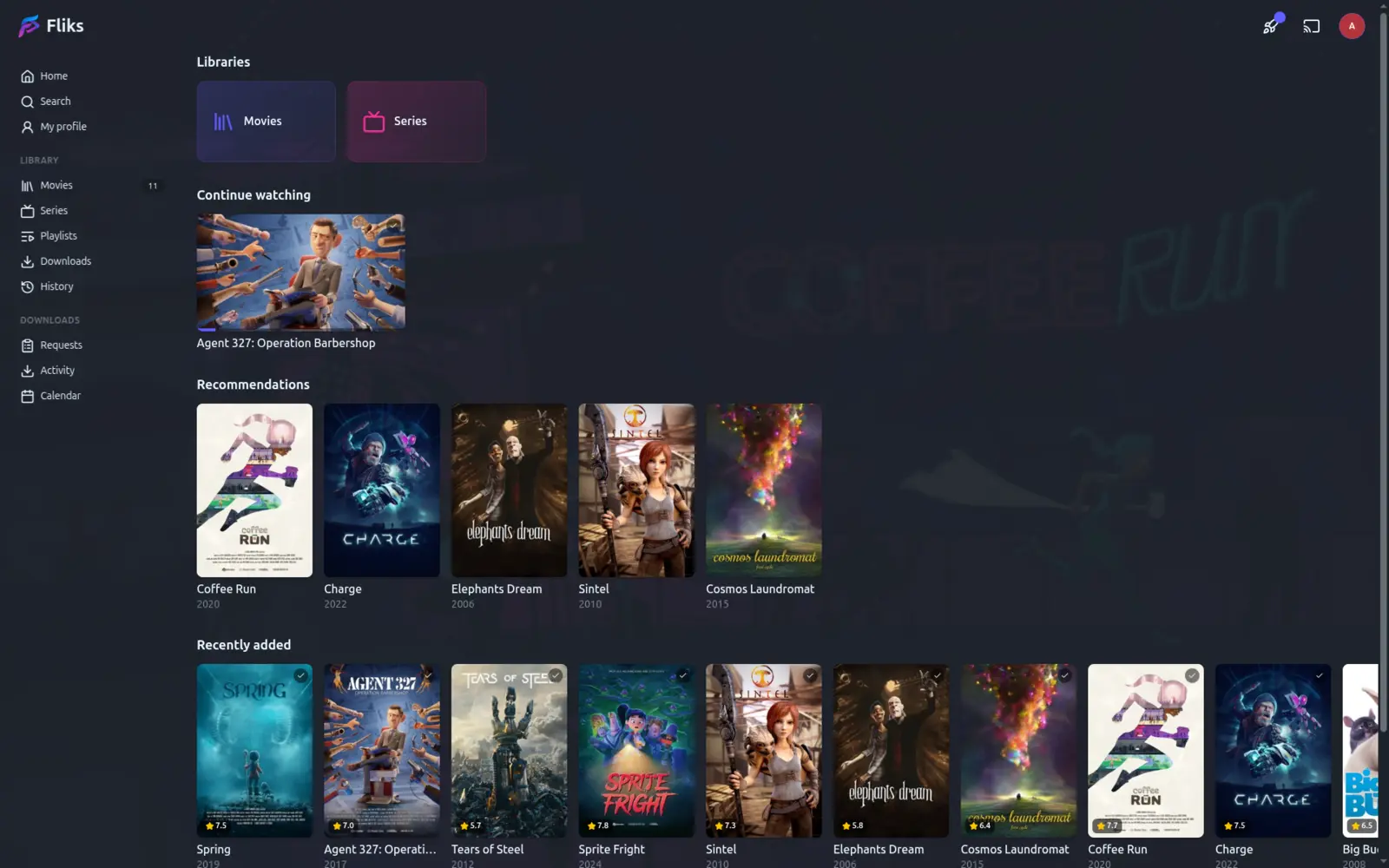
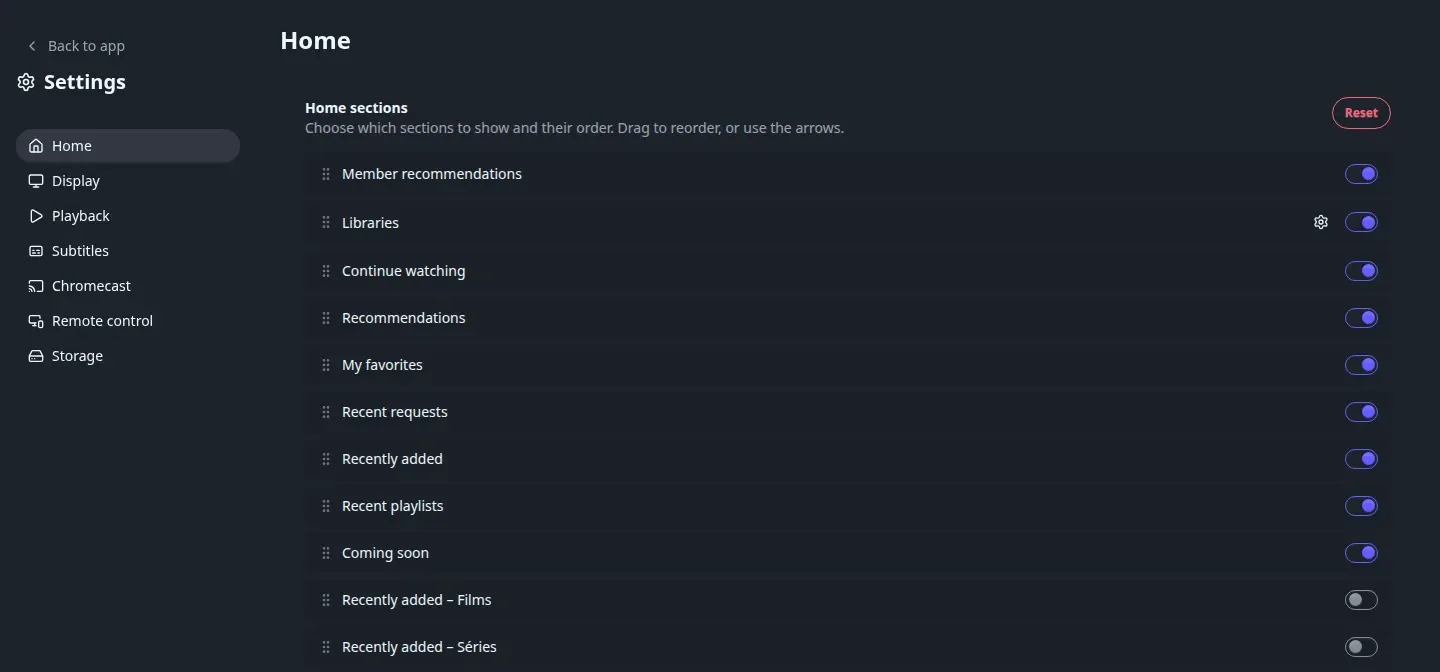
The home page is built from rows you can show, hide and reorder yourself, from App settings > Home (this is remembered per device, not per account):
| Row | What it shows |
|---|---|
| Member recommendations | Titles other users sent you directly, see Sharing and social |
| Libraries | One card per library you can access |
| Continue watching | Movies you're partway through, plus the next episode to watch for each series you've started |
| Recommendations | Personalised suggestions based on your own watch history, see below |
| My favorites | Titles, seasons and episodes you've liked |
| Recently added | The newest arrivals across your libraries |
| Recent playlists | Your own and shared playlists |
| Coming soon | What's releasing or airing soon, from the calendar below |
If you're allowed to make Requests, a Recent requests row is added too, shown by default above Recently added (not on TVs). Each library also gets its own "Recently added" row, hidden by default, that you can turn on alongside the combined one.
Searching#
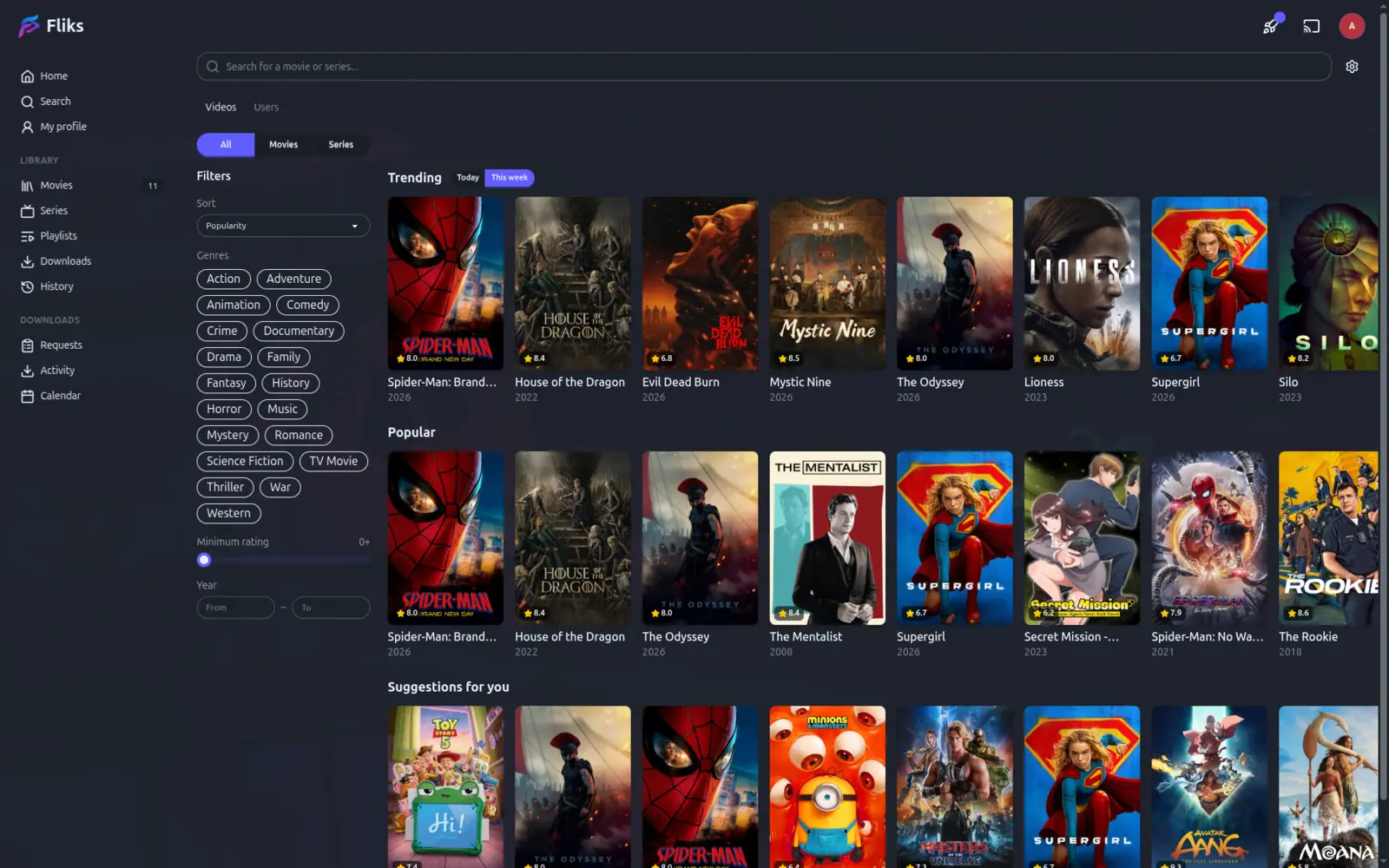
Search has two tabs: Videos, and Users for finding other members by name (hidden on TVs and if you've turned off sharing). Turn on Search outside the library to also search your metadata provider (TMDB or TVDB, whichever is preferred, falling back to the other when it finds nothing), so a title you don't have yet still turns up, ready to add or request. With no query typed yet, the page shows suggestions from your library; with external search on, it adds trending and popular titles. Filters narrow the results by sort order, genre, minimum rating and release year (genres need external search on).
Calendar#
The Calendar page lays out a month at a time: when a movie in your library is due in cinemas, digitally, or physically, and when each episode of a series you have is airing. Only titles already in one of your libraries appear here; it doesn't suggest anything new. Toggle any of the four categories off if you'd rather not see it.
Spoiler protection#
Account settings > Spoilers lets you avoid seeing what you haven't gotten to yet, with one master switch (Hide spoiler information) and three things it can hide once it's on:
| Setting | What it hides |
|---|---|
| Blur thumbnails | The still of an unwatched episode, and its page's backdrop |
| Blur synopses | The plot summary of an unwatched film, season or episode |
| Hide episode names | Shows "Episode 3" instead of a title that gives away the plot |
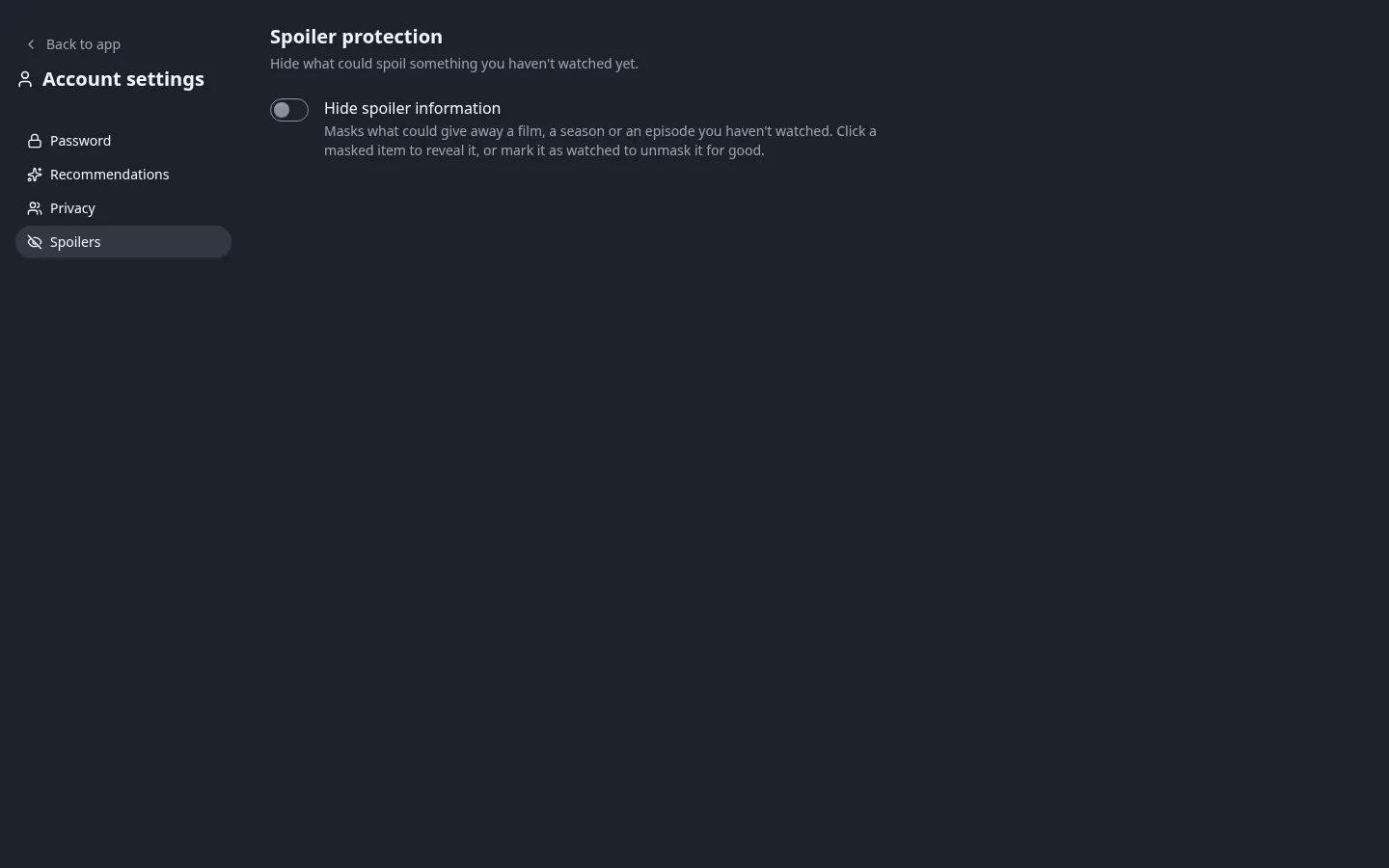
Clicking a masked item reveals it for the moment; marking it as watched unmasks it for good. Each of the three is its own toggle, and the setting follows your account onto every device, since it's stored on your profile rather than the device you're using.
Recommended for you#
The Recommendations row on the home page (and the Suggestions view inside a library) is built from what you've actually watched, not a fixed list: it looks at the genres of the titles you've recently finished, weighted toward the most recent ones, and surfaces library titles you haven't started yet that share those genres. Don't want to see something suggested again? Dismiss it from the home page row, and it stays hidden until you reset your dismissed list from Account settings > Recommendations.
This only draws on genres, and only starts producing results once you've finished at least one title that has genre information.
This personalised row is separate from the recommendations members send each other directly, and from the "popular among people you follow" row built from your followed users' own watch history: both of those are covered in Sharing and social.
See also#
- Metadata for where trending, popular and title details come from.
- Sharing and social for recommendations sent between users.
- Requests for asking to add something search turned up outside your library.