
Downloads
Language profiles
Choose which audio languages a download may have, and which subtitle languages Fliks searches for automatically.
A language profile lists the audio languages a download may have and the subtitle languages Fliks searches for. A watch-only server can skip it, but automatic subtitles need it: a fresh server's default profile searches for none. Add subtitle languages in Settings > Language profiles.
What a language profile does#
A language profile has two independent lists. They affect different things.
| List | What it affects |
|---|---|
| Accepted audio languages | The download side only. A release whose audio language is not in the list is refused. Empty means every language is accepted. |
| Subtitle languages | Automatic subtitle search, for every monitored title that uses the profile, including titles you scanned from disk. Each ticked language is searched for, with its own Forced and Hearing-impaired preference. |
Where the profile is attached, and what else reads it
The profile is attached to each title, not to the whole server. It is chosen when the title is added or requested, falls back to the library's default language profile, then to the oldest profile, and can be changed later from the title page (Profiles). See Libraries.
The subtitle list also has two smaller effects:
- Optimization always keeps the subtitle languages of a title's profile, so subtitle search does not download them again after a file is rewritten.
- The audio list is what an optimization profile means by Media language profile.
A fresh server has one profile, Toutes les langues (défaut), with no audio and no subtitle language. It accepts every audio language and searches for no subtitle at all. To get automatic subtitles for the files you already own, add subtitle languages to that profile, or create a new one and set it as the library's default. You also need a subtitle provider, see Subtitle settings.
Create a language profile#
Settings > Language profiles (Media section, Settings access permission).
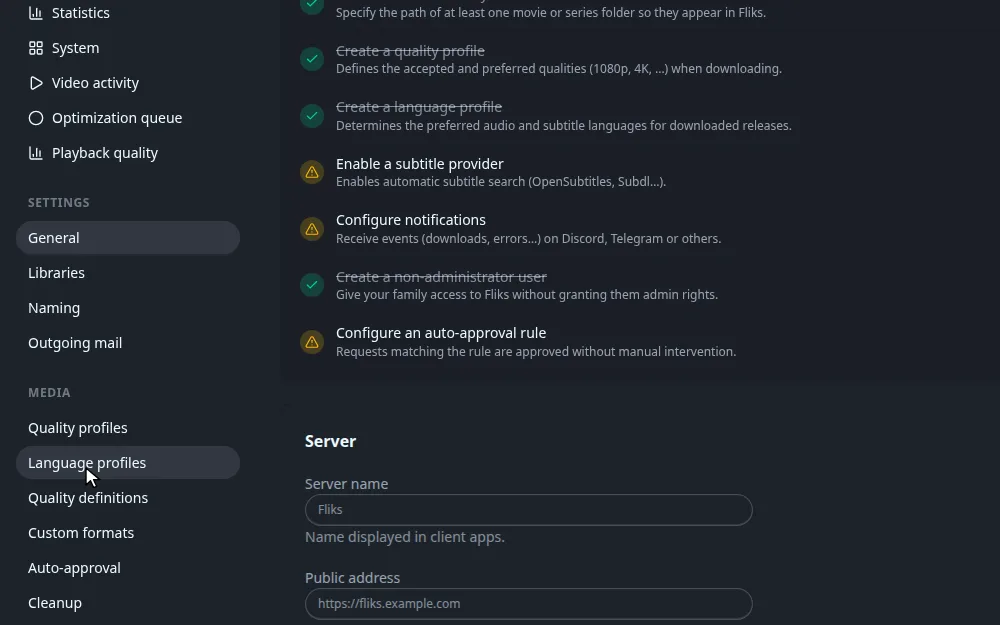
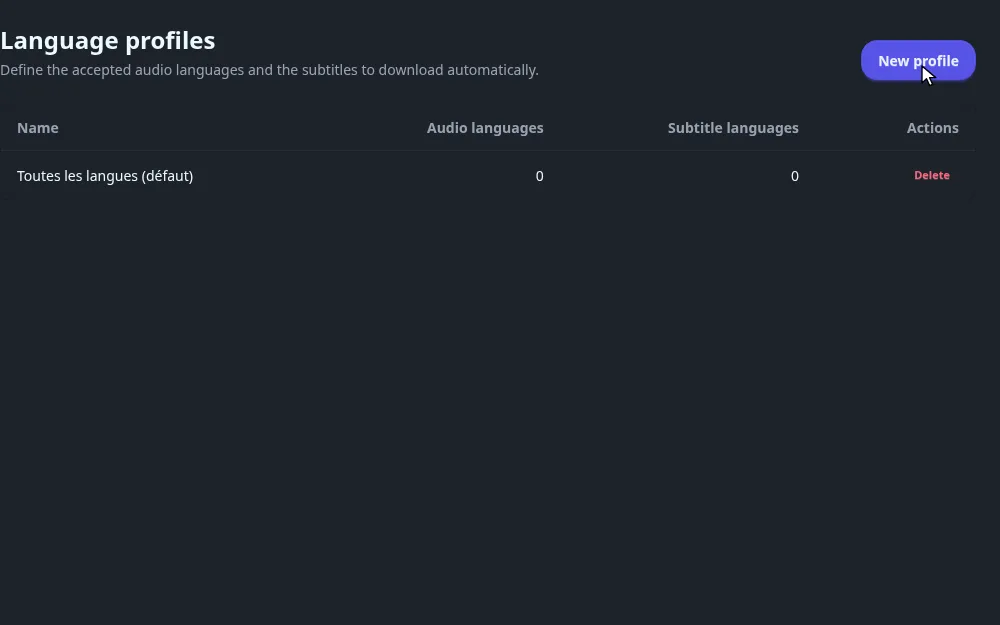
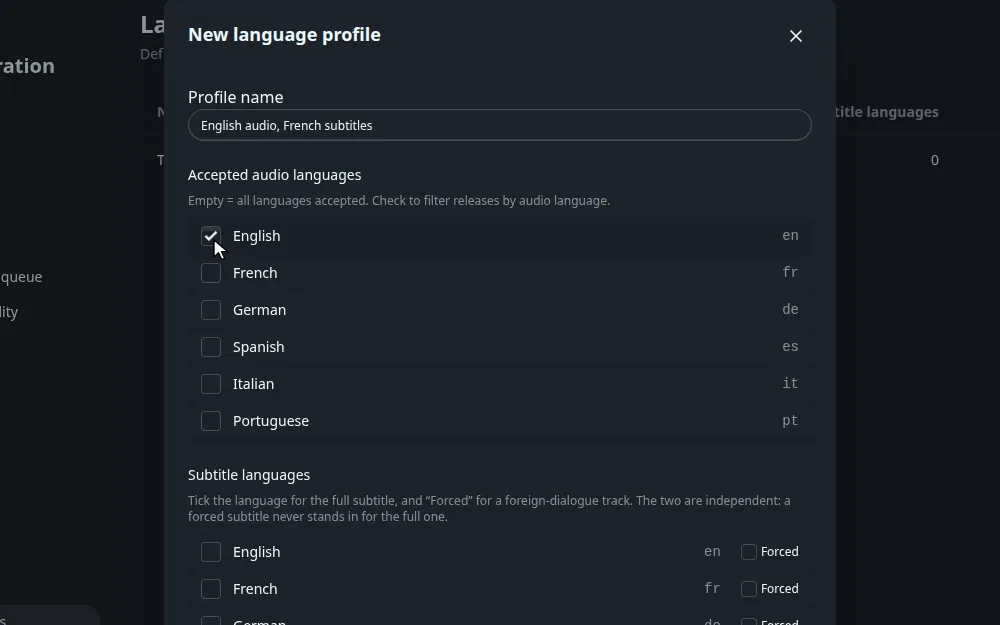
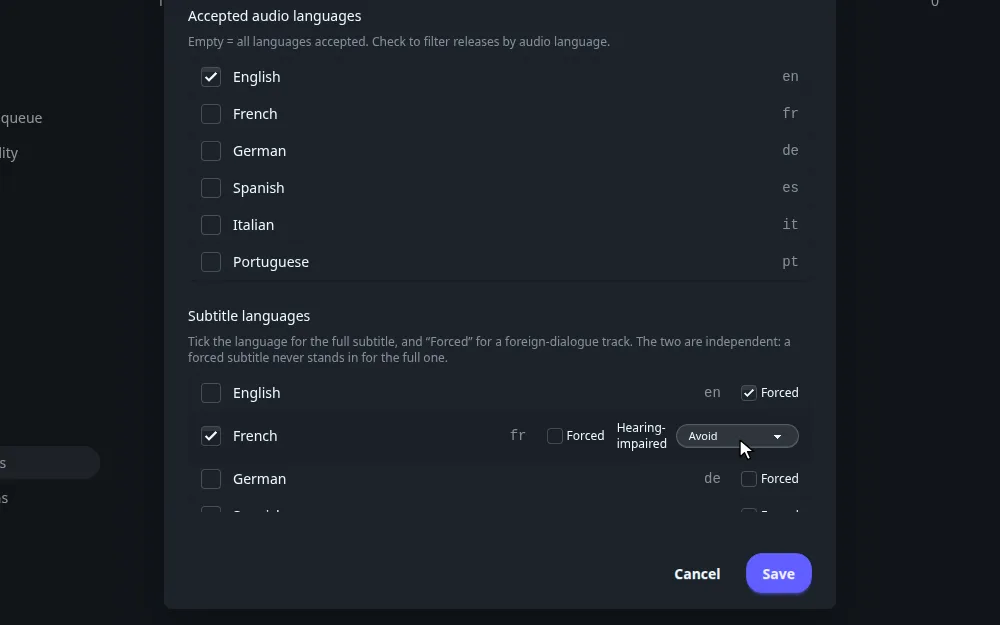
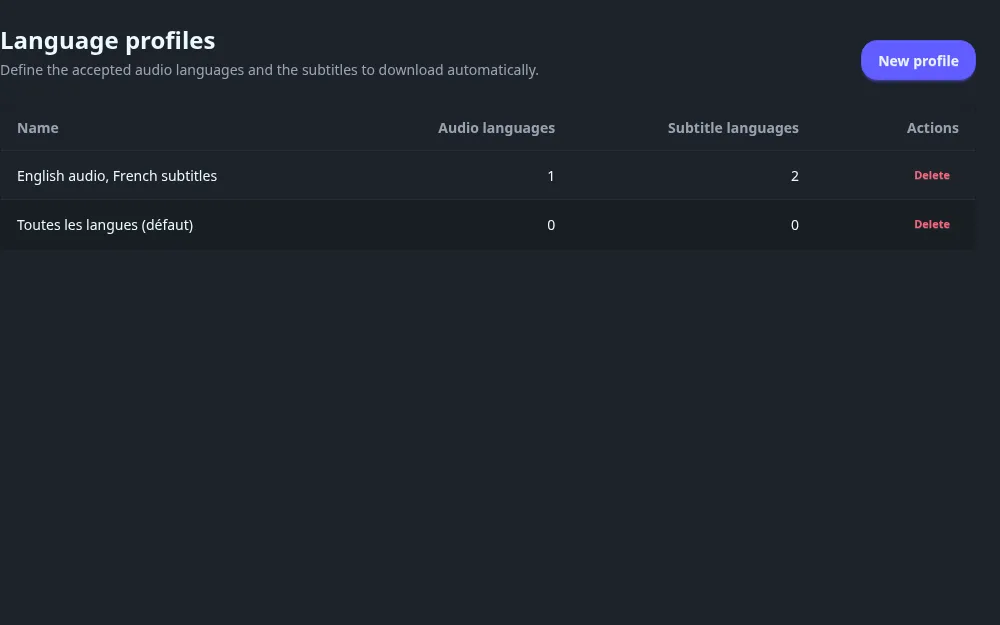
To change a profile, click its name. To remove it, click Delete and confirm. Titles that used a deleted profile keep no profile and are no longer searched for subtitles.
Every field#
Every field, audio language detection and the hearing-impaired menu
| Field | What it does |
|---|---|
| Profile name | The label shown in pickers. Required. |
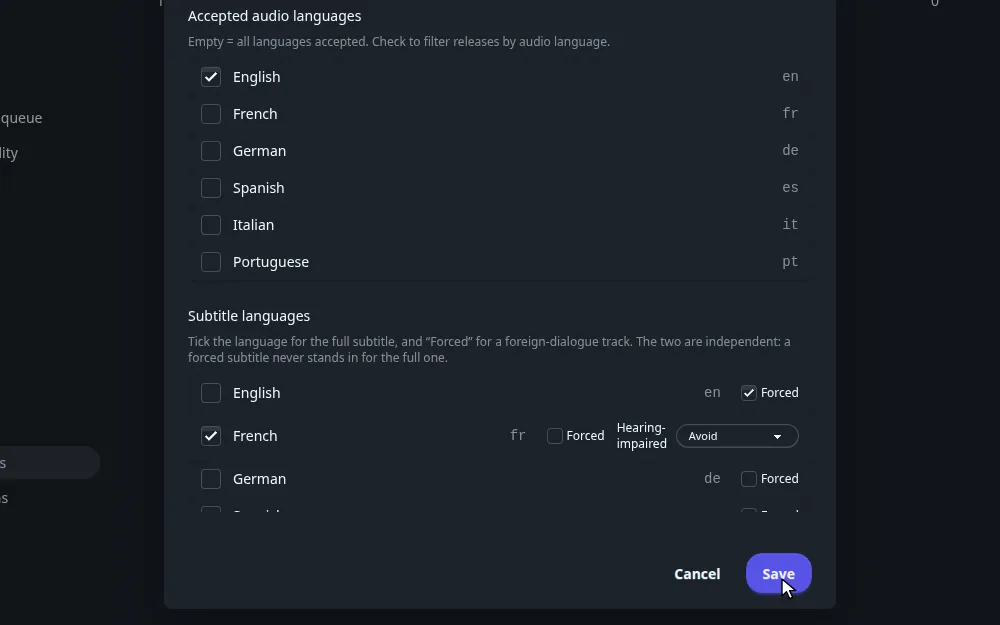
| Accepted audio languages | One checkbox per language, with its code. Empty means all languages are accepted. When you tick some, a release is accepted if at least one of its audio languages is ticked. |
| Subtitle languages | For each language, a checkbox for the full subtitle, a Forced checkbox, and, once the full subtitle is ticked, a Hearing-impaired menu. |
Audio languages#
Fliks reads the language from the release name. A release with no language tag is read as English, so it is refused if English is not ticked. A release tagged MULTI or DUAL is read as an unknown language, which none of your ticked languages match, unless the download source maps unknown releases to a language.
If you leave the list empty, the audio language never refuses anything.
Subtitle languages#
Each language can be requested twice, once as a full subtitle and once as a forced one. The two are independent: a forced subtitle never stands in for the full one, and the other way around.
| Checkbox | Meaning |
|---|---|
| Language | Look for the full subtitle of this language, the one that translates all the dialogue. |
| Forced | Look for the forced track of this language, which only carries foreign-language dialogue and signs. |
The Hearing-impaired menu applies to the full subtitle. Its four values are:
| Value | Meaning |
|---|---|
| Avoid | The default. Prefer a subtitle without sound descriptions, but accept one with them if nothing else exists. |
| Prefer | Prefer a subtitle with sound descriptions, but accept one without them. |
| Require | Only accept a hearing-impaired subtitle. |
| Forbid | Only accept a subtitle that is not hearing-impaired. |
Avoid and Prefer only tip the score of otherwise equal results. Require and Forbid filter results out. Whether a language is already covered never depends on this setting: a subtitle in the right language and the right forced state counts as present.
Worked example: English audio, French subtitles#
Worked example: English audio, French subtitles
Goal: only download releases in English audio, and keep a French full subtitle without sound descriptions, plus the English forced track for foreign dialogue.
- Profile name:
English audio, French subtitles. - Accepted audio languages: English.
- Subtitle languages: French, with Hearing-impaired on Avoid. English, with only Forced ticked.
What happens, once a subtitle provider is set up:
- A release tagged French-only audio is refused for download. A release with no language tag is read as English and accepted.
- After a file lands, Fliks looks for a French full subtitle and prefers a result without sound descriptions. If the file already holds an embedded French text subtitle track, that search is skipped.
- It also looks for an English forced subtitle.
- The English full subtitle is never searched for, because only its forced box is ticked.
How it connects#
- Subtitles explains the search itself: providers, scoring, upgrades and the automatic schedule.
- Subtitle settings turns automatic search on and chooses providers.
- Quality profiles are picked together with a language profile.
- Libraries hold the default language profile.
- Requests carry a language profile.