
Downloads
Quality definitions
Set the minimum, preferred and maximum file size of each quality, which Fliks uses to refuse fake or bloated releases.
Quality definitions give each quality a minimum, preferred and maximum file size, so searches can refuse fake or bloated releases. Needed only for requests or Torrent manager, and the defaults are sensible: change a range only when releases are refused for being too small or too large.
What a quality definition does#
A quality definition gives each quality a size range, so that Fliks can tell a real 1080p release from a suspiciously tiny one, and a reasonable one from a 60 GB remux when you only want a regular copy. The ranges are shared by every quality profile.
For each quality, you set three values:
| Value | Colour | Meaning |
|---|---|---|
| Minimum | Blue | A release smaller than this is refused. 0 means no minimum. |
| Preferred | Green | The ideal size. Among otherwise equal releases, the one closest to it comes first. |
| Maximum | Orange | A release larger than this is refused. Unlimited means no maximum. |
Video and audio sizes are measured per hour of content (MB per hour), so a long film is allowed more bytes than a short one. Text formats (books) are measured per file, in MB.
Change a size range#
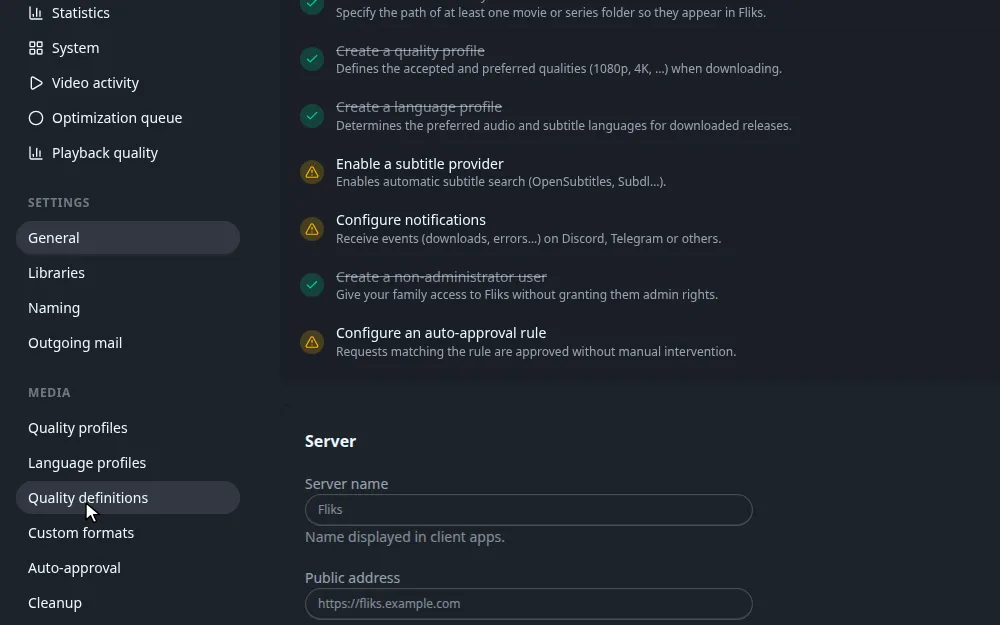
Settings > Quality definitions (Media section, Settings access permission). The tabs Video, Audio and Text show one list each.
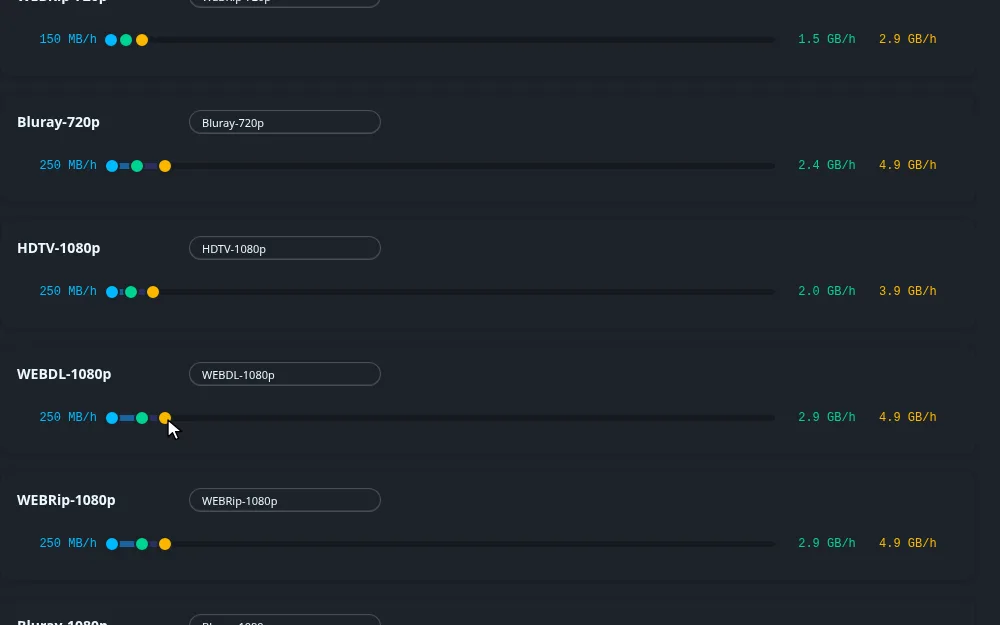
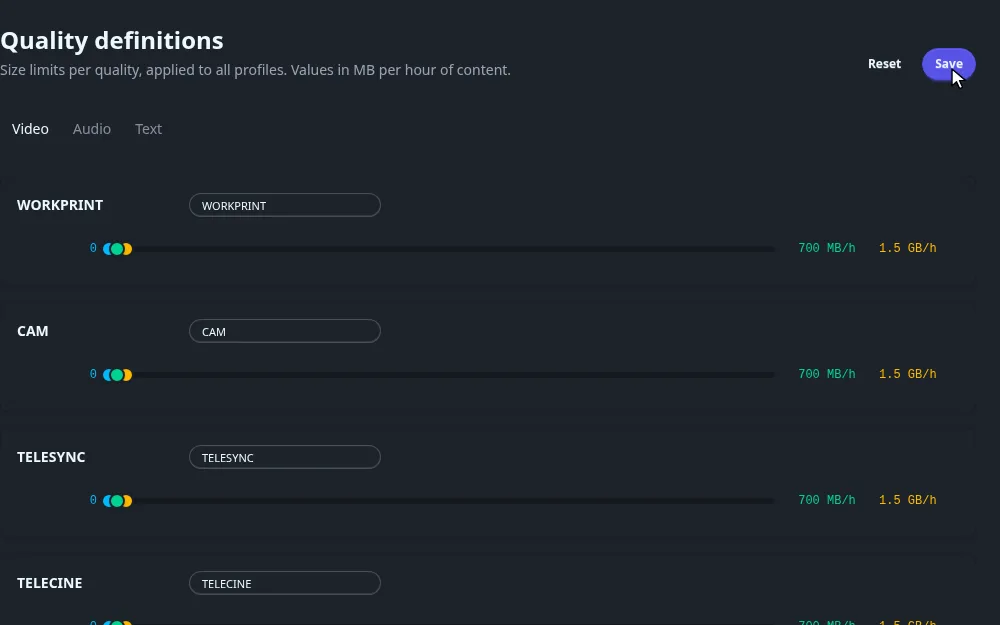
Click anywhere on a track to move the closest handle to that point. The values are shown on both sides of the track and snap to 0.5 MB. Fliks keeps the three in order: pushing the minimum above the preferred size drags the preferred size with it, and so on.
Every control on the page
| Control | What it does |
|---|---|
| Text box next to the name | Renames the row. The new name is only a label on this page. Releases are still recognised by the built-in quality name. |
| Track and three handles | Minimum (blue), preferred (green) and maximum (orange). The track runs from 0 to 60 000 MB/h for video, 3 000 MB/h for audio and 300 MB for text. |
| Reset | After a confirmation, fills the form with the built-in defaults of the current tab. Nothing is stored until you click Save. |
| Save | Stores every row of the current tab. Disabled while there is nothing to save. |
| Video / Audio / Text | Switches the list. Unsaved changes are dropped when you switch. |
How the sizes are used (codec scaling, no runtime)
For each release found by a search, Fliks:
- Works out the quality from the release name.
- Converts the release size to MB per hour, using the title's runtime.
- Refuses the release if it is under the minimum or over the maximum. It shows as too small or too large, and the automatic search never takes it.
- Otherwise keeps it, and uses the preferred size only as a late tie-break: after quality, custom format score, seeders and leechers, the release nearer the preferred size comes first.
Two details matter:
- Newer codecs get smaller files. The limits are calibrated for x264. For a release named HEVC (x265) they are multiplied by 0.55, for AV1 by 0.45 and for VP9 by 0.6, so a 4 GB HEVC file is judged like a 7.3 GB x264 one.
- No runtime, no size check. When the runtime of the title is unknown, the size is not checked.
Default size ranges
Video, in MB per hour, as minimum / preferred / maximum. The page shows large values in GB per hour (1 GB = 1024 MB), so 3000 appears as 2.9 GB/h.
| Quality | Min | Preferred | Max |
|---|---|---|---|
| WORKPRINT, CAM, TELESYNC, TELECINE | 0 | 700 | 1500 |
| DVD, DVD-R, SDTV, all 480p | 0 | 800 | 1500 |
| HDTV-720p | 150 | 1200 | 2500 |
| WEBDL-720p, WEBRip-720p | 150 | 1500 | 3000 |
| Bluray-720p | 250 | 2500 | 5000 |
| HDTV-1080p | 250 | 2000 | 4000 |
| WEBDL-1080p, WEBRip-1080p | 250 | 3000 | 5000 |
| Bluray-1080p | 400 | 5000 | 10000 |
| Remux-1080p | 8000 | 18000 | 30000 |
| HDTV-2160p | 600 | 4000 | 8000 |
| WEBDL-2160p, WEBRip-2160p | 600 | 6000 | 12000 |
| Bluray-2160p | 1000 | 12000 | 25000 |
| Remux-2160p | 15000 | 35000 | 60000 |
Audio is in MB per hour: the 64k qualities are 10 / 30 / 60, 128k are 30 / 60 / 120, 256k are 60 / 120 / 250, Lossless 16 bit is 150 / 350 / 700 and Lossless 24 bit is 300 / 700 / 1400. Text is in MB per file: PDF is 0 / 8 / 150, EPUB 0 / 2 / 80, MOBI and AZW3 0 / 2 / 50.
Worked example: cap WEBDL-1080p at 3 GB per hour
Goal: stop Fliks from taking very large WEB releases.
- On the Video tab, find WEBDL-1080p.
- Drag the orange handle until it reads about 3.0 GB/h. The preferred handle moves down with it if needed.
- Click Save.
For a film of 2 hours, a WEBDL-1080p release is now accepted between 500 MB (the default minimum) and about 6 GB. A 9 GB x264 release is refused as too large. The same film as an HEVC release is accepted up to about 3.3 GB, because the limit is scaled by 0.55.
How it connects#
- Quality profiles decide which qualities are allowed. Definitions decide how big a release of an allowed quality may be.
- Custom formats rank releases that pass both checks.
- Downloads runs the searches that use these limits.