
Features
Playback
Resume across devices, remembered audio and subtitle tracks, skip intro and next episode, chapter markers, and scrubbing previews.
Resume anywhere#
Fliks saves your position in the background while you watch, and reads it back on any device you sign in on: start a film on your phone, sit down at the TV, and it offers to resume from the same spot. Progress is saved a few times a minute during playback, and immediately whenever you pause, seek, or finish something, so switching devices mid-scene loses at most a few seconds.
- Under about 10 seconds of progress, a title still shows up under Continue Watching but resumes from the start rather than at that tiny offset.
- Under about 5 seconds, it doesn't count as watched at all, and won't appear in your history or under Continue Watching.
- A title is marked as finished once you reach roughly 90% of it, or come within 30 seconds of the end, whichever happens first.
- If you were offline when you finished something, the position is kept on the device and sent to the server as soon as it reconnects.

Track selection#
Every embedded audio track, and every embedded or external text subtitle, can be switched mid-playback without interrupting the stream. An image-based subtitle (PGS, VobSub) has to be burned into the picture, which restarts the stream as a transcode, and these are hidden from the picker by default (see Subtitles).
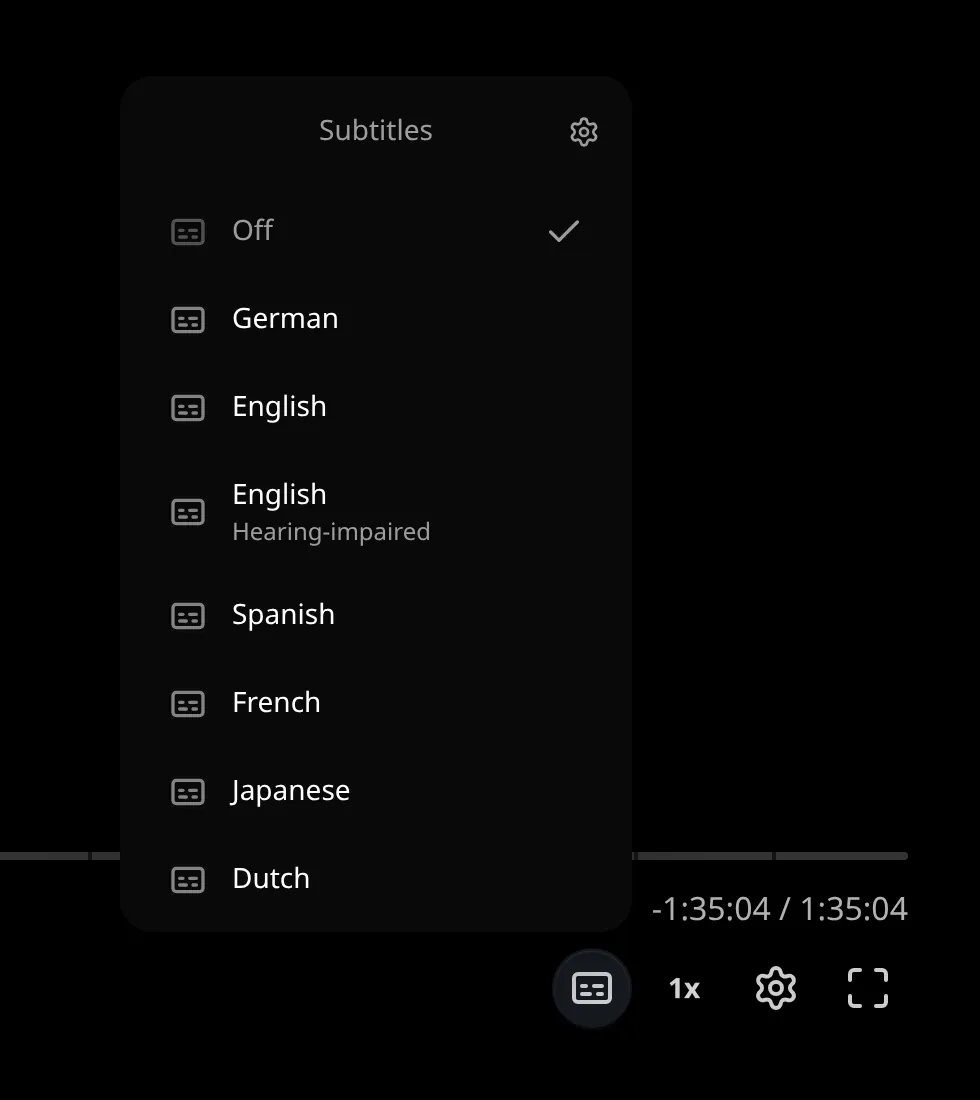
Your choice is remembered per device (not tied to your account), and it applies to the whole show, not just the one episode you were on, so picking a language once carries across the rest of a series.
App settings > Playback (in your user menu) controls how the default track is chosen the first time you open something new:
| Setting | Options | Default |
|---|---|---|
| Preferred audio language | Any language | None |
| Audio selection | Preferred language, title's original language, file's default track, or first audio track | File's default track |
| Remember audio selections | On or off | On |
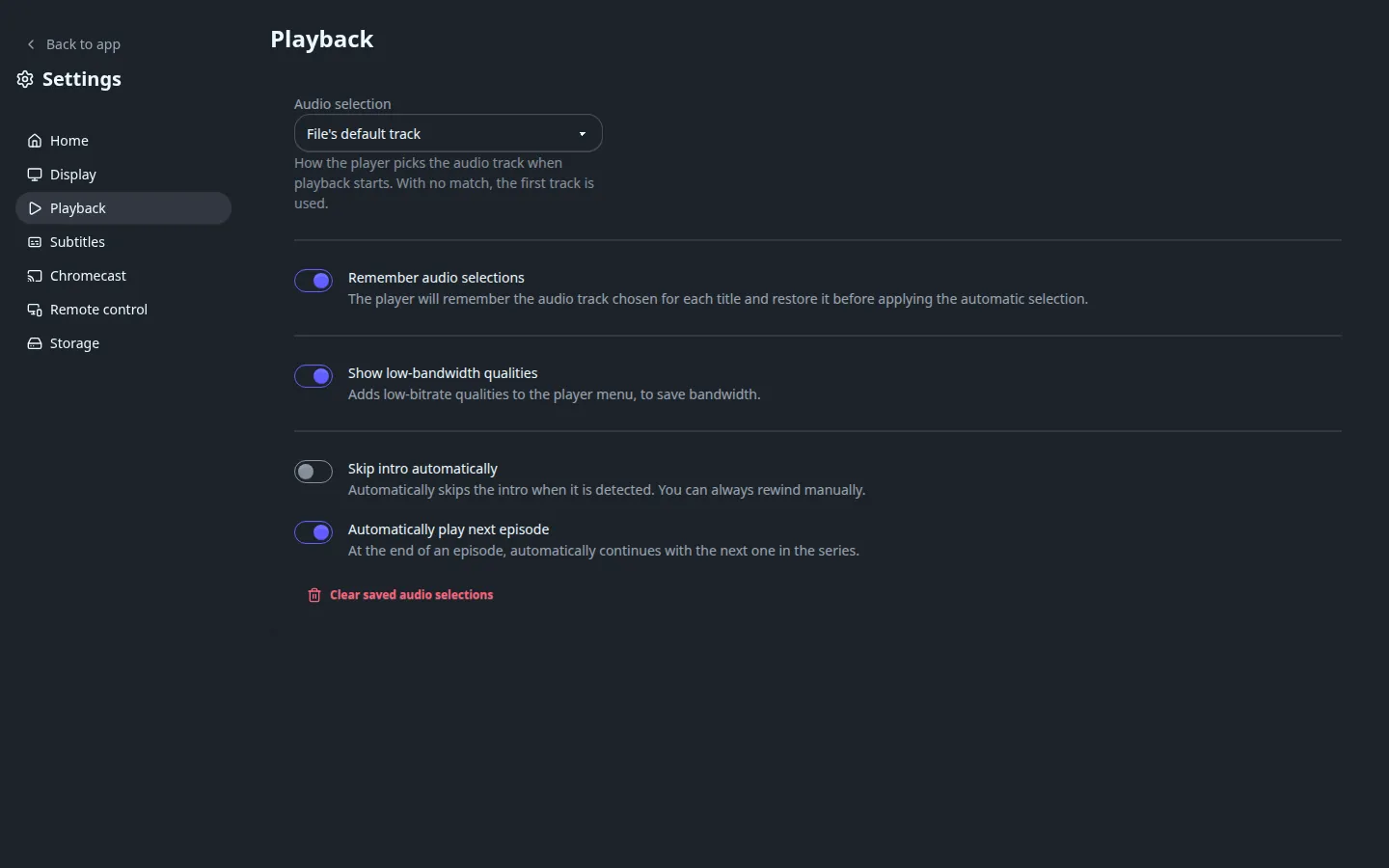
When the chosen rule finds no match, the first audio track plays. The same page also has Disable HDR (only on a device that reports HDR support; forces an SDR conversion when HDR looks washed out) and Show low-bandwidth qualities (see Streaming and transcoding).
Subtitle defaults, and their appearance, are covered in Subtitles.
Skip intro and next episode#
For a series, Fliks looks at each episode's audio to find the recurring intro and, separately, the part near the end shared across episodes (the outro or credits), and offers to skip past either one:
- A Skip intro button appears once playback enters the detected range, and hides again after a few seconds if you don't press it.
- A Next episode button appears once playback enters the outro, if there's another episode queued up after this one.
Turn on Skip intro automatically (in App settings > Playback) and the intro is skipped for you without needing to press anything, once per episode. Turn on Automatically play next episode (on by default) and the next one starts on its own when this one ends; inside a playlist, the playlist's own autoplay setting decides instead.
Detection runs automatically after a series is imported (Detect intros / credits when importing series in Settings > General, on by default), fingerprinting the audio at the start (and separately, the end) of every episode in a season to find what repeats; a file with a chapter named like an intro is used directly. It can also be re-run by hand from a title's Analyze dialog (Recompute intros / outros) if a season's markers look wrong, for example after replacing a file.
Chapters#
Where the video file itself carries chapter markers, Fliks reads them and shows them on the seek bar, the same way a lot of well-produced Blu-ray rips already have "Opening Titles" or "Chapter 4" markers baked into the file. These come from the file, not from Fliks: a file with no chapters shows none.
Scrubbing previews#
Dragging the seek bar shows a filmstrip of small preview frames rather than a plain progress bar, so you can see roughly where you'll land before letting go. These are generated once, right after a file is imported (Generate seek thumbnails when importing in Settings > General, on by default; turn it off on a low-power server), or later on demand from the Analyze dialog (Regenerate sprites) or Settings > System (Generate missing sprites), not on the fly while you scrub.
See also#
- Subtitles for search, sync, translation and appearance.
- Streaming and transcoding for how the quality you actually get is decided.